

ReadPartner
ReadPartner Inc. · Writing · Marketing
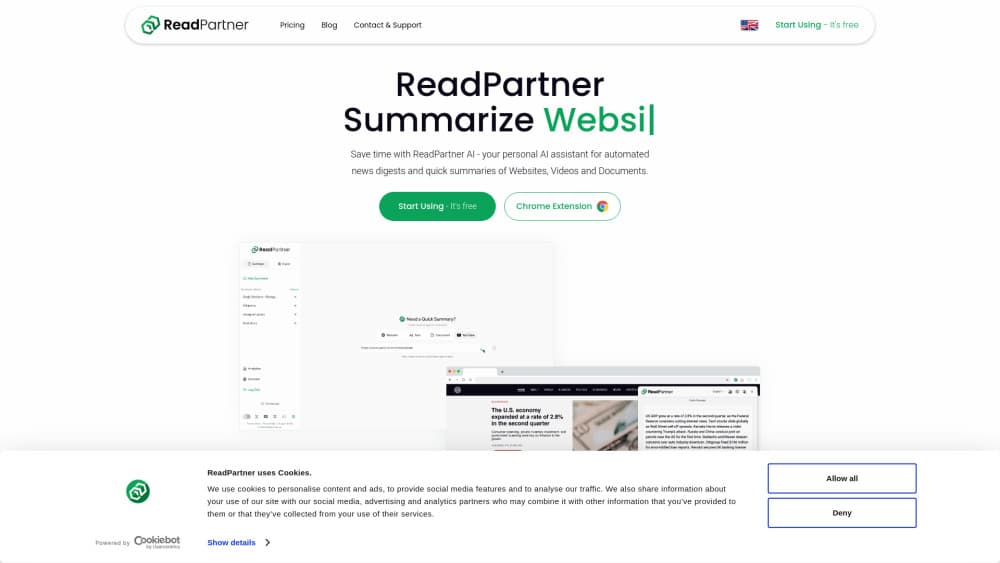
ReadPartner AI pairs a Chrome summarizer extension with a web portal that condenses articles, PDFs, and YouTube videos, then emails automated news digests.
About ReadPartner
What Is ReadPartner
ReadPartner is a reading and news tool from ReadPartner Inc. It ships in two parts: an AI summarizer extension for Chrome and a web portal where you keep your account, upload documents, and build news digests. The promise is narrow and useful. You open a long article, a research paper, or a video, press one button, and get the short version in the language and length you picked.
The extension sits on readpartner.com's own listing in the Chrome Web Store, where it has about 3,000 users and a 4.6 rating from 35 reviews. A toolbar button summarizes the page you're on. Highlight text and a right-click menu condenses just that passage. PDFs opened in the browser work the same way, and so do YouTube pages, where the summary pulls from the transcript rather than the comments.
The portal handles the parts a browser button can't. You can upload PDFs and other files, keep a history of past summaries, share results with colleagues, and set up a news digest that arrives by email, SMS, or a messaging app. Digest options include topic, region, language, and a schedule that runs daily, twice a week, weekly, or monthly. Audio playback reads summaries aloud, which helps if you'd rather listen while walking.
There are real limits. The extension is Chrome only, so Safari, Firefox, and mobile browsers are out. The interface is in English. Summaries can still be produced in other languages than the source page. Free accounts hit a monthly cap, and the paid tier is sold as a subscription rather than a one-off purchase. ReadPartner has also shifted its main business toward media monitoring for companies since 2025, which means the consumer summarizer gets fewer headline features than the enterprise dashboard. Treat a summary as a fast map of a document, not as a replacement for the paragraphs that carry the argument.
Getting Started
- Install the ReadPartner extension from the Chrome Web Store, or sign up at readpartner.com and open the portal.
- Create an account with an email address and confirm it. The free plan starts without a card.
- Open an article, PDF, or YouTube video and press the ReadPartner button. In the settings panel, choose output language, summary length, and summary type.
- Save the result to your portal history, export it as PDF or DOCX, or turn on a news digest for the topics you follow.
Product Information
A quick look at ReadPartner's pricing, supported platforms, and performance.
Best for
The users, tasks, and scenarios where this tool fits best.
Users
- Students and researchers
- PR, marketing, and analyst teams
- Readers working in a second language
- Anyone with a long reading queue
Tasks
- Triaging academic PDFs
- Turning a conference talk into notes
- Building a morning briefing
- Condensing a single section of a contract or report
Scenarios
- The week before an exam
- A Monday market check
- Reading on a work laptop
Key features
One-Click Page and Selection Summaries
The toolbar button condenses whatever page is open, from a news story to a documentation page. Highlighting a passage and using the right-click menu gives you a summary of just that text, which keeps long reports manageable when you only care about one section.
PDF and Document Upload
Beyond PDFs opened in the browser, the portal accepts uploaded files and returns a structured summary. This is the route for scanned reports, course packs, and papers you've downloaded rather than opened in a tab.
YouTube Video Summaries
Video pages get a summary built from the transcript, so you can judge whether a 45 minute interview contains the answer you need. The output follows the same length and language settings as text summaries.
Output Controls for Language, Length, and Type
Each summary can be tuned before it runs. You choose the output language, how long the result should be, the summary style, and in some cases the model behind it. The settings persist, so repeat use takes one click rather than a fresh setup.
Automated News Digests
The portal builds a recurring briefing from the topics, regions, and languages you select. Delivery runs through email, SMS, or a messaging app, and the schedule can be daily, twice weekly, weekly, or monthly. Each digest is a curated set of stories with short summaries, not a raw feed.
Share, Export, and Audio Playback
Summaries can be shared by link, exported to PDF or DOCX, or played back as audio in the chosen language. That covers the three ways people pass work along: a link in chat, a file for a report, and a listenable version for a commute.
Pros and cons
Pros
- The extension and portal share one account, so a summary started in the browser shows up in your history.
- Output language is separate from source language, which makes foreign language reading practical.
- Digest scheduling covers email, SMS, and messaging apps, not just an inbox.
- Export to PDF and DOCX fits reporting work without copy-paste cleanup.
- A free tier exists, and the extension installs in seconds without a card.
Cons
- Chrome only. Firefox, Safari, and phone browsers get no extension, so mobile reading means the portal.
- The interface is English, and coverage skews toward English language outlets, which limits value for some regions.
- Free accounts have a monthly cap, and heavy users will need the paid plan.
- Summaries can flatten nuance in legal, medical, or technical text, so verification still falls on you.
Frequently asked questions
ReadPartner AI is a summarizer that works as a Chrome extension and a web portal. It condenses articles, PDFs, and YouTube videos, and the portal adds automated news digests delivered by email, SMS, or messaging app.
Related content
Explore related tools, skills, and articles for ReadPartner.
ReadPartner Alternatives

Claude for Google Workspace
Anthropic · Writing · Productivity · BusinessClaude for Google Workspace puts Claude in a sidebar inside Google Docs, Sheets, and Slides, where it reads the file you have open and edits it in place.

Claude Haiku 5.5
Anthropic · Writing · Coding · ChatbotClaude Haiku 5.5 is Anthropic's fastest and cheapest small model, built for high volume tasks at $0.10 per million input tokens with a 1M token context window.

NoteWorthy
Suman Hansada · Writing · Productivity · AI AssistantNoteWorthy is a notes app for iPhone, iPad and Mac that writes titles, tidies formatting, summarizes long notes and files each one with on-device AI. No account, no upload, no network requests.