

Recal.dev
Recal.dev · Coding · Productivity
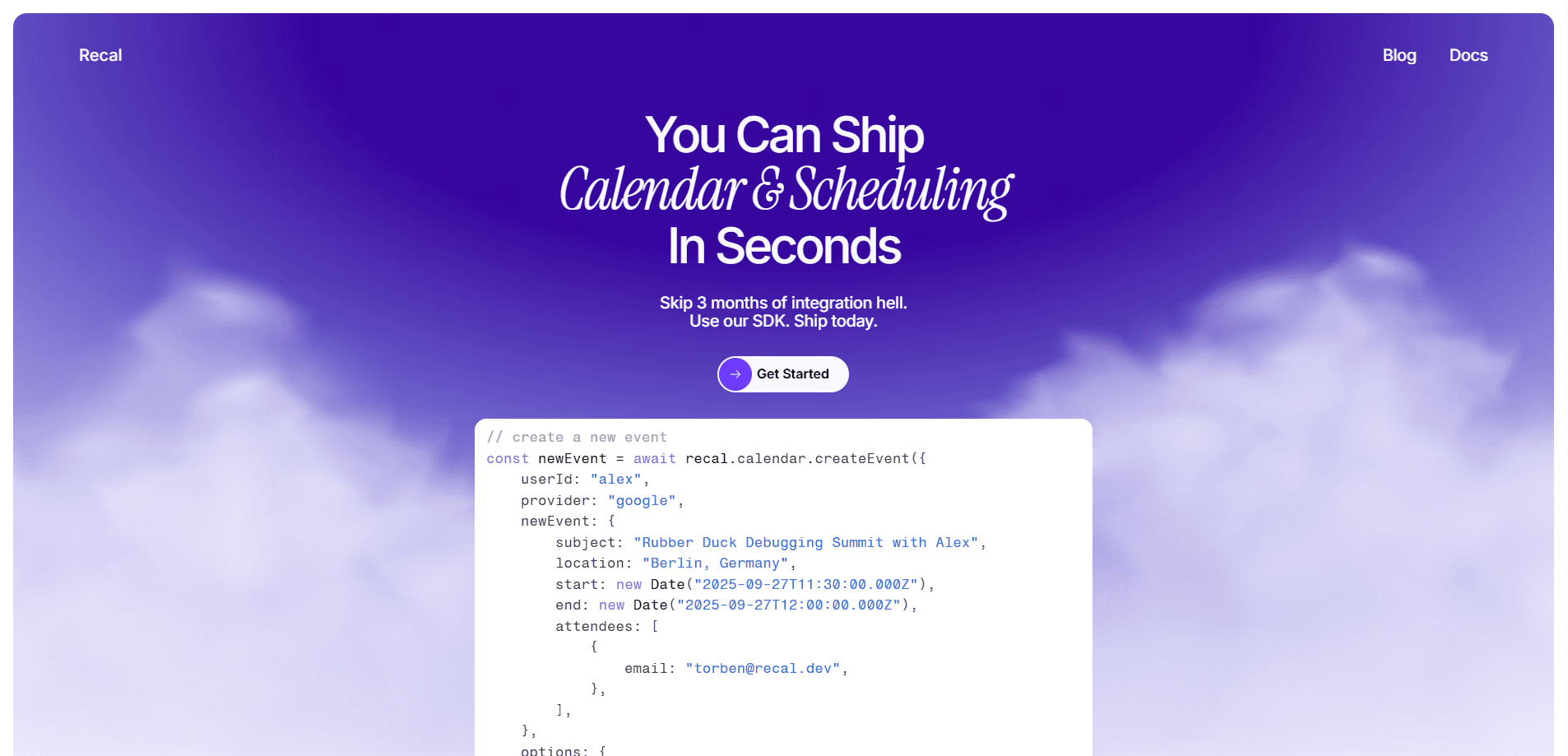
Recal.dev is a unified calendar API and SDK for developers who need scheduling inside their products without wrestling with every provider one by one. It connects Google Calendar, Microsoft Outlook, and other services behind a single interface, so the same code handles availability lookups, event creation, and booking across all of them. Teams building booking platforms, AI agents, or internal tools use it to skip months of calendar plumbing and ship faster. Developers love it. Product managers love it too, at least until someone asks about the bill.
About Recal.dev
What Is Recal.dev
Recal.dev sits between your application and the calendar providers your users already use. Instead of writing separate integrations for Google, Outlook, and everyone else, you call one set of endpoints and let Recal handle the provider-specific details. The company says it has processed over 36 million events and that 92,000 bookings have come through AI agents, which tells you where a lot of the current demand sits.
The problem it solves is boring but expensive: calendar integrations take months and break in ways you don't expect. Recal wraps OAuth flows, token refresh, timezone handling, and retry logic into one SDK (a library you install into your project). Developers keep access to user tokens, so switching providers later doesn't mean starting over. That matters. Nobody wants a rewrite six months in.
The main limit is who it's for. This is a developer platform, not an app you open yourself. You need to write code, register OAuth credentials with Google or Microsoft, and manage your own front end. Smaller projects without engineering time will find it heavier than a ready-made booking widget that already ships with a booking page, a confirmation email, and a cancel button out of the box. Pricing also isn't published, so you have to talk to the team before you know what you'll pay.
Getting Started
- Create an account at dash.recal.dev and pick or create an organization for your users.
- Generate an API key in the dashboard, copy it right away since it's only shown once.
- Add your Google or Outlook OAuth credentials under Settings so users can connect their calendars.
- Install the SDK with a single npm install and create your first event or availability lookup.
- Wire the calls into your app's booking flow, then check usage metrics as traffic grows.
Product Information
A quick look at Recal.dev's pricing, supported platforms, and performance.
Best for
The users, tasks, and scenarios where this tool fits best.
Users
- Backend and full-stack developers
- Product teams in booking and marketplace apps
- AI builders wiring agents into calendars
Tasks
- Finding free slots across many users
- Creating and updating events across connected calendars
- Keeping calendars in sync
Scenarios
- A beauty marketplace where customers pick a stylist's open time
- A coaching app that schedules sessions automatically
- A sales bot that proposes meeting times in chat
Key features
One Unified API for All Providers
Recal exposes a single set of endpoints for Google Calendar, Outlook, and other services, so the same request works no matter which calendar a user connected. Meta events go further: they let you interact across every connected calendar using one shared ID. One call. Every calendar. For teams tired of branching code per provider, this is the core draw.
SDK, API, and MCP in One Platform
You can integrate three ways depending on your stack. The REST API follows standard patterns with webhook support and clear error codes, the SDK installs with npm and ships TypeScript types with promise-based calls, and MCP turns calendar operations into tool calls an LLM can use. That last option is why agent builders show up. Pick the one that fits. All three sit on the same data model, so you aren't locked into picking one path forever.
Scheduling and Availability Tools
The scheduling endpoints return free slots for a user across a date range, with options for padding between meetings, slot length, and the earliest and latest time allowed each day. That means you can ask "when is Alex free tomorrow between 9 and 5" and get back bookable windows rather than raw calendar noise. It handles the timezone math developers usually get wrong. No more off-by-one-hour bugs. Less support tickets about wrong times.
No Vendor Lock-In
You always keep access to your users' tokens, which the team frames as a flexibility guarantee. In practice it means you can move to another provider or read the underlying calendar data yourself without asking Recal for permission. For anyone who's been burned by a closed platform, that's a real reason to look closer. No lock-in. No hostage data.
Webhooks and Scale-Ready Operations
Webhooks fire in milliseconds and bulk operations handle thousands of events, according to the company. When a user changes something on their end, your system hears about it instead of polling endlessly. That saves requests. It also saves your rate limits. The infrastructure runs on edge compute through Cloudflare Workers, so requests process near the user rather than through one central region.
Organizations and Multi-Tenant Support
Organizations group users into separate workspaces, which matters for B2B products managing many customer accounts. You assign users to organizations and monitor their calendar connections from one dashboard. Simple consumer apps can skip it. Once you're handling teams, it becomes hard to avoid.
Usage Insights Dashboard
The dashboard tracks booking patterns, peak hours, and API request volumes. You can see which integrations are active and where traffic is going, which helps when you're sizing costs or spotting a broken OAuth connection in production before your users complain about a dead booking button. It's the kind of visibility that's usually bolted on late, not built in.
Pros and cons
Pros
- One integration covers Google, Outlook, and other providers instead of separate builds for each.
- SDK keeps provider quirks, retries, and timezone handling out of your code.
- MCP support lets AI agents manage calendars without custom plumbing.
- Token access stays open, so you aren't locked to Recal if you leave.
- Dashboard gives usage and booking metrics without extra tooling.
Cons
- No public pricing, so you can't estimate costs before contacting sales.
- It's a developer tool, meaning non-technical teams can't use it without engineering help.
- OAuth credentials are your responsibility, which adds setup work before the first booking.
- SOC 2 certification wasn't finished at the time of writing, only in progress.
Frequently asked questions
It's a developer platform for adding calendar scheduling to an app. You connect users' Google or Outlook calendars through it, then read availability and create or update events with one unified API instead of building each provider integration yourself. Skip the boilerplate.
Related content
Explore related tools, skills, and articles for Recal.dev.
Recal.dev Alternatives
Forefront
Forefront · CodingForefront is a web platform for building with open-source AI. It lets you fine-tune leading open-source language models on your own data, evaluate how they perform, and run them through an API or export them to host yourself. Developers who want the convenience of a closed-source platform but insist on owning their models and data are the target audience here.

Startkit
StartKit.AI · CodingStartkit is a boilerplate for building AI SaaS and AI wrapper products. Think of it as an AI startup boilerplate with the boring parts already wired up: authentication, Stripe and Lemon Squeezy payments, usage limits, transactional email, and an AI API starter that talks to OpenAI, Anthropic, Groq, or Llama. You clone the repo, set your price, and start on the part of your product that people actually pay for. It's Next.js under React and Tailwind, so most of the boilerplate code already feels familiar.
Testim
Tricentis · CodingTestim is an AI-powered test automation platform for building and running end-to-end tests across web, mobile, and Salesforce applications. It leans on machine learning to keep tests stable when an interface changes, so teams spend less time fixing broken selectors. Not bad for an automated testing tool you can start using today. You create tests by recording actions in a browser, then optionally add JavaScript when you need more control. It's a solid pick for busy QA teams.