

录咖
Wangxu Technology Co., Ltd · Voice & Language
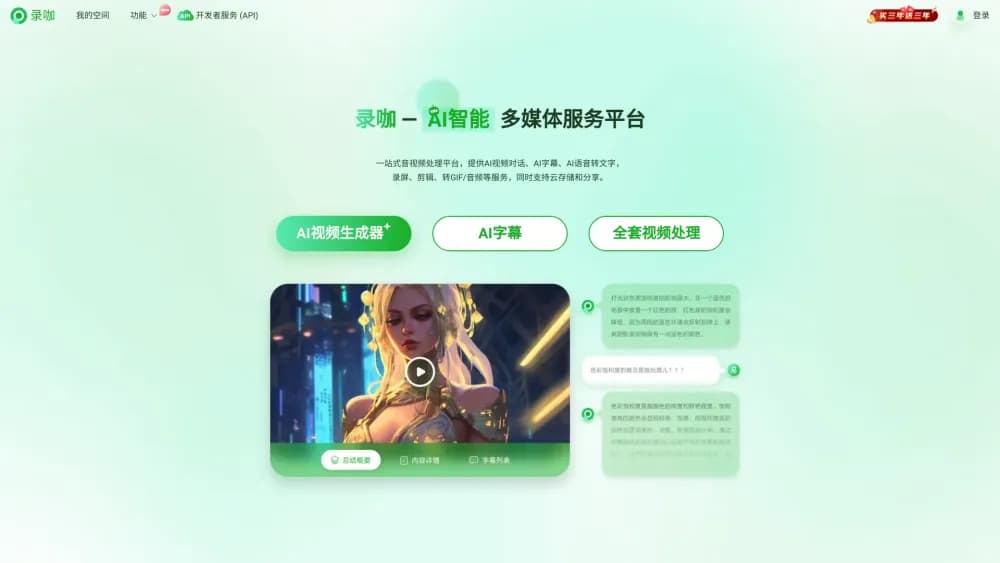
RecCloud is a browser-based AI audio and video platform that transcribes speech, generates and translates subtitles, dubs videos, reads text aloud, and turns prompts into short videos.
About 录咖
What Is RecCloud
RecCloud is an all-in-one AI audio and video platform from Wangxu Technology, a Shenzhen software company. It bundles speech to text, subtitle generation, video translation, text to speech, and AI video generation into a single browser workspace, so you upload a file and pick the tool that fits the job instead of installing a separate app for each one.
The platform answers a common problem for creators and teams: turning long recordings into usable text, subtitles, and voiceovers without a manual transcription job or a paid translator. It handles meeting notes, lecture transcription, short-drama localization, audiobook narration, and social video subtitles, and it ships as both a web app and a mobile app.
There are limits. RecCloud sits in a crowded market alongside tools like Descript, Veed, and Happy Scribe, and most of its strongest features, like bulk subtitle translation and cloning a voice, run on its credit system rather than a flat fee. Free processing has caps on file size and length, and the platform is built around doing one job well per tool rather than editing footage frame by frame.
Getting Started
- Sign in at reccloud.com with an email, Google, or WeChat account. The web version needs no download, and a mobile app is available for iOS and Android.
- Upload an audio or video file, or paste text if you plan to generate speech or video. The subtitle and transcription tools accept dozens of formats, including MP3, MP4, MOV, and WAV.
- Pick a tool. Choose Speech to Text for transcripts, Subtitle Generator for captions, Video Translator for dubbing, Text to Speech for voiceover, or Text to Video for a generated clip.
- Set your options, then run the job. You can pick the output language, choose single or dual-language subtitles, or select a voice before you start.
- Edit and export. Adjust subtitle timing and style in the built-in editor, then download the video, subtitle file, or transcript, or share it through a link.
Product Information
A quick look at 录咖's pricing, supported platforms, and performance.
Best for
The users, tasks, and scenarios where this tool fits best.
Users
- Video creators and editors
- Students and note-takers
- Cross-border and localization teams
- Podcasters and audiobook makers
Tasks
- Transcribing audio and video
- Generating and translating subtitles
- Dubbing a video into another language
- Turning text into a video
Scenarios
- A lecture recorded on a phone
- A short drama heading overseas
- A product demo with no voiceover
- A meeting you missed
Key features
Speech to Text That Summarizes
The transcription tool takes audio or video and returns a text transcript in real time or from an uploaded file. It recognizes speech, adds punctuation, and can summarize the result, so a long meeting collapses into a short set of points. It also supports translating the transcript and chatting with it, which helps when you need to search a recording for one specific answer.
Subtitle Generation in 99+ Languages
The AI subtitle generator creates captions, translates them, and lets you restyle them. You can pick single or dual-language output, change the font, color, size, and position, and remove original on-screen text that would otherwise overlap your new captions. According to the company, it covers 99 languages and handles files up to about 4GB for video and 500MB for audio, with a five-hour length cap.
Video Translation with Dubbing
The AI video translator adds subtitles and a voiceover in one pass. It generates captions in 70+ languages, matches a voice to the content, and can clone the original speaker so the dubbed version keeps the same feel. You can choose whether to tell speakers apart, import an SRT file to sharpen accuracy, and re-run a translation when a line reads wrong.
Text to Speech with Many Voices
The Text to Speech tool reads scripts aloud in a natural voice and supports multi-language output plus multi-speaker dialogue. It offers a large voice library that includes regional options like Cantonese and Minnan, and the company has added voice cloning so a brand or narrator can keep a consistent sound across clips.
Text to Video and Image to Video
The video generation tools take a written prompt or a still image and produce a short clip. If the script is blank, an AI writer drafts one for you, and image to video ships with templates for a quicker result. A newer Video Generation Agent walks through script, scenes, voiceover, and music from a chat prompt, aimed at short dramas, explainers, and ads.
My Space for Storage and Sharing
My Space is the workspace where uploaded audio and video files live. You can organize playlists, rename, copy, or delete files, and watch back at full screen or faster speed. Files can be shared through a link or QR code, which makes it easier to hand a finished asset to a teammate or client without a separate transfer step.
Pros and cons
Pros
- Runs in the browser with no install, and the mobile app keeps projects synced across devices.
- Covers transcription, subtitles, translation, dubbing, text to speech, and video generation in one account.
- Subtitle and translation tools reach 99 languages for captions and 70+ for dubbed video.
- Customizable subtitle styling and an option to remove original burned-in text.
- Membership unlocks features across mobile, tablet, and desktop with one subscription.
Cons
- Heavy features like bulk translation and voice cloning run on a credit system, so costs scale with usage.
- Free uploads are capped by file size and length, which rules out very long recordings on the free tier.
- The tools are task-specific, so there is no frame-by-frame video editor for fine manual cutting.
- API availability is not published, which holds back developers who want to script jobs into their own pipeline.
Frequently asked questions
RecCloud is an online AI platform for audio and video tasks. It transcribes speech into text, generates and translates subtitles, dubs videos into other languages, turns text into speech, and generates short videos from a prompt or image. It runs in the browser and as a mobile app.
Related content
Explore related tools, skills, and articles for 录咖.
录咖 Alternatives

Foley
Hanamori Labs, LLC · Voice & Language · Productivity · AI AssistantFoley is a voice to-do list that turns a spoken sentence into a filed task, complete with project, date and time, then helps you plan the day around what is already there.

HireKey
HireKey · Voice & Language · Productivity · LeaningHireKey is an AI job search copilot built by a former tech recruiter. It checks role fit, tailors resumes, runs interview practice and tracks every application.

Fluence
Yay Software (Yannick Huchard) · Writing · Voice & Language · ProductivityFluence is an Android app that reads PDFs, EPUBs, Word files and web articles aloud, follows each sentence as it speaks, and answers questions about the text on the phone itself.