

Recipe Lens
Recipe Lens · Writing · AI Assistant
Recipe Lens is an AI recipe generator that turns food photos and the ingredients you have into step-by-step recipes and nutrition info.
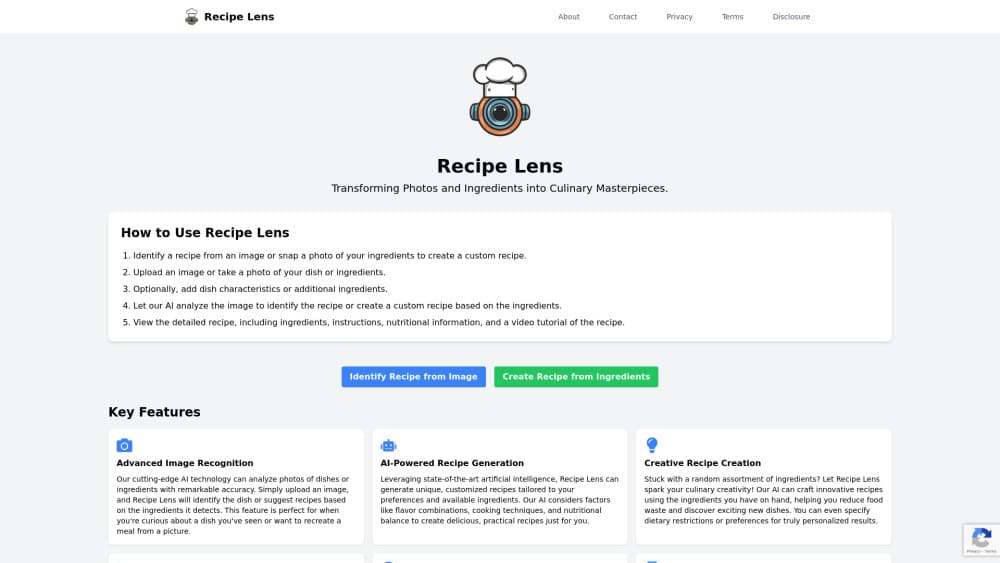
About Recipe Lens
What Is Recipe Lens
Recipe Lens is an AI-powered recipe app built around one idea: you shouldn't have to hunt through food blogs when dinner is already in your kitchen. Point your phone at a finished dish and it identifies the recipe. Point it at the ingredients sitting in your fridge and it builds a recipe around them. Each result comes with instructions, timing, and nutrition details. It's a genuine AI recipe generator, not a static database of dishes.
The pitch is aimed at home cooks who want variety without extra shopping. Instead of starting from a fixed list of dishes, you start from what's actually available, which cuts down on wasted food and last-minute takeout. It's a practical tool, not a chef simulator. That distinction matters when you're deciding what to actually cook tonight. Simple premise. Real payoff.
The main catch is accuracy. Photo identification works best when lighting is decent and the dish is recognizable, so a blurry shot of a stew won't match as cleanly as a plated, well-lit plate. Nutrition estimates are just that, estimates, and people counting calories closely may want to double-check them against a food scale. So what should you expect in practice?
Getting Started
- Download the Recipe Lens app from the App Store or Google Play and open it.
- Choose a mode: Identify Recipe to name a dish from a photo, or Create Recipe to build one from your ingredients.
- Snap a photo of the dish or the ingredients on your counter.
- Review the generated recipe, adjust servings or swap items if needed, and save it to a collection.
- Follow the step-by-step guide while you cook, or log the meal to track calories.
Setup takes minutes. The first scan is the whole tutorial.
Product Information
A quick look at Recipe Lens's pricing, supported platforms, and performance.
Best for
The users, tasks, and scenarios where this tool fits best.
Users
- Home cooks who want new meal ideas without planning a shopping trip first
- People trying to reduce food waste
- Casual calorie trackers
Tasks
- Identifying a restaurant dish you want to recreate at home
- Turning a random mix of fridge items into a usable recipe
- Logging daily meals for nutrition awareness
Scenarios
- Weeknight dinners when you're out of ideas and short on time
- Post-grocery-shopping cooking
- Learning a new cuisine
Key features
Recipe Identification From Photos
Take a picture of a dish and the app names the recipe, then lists the ingredients, cooking steps, and nutrition details. It's built for the moment you're eating something great at a restaurant and want to make it yourself later. The cleaner your photo, the better the match. Blurry shots fail. This is the feature most people try first, and it sets expectations for everything else.
Custom Recipes From Ingredients
Snap the contents of your fridge or pantry and Recipe Lens generates recipes tailored to what you have. You can leave the selection loose and let it surprise you, or steer it toward a specific cuisine or dietary need, and the app will respect that constraint as it builds the dish. This is the feature that most clearly targets food waste and last-minute cooking. It's the part of the product that earns its keep on a Tuesday night.
Step-by-Step Cooking Guide
Each recipe opens into a walkthrough with timing and per-step tips, so you're not juggling three browser tabs mid-cook. Steps are broken out clearly enough to follow on a phone propped against the counter. It reads more like a guided recipe card than a wall of text. No scrambling. Just follow along.
Personal Recipe Collection
Saved recipes go into collections you can name and organize, effectively building a digital cookbook, and you can tag recipes and sort them into custom categories so that finding a favorite months later takes seconds rather than a scroll through your camera roll. Over time this turns the app from a one-off lookup tool into a searchable personal library.
Calorie and Nutrition Tracking
Snap a photo of a meal to log it and get an estimated calorie and nutrition breakdown. It's a low-effort way to keep a rough eye on intake without weighing everything. Treat the numbers as a guide rather than a precise record. Close enough for most days.
Plate as the Interface
The whole product is designed around the camera rather than text menus. That keeps the interaction quick, since you rarely type more than a search term or a tweak, and it means the app can meet you wherever you're standing, whether that's over a stove or in front of an open fridge with no plan at all. It also means the app leans on photo quality, so good lighting matters more here than in a text-first recipe app.
Pros and cons
Pros
- Turns existing ingredients into recipes, which helps cut grocery spend and food waste, and it does that without forcing you to plan a week of meals in advance just to make the feature useful.
- Photo identification is fast and works well for clearly plated dishes. Good enough for most restaurant meals.
- Recipes come with steps, timing, and nutrition in one view, so there's less app-switching
- Collections and tags make it easy to build a reusable personal cookbook
- Free to download, so you can test the photo and ingredient flows before paying
Cons
- Identification accuracy drops with blurry photos or mixed dishes, so results need a sanity check
- Nutrition numbers are estimates, which may not satisfy anyone tracking macros precisely
- The most useful features sit behind a subscription, and there's no permanent free tier for heavy use
- No public API for developers, so it's a consumer app rather than something you can plug into other tools
Frequently asked questions
It identifies recipes from photos of food and generates custom recipes from photos of ingredients you have. Both flows return ingredients, instructions, timing, and nutrition information.
Related content
Explore related tools, skills, and articles for Recipe Lens.
Recipe Lens Alternatives

Emailwritr
Emailwritr · Writing · MarketingEmailwritr is an AI email copywriting tool built for affiliates, course creators, and online businesses that want more revenue from the list they already own. Instead of blank pages or generic chatbot prompts, this AI email writer generates welcome sequences, launch campaigns, cart recovery emails, and promo series from frameworks modeled on well-known direct-response copywriters. You connect your autoresponder, answer a few questions about your offer, and it writes the copy for you.

Swms
Swms AI · Writing · Productivity · BusinessSwms is an AI safety compliance tool that turns a plain description of a job into ready-to-use safety documents. Describe your project, trade, and known hazards, and it writes a safe work method statement, job hazard analysis, safe work procedure, RAMS, or safety data sheet in seconds. It also ships with Oscar, a chat assistant that answers workplace safety questions in any language. Teams in construction, mining, transport, and warehousing use it to cut the paperwork that usually eats into a workday.

Prosp
Prosp · Writing · Voice & Language · MarketingProsp is an AI LinkedIn outreach tool built for agencies and sales teams, and it writes the message and the voice note in your own voice for each prospect so they actually reply. You connect your accounts, find leads, and let the AI draft and send personalized messages at scale, all from one inbox. It's built for people running outbound at volume. That's the whole pitch. Every touchpoint still has to feel human.