

RecipeSnap AI
Mark Mayne · AI Assistant
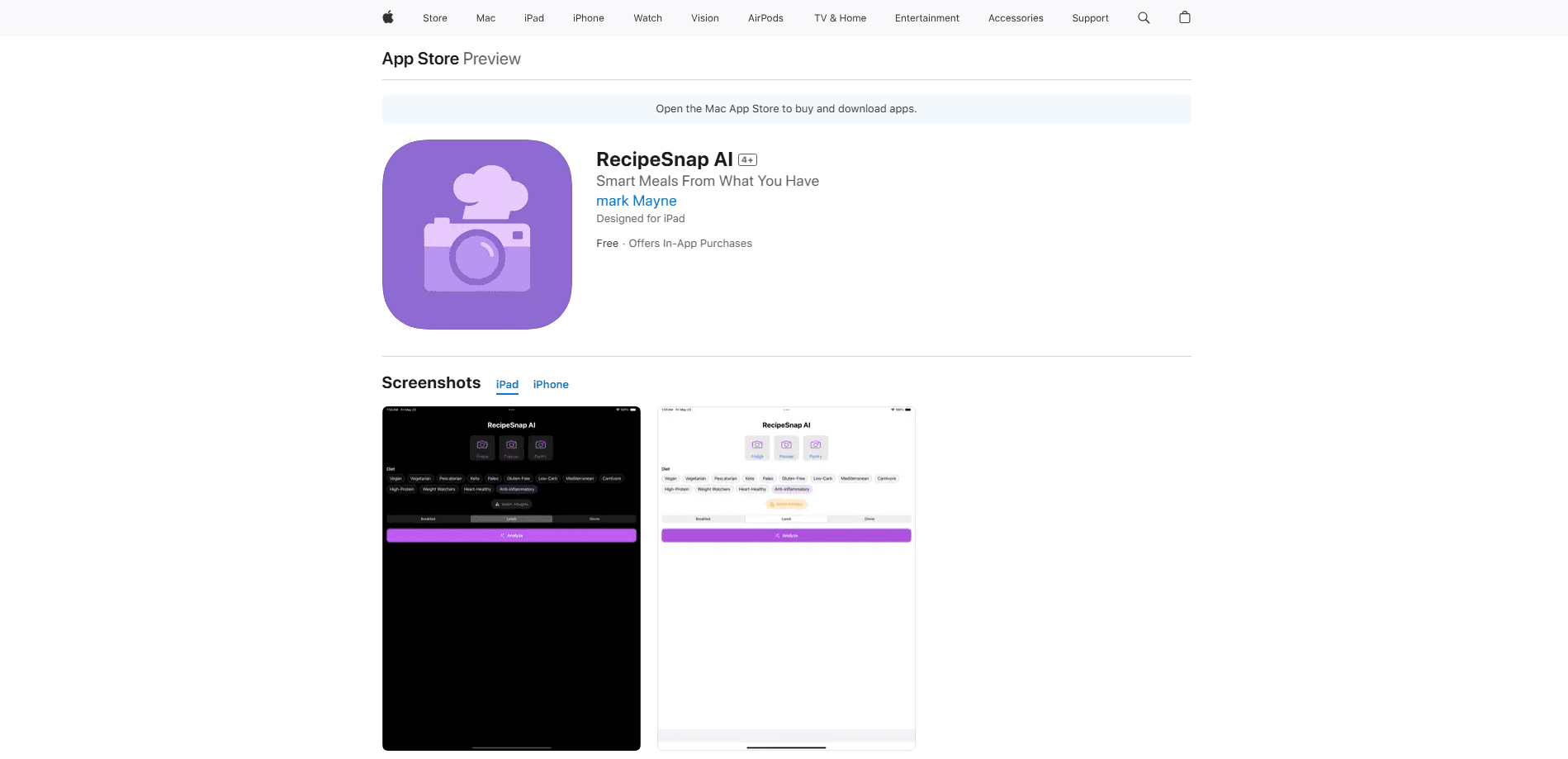
RecipeSnap AI is an iPhone app that turns photos of your fridge, freezer, or pantry into ready-to-cook recipes with AI, and digitizes handwritten recipe cards into a searchable digital cookbook.
About RecipeSnap AI
What Is RecipeSnap AI
RecipeSnap AI is an iOS app built for two everyday kitchen problems: a fridge full of ingredients with no idea what to make, and a drawer of handwritten recipe cards slowly falling apart. It uses AI to read what's in your kitchen from a photo, then suggests meals you can actually cook with what you have.
The app comes from Mark Mayne, an indie developer who launched it on Product Hunt in June 2025. He framed the pitch around food waste and lost family recipes, and those two themes shape almost everything the app does. You snap a picture, the AI figures out the ingredients, and you get recipe suggestions back in seconds.
The catch is that RecipeSnap AI is iOS-only, so Android users are out of luck. The free tier caps how much you can scan, and the app leans on photo quality, so a dim or cluttered shot can trip up ingredient recognition.
Getting Started
- Download RecipeSnap AI from the App Store and open it.
- Snap a photo of your fridge, freezer, or pantry. You can add all three, or just the one that matters.
- Let the AI read the image and generate recipe suggestions based on what it spots.
- Save any recipe you like into your personal cookbook.
- Filter the cookbook and suggestions by meal type, diet, or allergies before you start cooking.
Product Information
A quick look at RecipeSnap AI's pricing, supported platforms, and performance.
Best for
The users, tasks, and scenarios where this tool fits best.
Users
- Home cooks with a full fridge and no plan
- People rescuing family recipes
- Busy weeknight cooks
Tasks
- Turning a fridge photo into dinner ideas
- Digitizing a stack of handwritten cards
- Filtering recipes by diet or allergy
Scenarios
- Sunday fridge clean-out before the weekly shop
- Sorting a late relative's recipe box
- Cooking for a household with allergies
Key features
Fridge, Freezer, and Pantry Photo Scanning
Take a snapshot of any of the three, or all of them, and the AI works out which ingredients you have on hand. The app builds recipe suggestions around that list rather than generic dishes. It's the core loop and the reason most people open the app.
Handwritten Recipe Digitization
Point the camera at a handwritten recipe card and RecipeSnap AI converts it into a saved digital entry. The text lands in your personal cookbook, so a recipe that's spent decades in a drawer becomes something you can search and reuse. Families passing down cards get the most out of this.
Personal Digital Cookbook
Every recipe you scan or save goes into one cookbook inside the app. It holds AI-generated suggestions and your own digitized cards side by side, so your personal collection and new ideas live together. You can search it and pull up a recipe without digging through paper.
Meal Type, Diet, and Allergy Filters
Filters narrow suggestions and cookbook entries by meal type, diet, or allergies. Set the constraint and the app keeps results within it, which helps when you cook for someone with a specific restriction. It also cuts the noise when you already know what kind of meal you want.
Share Recipes
You can send recipes to friends and family straight from the app. It's handy when someone asks for the dish you made, or when you want to hand a digitized family recipe to a sibling. Sharing keeps the recipe intact instead of relying on a screenshot.
Export to PDF
The cookbook exports to a formatted PDF in one tap. That gives you a backup that isn't locked inside one phone, and a printable copy of your collection. It's a practical way to preserve handwritten recipes you've digitized.
RecipeSnap+ Unlocks Unlimited Scans
The premium tier, RecipeSnap+, lifts the scan limit and adds smart dietary filters. A 7-day free trial lets you test the paid features before committing. Heavy users who scan often will hit the free cap quickly, so the subscription is aimed squarely at them.
Pros and cons
Pros
- Solves two real problems in one app: cooking with what you have and saving handwritten recipes.
- Works from a photo, so there's no typing in ingredient lists by hand.
- Filters by meal type, diet, and allergies make suggestions usable for specific diets.
- Share and PDF export give your cookbook a life outside the app.
Cons
- iOS-only, so Android users can't use it at all.
- The free tier caps scans, which pushes frequent users toward the RecipeSnap+ subscription.
- Ingredient recognition depends on photo quality, so blurry or cluttered shots can produce weaker suggestions.
Frequently asked questions
It reads a photo of your fridge, freezer, or pantry and generates recipes from the ingredients it finds. It also scans handwritten recipe cards and saves them into a digital cookbook. Photo in, recipes and saved entries out.
Related content
Explore related tools, skills, and articles for RecipeSnap AI.
RecipeSnap AI Alternatives

Iplan AI
Iplan AI · Productivity · AI AssistantIplan AI is an AI travel planner that turns a few trip details into a full day-by-day itinerary in seconds. You answer questions about your destination, interests, budget, and travel companions, and the tool builds a plan you can edit, share, and carry with you on any device. It targets travelers who want a solid draft without spending hours in spreadsheets and browser tabs. Think of it as an itinerary generator that does the tedious part for you.

Screenhelp
Screenhelp · Productivity · AI AssistantScreenhelp is an AI screen assistant that turns a single keyboard shortcut into real-time help. You press Ctrl+Shift+Space, it captures what's on your screen, and it streams an answer into a private panel in about two seconds. Think of it as an AI screenshot helper you trigger on demand. It runs on Mac, Windows, and the web, starts free with 30 answers a month, and stays invisible during screen sharing on Zoom, Teams, and Google Meet.

Rainbow
Rainbow · AI AssistantRainbow is an AI weather forecast app built around short-term precipitation nowcasting. Its engine pushes min-by-min rain and snow predictions up to four hours ahead, blending live satellite and radar feeds into hyperlocal forecasts. The app adds live rain radar, a seven-day outlook, precipitation alerts, home-screen widgets, and a hurricane tracker, and it runs on both Android and iOS with a free tier plus paid upgrades.