

RedactAI
RedactAI · Writing · Marketing
RedactAI is an AI LinkedIn post generator that learns your writing style from past posts and drafts new content in your own voice.
About RedactAI
What Is RedactAI
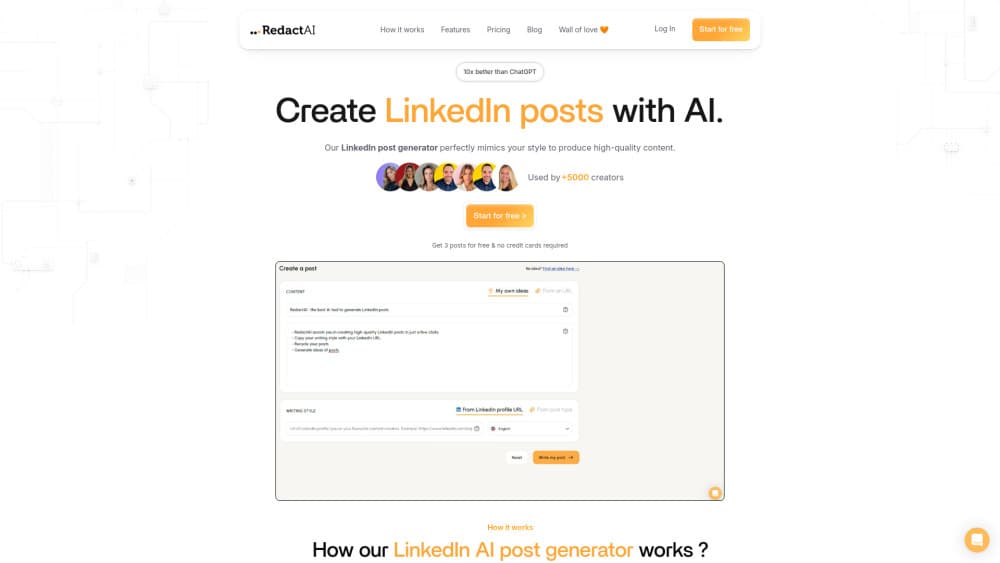
RedactAI is a web-based AI tool built for one job: writing LinkedIn posts that sound like you, not like a chatbot. You paste your LinkedIn profile link, and the tool builds a personal writing model from your name, headline, experience, description, and up to your last 100 posts. After that, it generates draft posts that copy your tone and phrasing.
It sits in the same space as other AI writing tools, but its focus is narrow. Instead of general text generation, it targets the LinkedIn content creator who posts often and wants to skip the blank-page problem. Think of it as a LinkedIn growth tool rather than a general writing assistant.
The main limit is scope. RedactAI only handles LinkedIn. If you also write for X, newsletters, or a blog, you'll still need other tools for those. And the personalization depends on your posting history, so brand-new accounts with little to draw from get less out of it.
Getting Started
- Sign up on the RedactAI website with your email or LinkedIn account.
- Paste your LinkedIn profile URL so the tool can build your personalized writing model.
- Type a title and 2-3 key ideas, or pick an idea from the Inspiration tab.
- Generate three post versions, then edit and schedule the one that fits.
- Track performance in the statistics dashboard and recycle your best posts later.
Product Information
A quick look at RedactAI's pricing, supported platforms, and performance.
Best for
The users, tasks, and scenarios where this tool fits best.
Users
- LinkedIn content creators
- Founders and consultants who post to win leads
- Freelance writers managing several clients
Tasks
- Drafting a post when you're stuck
- Recycling old content
- Repurposing blog posts
- Building a posting schedule
Scenarios
- Busy weeks when you have no time to write from scratch but can't go silent on LinkedIn.
- Testing content ideas before committing to a full post. The Inspiration tab shows what's working right now.
- Growing a personal brand while keeping a consistent voice across every post.
- Onboarding a new client and matching their tone quickly.
Key features
Personal Writing Model From Your Profile
RedactAI builds an AI that mirrors you, pulling from your name, headline, experience, description, and up to your last 100 posts. That history is what makes the output sound human. The more you've posted, the sharper the match.
Three Post Versions Per Generation
Every prompt returns three different drafts, so you compare angles instead of accepting the first result. Is that enough reason to switch tools? On its own, no, but it saves real time when the right hook isn't obvious.
Inspiration Tab With Live Viral Posts
The Inspiration tab shows posts going viral on LinkedIn right now. You can borrow structures and framings that already work, then filter suggestions by your own niche. It's a legitimate way to beat writer's block.
Style Switching Across Creators
You can write in your own voice or adopt another creator's style to change things up. This is aimed at ghostwriters and agencies handling multiple accounts, and it's why the Creator plan raises the profile limit.
Post Recycling
Turn a YouTube video, a blog post, or one of your older top performers into a new LinkedIn post in seconds. Reusing strong content keeps your posting cadence steady, which matters more on LinkedIn than most people admit, and it saves you from writing the same ideas twice.
Scheduling and Statistics
Queue posts for the week and watch results in a real-time dashboard that shows which posts performed best. You can then recycle the winners. Both features are capped on the cheapest paid tier at 15 posts a month.
Idea Generator and Notes
The unlimited idea generator suggests topics based on your expertise and your notes inside the tool. It's built to keep a steady stream of ideas coming, so you never start from zero. When a topic clicks, you move straight into generation without leaving the app.
Pros and cons
Pros
- Learns your writing voice from your own posting history, so drafts read like you.
- Returns three versions per request, which speeds up the editing stage.
- Free plan lets you test the core generator before paying.
- Recycles existing content to cut the time it takes to fill a posting schedule.
- Statistics connect output to real engagement, not guesswork.
Cons
- Works only for LinkedIn, so it won't help with other platforms.
- Personalization is weak on new accounts with little posting history to learn from.
- The cheapest paid tier caps you at 15 posts a month and one profile, which is tight for heavy users.
- No public API, so you can't wire it into your own workflow.
Frequently asked questions
It writes LinkedIn posts for you. You give it a profile link and a few ideas, and it returns drafts in your own writing style, which you can then edit, schedule, and track.
Related content
Explore related tools, skills, and articles for RedactAI.
RedactAI Alternatives

Google EmbeddingGemma 2
Google DeepMind · Writing · Image · CodingGoogle EmbeddingGemma 2 is a 740M-parameter open model that turns text, code, images, audio, and video frames into vectors in one 768-dimension space, running on phones and laptops.

MePersona
MePersona, Inc. · Writing · Productivity · MarketingMePersona is an AI unified inbox for creators. It learns your voice, drafts replies to fan messages from 12 platforms, and sends only what you approve.

Fluence
Yay Software (Yannick Huchard) · Writing · Voice & Language · ProductivityFluence is an Android app that reads PDFs, EPUBs, Word files and web articles aloud, follows each sentence as it speaks, and answers questions about the text on the phone itself.