

Referent
Referent · Marketing · AI Assistant
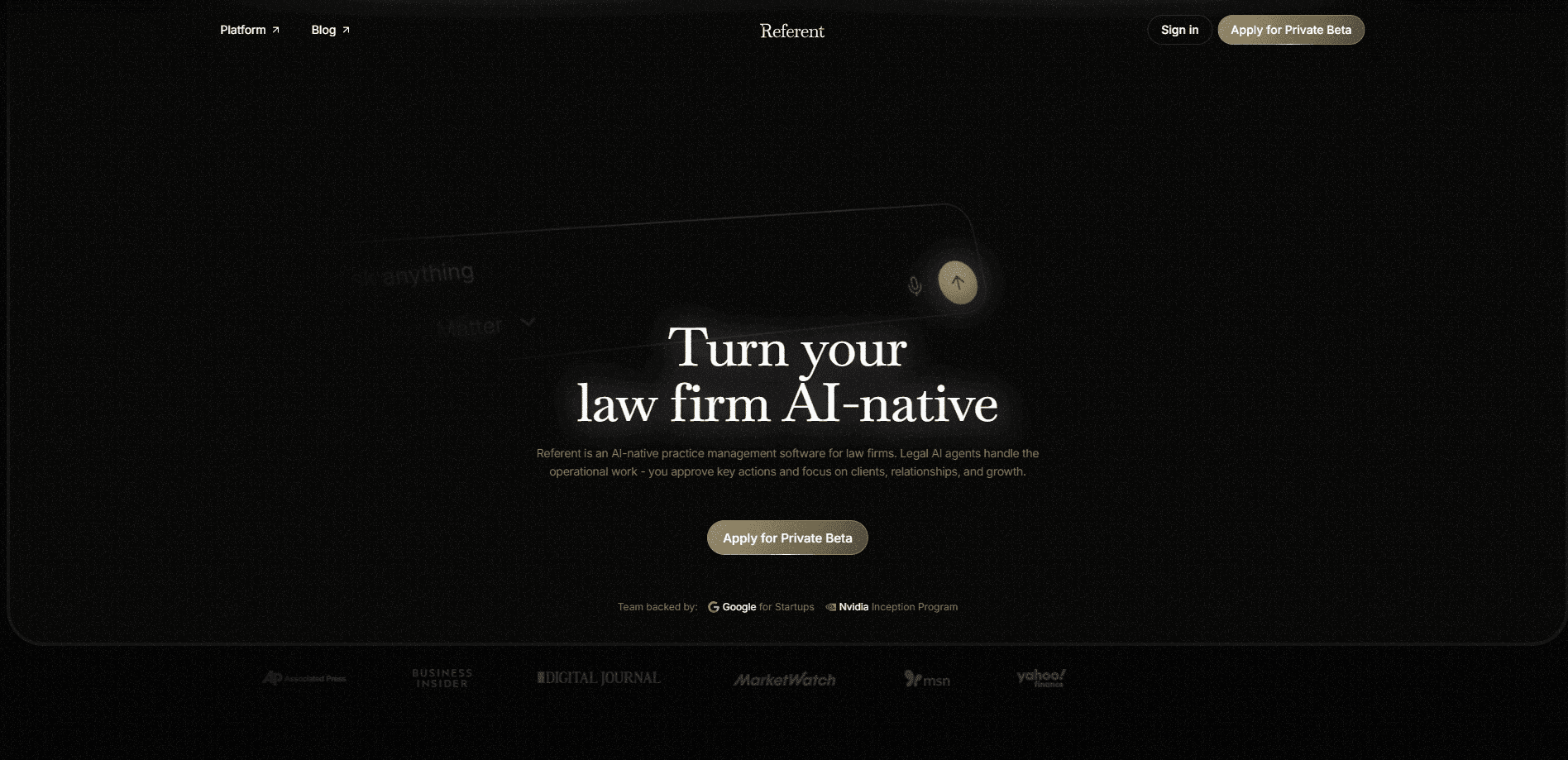
Referent is AI-powered legal practice management software built for law firms. It takes the repetitive operational work behind a case, from client intake and CRM updates to matters, emails, tasks, deadlines, follow-ups, and billing prep, and turns it into AI-native workflows. This is law firm AI with a brake pedal. The system drafts and suggests, but lawyers stay in the loop and approve anything critical before it leaves the firm.
About Referent
What Is Referent
Referent is a practice management system for law firms that treats AI as the operating layer, not an add-on. Instead of storing case data in one tool and managing the work in another, it runs the everyday back office of a firm inside a single AI-driven workspace. Intake forms, contact records, matter files, and task lists all feed the same system. A new client enquiry can move from first contact to an opened matter without someone retyping the same details three times.
Legal intake automation is the clearest place to see it work. A form submission becomes a contact, the contact becomes a matter, and the matter arrives with its first tasks already listed. No one rebuilds the record by hand.
So what's the point? Legal work is full of small, repeatable administrative steps that eat billable hours, and most of them follow predictable patterns that a system can learn. Referent automates those patterns while keeping a lawyer's judgment in the decision seat. It also ships a companion mobile app on Google Play, so a matter's status and pending approvals are reachable away from the desk. Simple idea. Hard to get right.
The main limitation is scope. Referent is built around operational workflow, not legal research or document drafting strategy. It won't replace a firm's case law database or its billing accountant. Treat it as the coordination layer that keeps a practice running, and it makes sense. Treat it as a full legal AI suite and you'll be looking for capabilities it doesn't advertise. The gap between those two readings is where disappointment usually starts.
Getting Started
- Create your firm account on the Referent website and invite the team members who'll work in the system.
- Import or connect your existing client and matter data so the CRM and matter records start populated.
- Turn on the workflows you want handled, such as intake, task creation, or deadline tracking.
- Set your approval rules so lawyers sign off on the actions that matter to your firm.
- Connect email and start working cases, reviewing the AI's suggestions as they come in.
Product Information
A quick look at Referent's pricing, supported platforms, and performance.
Best for
The users, tasks, and scenarios where this tool fits best.
Users
- Small and mid-sized law firms
- Solo practitioners
- Legal operations staff
Tasks
- Client intake
- Matter management
- Deadline tracking
- Billing prep
Scenarios
- A firm drowning in repetitive emails and status chasing across active matters.
- A growing practice that needs its intake process to scale without hiring another administrator.
- A team that wants AI help but won't let it send client-facing work without a lawyer's approval.
Key features
AI-Native Workflows
Referent runs firm operations as automated workflows rather than manual checklists. Intake, matter updates, task assignment, and reminder sequences execute on their own. Then they surface to a person. It removes the overhead. When several people touch the same case, coordination costs pile up fast, and most of that work is avoidable in the first place.
Human Approval on Critical Actions
Nothing sensitive goes out unchecked. Lawyers review and approve the actions that carry real consequences, whether that's a client communication or a change to a matter's status. Big deal. For a lot of firms, this is the whole question, and it's the one that decides whether they adopt AI at all. They want automation's speed without handing final judgment to a machine.
Integrated CRM and Intake
The platform pulls client intake and CRM into the same system as matter management. New enquiries become structured records, and those records carry through to case files without duplicate entry. Firms that juggle a separate CRM usually find this the first thing that saves them time. It's simple. It's also the difference between a clean record and a messy one. Duplicate data breaks everything downstream.
Matter and Task Tracking
Matters hold the details that matter to a case, and tasks attach to them directly. Deadlines, follow-ups, and open items stay visible. A matter's state is clear to anyone who opens it. Nothing sits buried in someone's inbox. That's the goal, anyway, and it's a low bar that most firms still miss.
Email-Driven Automation
Email is where a lot of legal admin actually happens, and Referent works with it directly. Routine messages can trigger the next step in a workflow. That cuts down on the manual forwarding and copying that eats into a working day. It's a small win each time. Over a month, those wins add up. Ask anyone who has spent a Friday afternoon forwarding the same thread to four people.
Legal Billing Prep Support
Referent assembles the time and activity information that billing depends on, so the prep work before an invoice is lighter. Legal billing prep is dull work. It's also the kind that quietly eats an afternoon when the details have to be pieced together from emails, notes, and someone's memory of what actually happened on the matter. Referent doesn't replace accounting software, but it reduces the scramble.
Mobile Access for Lawyers
The companion Android app puts matter status and pending approvals in a lawyer's pocket. AI for lawyers usually means a desktop dashboard problem, and approval queues stall when nobody's at a desk, because the one person who can sign off is stuck in a meeting, on a call, or somewhere between two courthouses with no laptop in reach. Who wants to drive back to the office to click approve? For anyone who needs to clear a decision between meetings or from court, that access is the difference between a workflow that moves and one that waits.
Pros and cons
Pros
- Automates intake, matters, tasks, and follow-ups in one system, which cuts coordination overhead.
- Keeps lawyers approving critical actions, so firms get AI speed without losing oversight.
- Combines CRM, matter management, and billing prep instead of scattering them across tools.
- Android app makes approvals reachable when a lawyer isn't at a desk.
- Aimed at operational work, which is often where firms lose the most billable time.
Cons
- Built around workflow and operations, so it won't cover legal research or drafting strategy.
- Firms with heavy customization needs may find the workflow model less flexible than dedicated case management tools.
- Pricing details are thin on the public site, so you'll likely need to contact the team for a firm-specific quote.
Frequently asked questions
Referent automates the operational side of running a practice, covering intake, CRM, matters, emails, tasks, deadlines, follow-ups, and billing prep. It runs those steps inside AI-native workflows. Lawyers approve the actions that carry real consequences, and nothing client-facing moves without a human sign-off first.
Related content
Explore related tools, skills, and articles for Referent.
Referent Alternatives

Emailwritr
Emailwritr · Writing · MarketingEmailwritr is an AI email copywriting tool built for affiliates, course creators, and online businesses that want more revenue from the list they already own. Instead of blank pages or generic chatbot prompts, this AI email writer generates welcome sequences, launch campaigns, cart recovery emails, and promo series from frameworks modeled on well-known direct-response copywriters. You connect your autoresponder, answer a few questions about your offer, and it writes the copy for you.

Prosp
Prosp · Writing · Voice & Language · MarketingProsp is an AI LinkedIn outreach tool built for agencies and sales teams, and it writes the message and the voice note in your own voice for each prospect so they actually reply. You connect your accounts, find leads, and let the AI draft and send personalized messages at scale, all from one inbox. It's built for people running outbound at volume. That's the whole pitch. Every touchpoint still has to feel human.

On Model
On Model · Image · MarketingOn Model is an AI fashion model tool that places your clothing on virtual models so online stores can get on-model product photos without booking a photoshoot. It runs as a Shopify app, letting you swap the model in an existing image, change backgrounds, and generate faces for cropped or headless shots. The goal is simple: match your product photos to your customers and stand out from competitors using the same supplier images.