

Relume
Relume · Coding
Relume is an AI web design tool that turns a short prompt into a sitemap, wireframes and a style guide, then exports the result to Webflow or Figma.
About Relume
What Is Relume
Relume is an AI web design tool built for the phase before a website gets styled. You describe a project in a text prompt, and it generates a sitemap of the pages you need, wireframes for each one, a matching style guide and placeholder copy. From there you send the whole set into Webflow or Figma as editable elements. The idea is to replace the slow planning work that usually sits between a client brief and a real build.
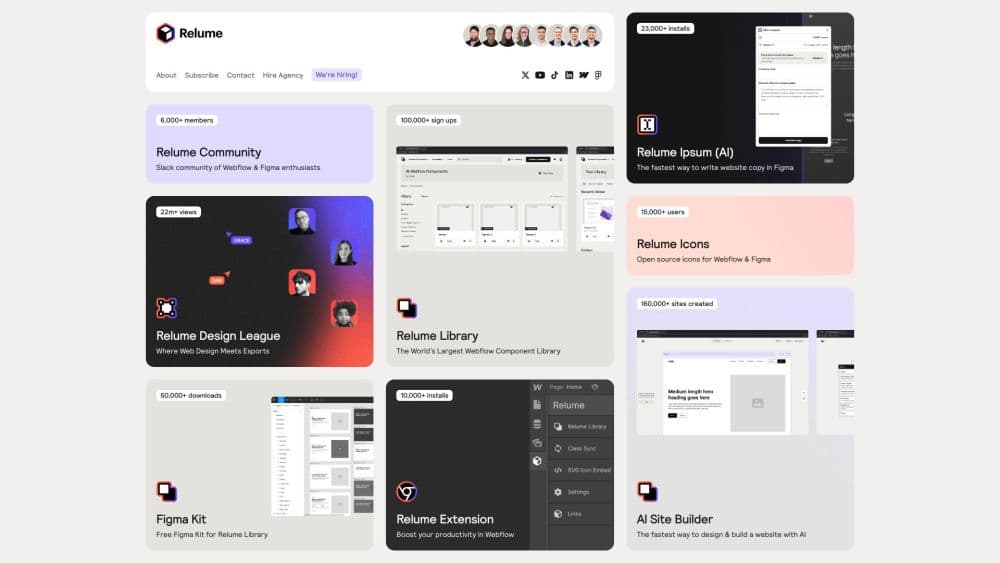
The tool has two halves. The AI Site Builder handles generation: it turns a written brief into page structure and content. The Relume Library is the other half, a large set of pre-built sections that follow the Client-First class naming convention from Finsweet to keep structures consistent across designers and projects.
Relume fits agencies, freelancers and in-house teams that work in Webflow or Figma. It won't style a site for you and it won't host anything. It builds the skeleton, and you take it the rest of the way in the tool you already use. If your workflow lives entirely outside Webflow and Figma, the payoff drops sharply.
Getting Started
- Sign up at relume.io and start a project, either from a blank brief or one of the published component sets.
- Write a prompt describing the site, its purpose and its audience, then let the AI generate a sitemap of pages.
- Adjust the sitemap, drag sections onto each page from the Relume Library and edit the placeholder copy.
- Generate or pick a style guide for colors, typography and spacing, then export everything to Webflow or Figma.
Product Information
A quick look at Relume's pricing, supported platforms, and performance.
Best for
The users, tasks, and scenarios where this tool fits best.
Users
- Webflow agencies
- Freelance designers
- In-house marketing teams
Tasks
- Turning a brief into a sitemap
- Building wireframes fast
- Drafting placeholder copy
Scenarios
- An agency kicking off several client sites in parallel that need consistent section structures.
- A solo designer who wants to show a client a wireframe before committing days to a full design.
- A team standardizing on Client-First naming that wants every new build to start from the same component set.
Key features
AI sitemap and wireframe generation
Relume works as an AI sitemap generator and an AI website wireframe tool in one pass. You write a prompt describing the site, and it returns a sitemap of recommended pages plus wireframes for each. The structure comes with real sections rather than blank boxes, so you can judge the layout early instead of after styling.
Relume Library of pre-built sections
The library holds a large catalog of responsive components organized by page type, covering heroes, pricing tables, testimonials, footers and more. Every section uses the Client-First class naming convention from Finsweet, which keeps structure consistent whether one designer or ten work on a project.
Webflow and Figma export
Once a project is set up, you push it into Webflow or Figma as native, editable elements. That makes Relume a practical Webflow wireframe tool, and the Figma wireframe plugin imports your wireframes, design guides and other assets as editable layers. In Webflow the export creates pages, sections and copy in a single import, so the wireframe becomes a working build rather than a static picture.
Style guide generator
Relume acts as a style guide builder, producing colors, typography and spacing rules that match the generated pages, so every section starts from a shared visual baseline. Treat it as a baseline rather than a finished design system.
AI-written placeholder copy
The tool fills sections with generated text so a wireframe reads like a real page. That copy is meant to be replaced, and treating it as final content would be a mistake.
React export
Relume can output components as React code, which extends the workflow past design tools. It suits teams that want the generated structure to feed directly into a front-end build.
Pros and cons
Pros
- Cuts the pre-build planning phase by turning a written brief into a sitemap and wireframes in minutes.
- The Relume Library gives a large, consistent set of sections using Client-First naming.
- Webflow export creates real pages and sections, so the wireframe becomes a working starting point.
- A free plan lets you test the workflow before paying for unlimited generation.
Cons
- It builds structure, not styling, so you still design and launch in Webflow or Figma.
- The value drops if your stack isn't Webflow, Figma or React, since export targets are limited.
- AI-generated copy and style guides are drafts, and every project still needs human review before it ships.
Frequently asked questions
Relume generates a sitemap, wireframes, a style guide and placeholder copy from a text prompt, then exports them to Webflow or Figma. It handles the planning phase, not the final design or hosting.
Related content
Explore related tools, skills, and articles for Relume.
Relume Alternatives

Base Code
Base44 (Wix) · Coding · ProductivityBase Code is a shared cloud development environment from Base44. Teammates describe changes to an existing GitHub codebase in chat, preview them live and send them back as pull requests.

Google EmbeddingGemma 2
Google DeepMind · Writing · Image · CodingGoogle EmbeddingGemma 2 is a 740M-parameter open model that turns text, code, images, audio, and video frames into vectors in one 768-dimension space, running on phones and laptops.

GitGlow
GitGlow · Coding · ProductivityGitGlow is a local-first desktop Git client that lets independent developers review their own code and their AI agents' changes in one place before shipping.