

Remalt
Remalt · AI Detection · Other
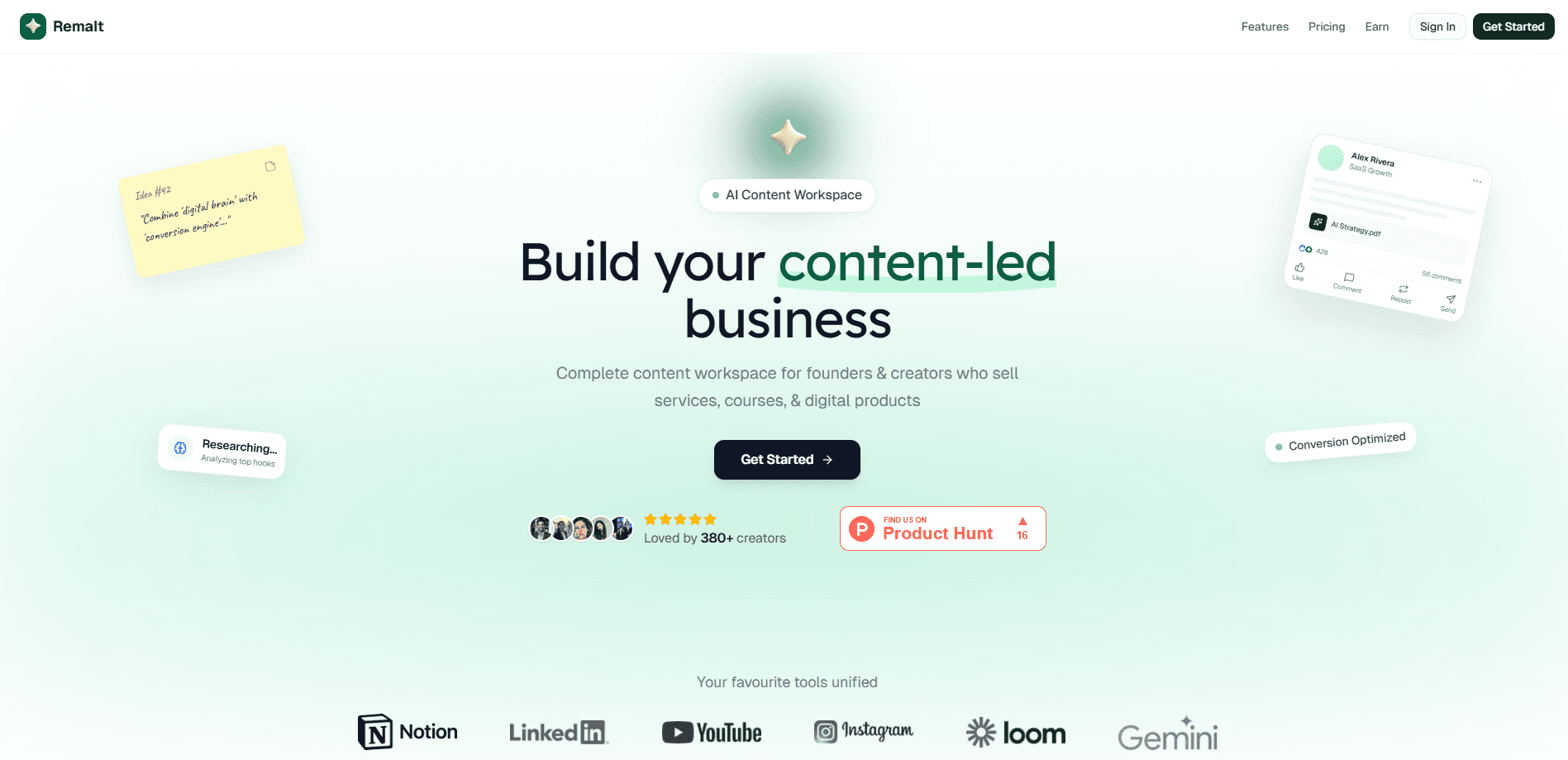
Remalt is an AI content workspace that pulls your notes, videos, screenshots, and past posts onto one infinite board, then turns them into platform-ready content for LinkedIn, YouTube, and Instagram. Think of it as an AI content creation tool that also does the repurposing. It's built for creators and founders who post across several channels and don't want to juggle a chatbot, a notes app, and a design tool to get one idea published. The pitch is speed.
About Remalt
What Is Remalt
Remalt calls itself an AI content workspace, and the label fits. Instead of splitting your work between Notion for notes, ChatGPT for drafts, and Canva for visuals, you drop everything onto one visual board and let custom agents handle the rest. Those agents aren't generic. You train them on your own writing, so the output sounds like you rather than a chatbot doing an impression of a marketer.
The product targets a real bottleneck for solo creators and small teams. Producing for three platforms usually means writing one LinkedIn post, scripting a YouTube video, designing an Instagram carousel, and finding a thumbnail that doesn't look recycled. That's a lot of small jobs. Remalt claims it can compress the whole batch into about an hour per week, using 15+ language models and a bring-your-own-key setup so you can plug in the model you already pay for.
The obvious limit: this is a browser-based workspace. No mobile app. So capturing an idea on your phone means waiting until you're at a computer. The "learn your voice" promise also depends on how much of your past writing you feed it. Feed it nothing and you'll get the same generic drafts you'd get anywhere else. Remalt isn't a publishing scheduler either. It produces the content, but you still push it live.
Getting Started
- Create a Remalt account and open your first board.
- Dump raw material onto the canvas: notes, voice memos, PDFs, old posts, screenshots, or a video.
- Connect a model or paste in your own API key if you want to use a specific one.
- Train an agent on samples of your writing so the drafts match your voice.
- Generate content for the platforms you care about, then review and export it.
Product Information
A quick look at Remalt's pricing, supported platforms, and performance.
Best for
The users, tasks, and scenarios where this tool fits best.
Users
- Solo creators
- Founders doing their own marketing
- Small content teams
Tasks
- Repurposing one video into many posts
- Writing thumbnails and titles
- Building reusable publishing chains
Scenarios
- Getting a week of content done in one sitting
- Turning scattered ideas into a plan
- Creating visuals without a separate design tool
Key features
Custom Platform Agents
Remalt ships agents tuned for LinkedIn, YouTube, and Instagram rather than one general-purpose writer. Each one is meant to know what performs on its platform, so a YouTube script doesn't read like a LinkedIn post. The LinkedIn content agent and the YouTube agent pull from the same source idea. You get one idea flowing into three platform formats without rewriting from scratch.
Brand Voice Lock
You train agents on samples of your own writing, and the tool tries to keep the output consistent with that voice. Pick your samples well. The drafts only sound like you if the material you hand over does.
4K Image Studio
Thumbnails, carousels, covers, and infographics generate without leaving the board. The YouTube thumbnail generator and Instagram carousel maker cover the visuals most creators rebuild by hand every week. That replaces a separate design subscription for routine work, and the thumbnail tool can work your face into the image.
Visual Brain
Every idea lives on an infinite canvas instead of disappearing into a chat history. Seeing your notes, videos, and past posts side by side helps you spot connections. Why does that matter? Because most content ideas are old notes plus a new angle, and a visual board makes that pairing obvious.
Agent Workflows
You can chain agents into pipelines like research, then write, then edit, and let the sequence run. Set it up once for a recurring task and you stop re-prompting from zero every week. It's the closest thing here to a content automation platform, and it's what separates Remalt from a plain AI chat window.
Instant Repurposing
One source clips into several formats in seconds. This is the AI repurposing tool in action: one YouTube video becoming a LinkedIn post, an Instagram carousel, and an email without an hour of manual rewriting. Output still needs a human pass, but the first draft arrives fast.
Multi-Model Access
The workspace supports 15+ language models and lets you bring your own key. If you already pay for a specific model, you can route through it rather than accepting whatever default the tool ships with.
Pros and cons
Pros
- Combines notes, chat, and design in one board, which cuts the tool-hopping that slows solo creators down.
- Platform-specific agents mean less rewriting between LinkedIn, YouTube, and Instagram formats.
- Visual board makes connections between scattered ideas visible instead of burying them in folders.
- Reusable workflows save time on tasks you repeat weekly.
- Bring-your-own-key support lets you keep using a model you already trust.
Cons
- No mobile app, so capturing an idea on your phone means waiting until you're at a computer.
- The voice-matching feature only works as well as the writing samples you give it, and a thin sample produces generic drafts.
- It generates content but doesn't publish it, so you still need a separate scheduler to push posts live.
- Pricing and plan details beyond the $29/mo figure aren't clearly published, which makes it hard to plan costs for a team.
Frequently asked questions
It's an AI content workspace that collects your notes, videos, and documents on one board and uses AI agents to turn them into posts, scripts, thumbnails, and carousels for platforms like LinkedIn, YouTube, and Instagram.
Related content
Explore related tools, skills, and articles for Remalt.
Remalt Alternatives
Isgen AI
Isgen · AI DetectionIsgen AI is a web-based AI detector that scores text for machine authorship and shows you which sentences and phrases push the number up. It's built for teachers, editors, students, and writers. Their question is simple: did this draft come from ChatGPT, GPT-5, Claude, Gemini, DeepSeek, or another model? You paste or upload content, run a scan, and get a Human, AI, and Mixed breakdown in seconds. There's also a companion editor that scores text while you write it.
Humanizeai Tools
Humanizeai Tools · Writing · AI DetectionHumanizeai Tools is a web-based AI humanizer that rewrites machine-generated text so it sounds like a person wrote it, which is the whole point of the category it belongs to. Paste a draft from ChatGPT, Claude, or Gemini, run it through the tool, and it swaps out the phrases and sentence patterns that AI detectors flag. If your goal is to make AI text sound human before you publish it, this is the kind of tool built for exactly that. It suits students, bloggers, and marketers who need copy that reads naturally and clears tools like GPTZero, Copyleaks, and Winston AI after a single pass.

Hidemyai
Hidemyai · Writing · AI DetectionHidemyai is an AI content humanizer. It rewrites text from ChatGPT, Jasper, and similar tools so the result reads like a person wrote it. You paste your draft, pick a document type and tone, and the service returns a version meant to bypass AI detectors such as Originality.ai, Turnitin, and ZeroGPT. It targets writers, marketers, and students who lean on AI drafts but can't ship copy that sounds robotic. The promise is simple: make AI content undetectable.