

Remix
Remix · Coding
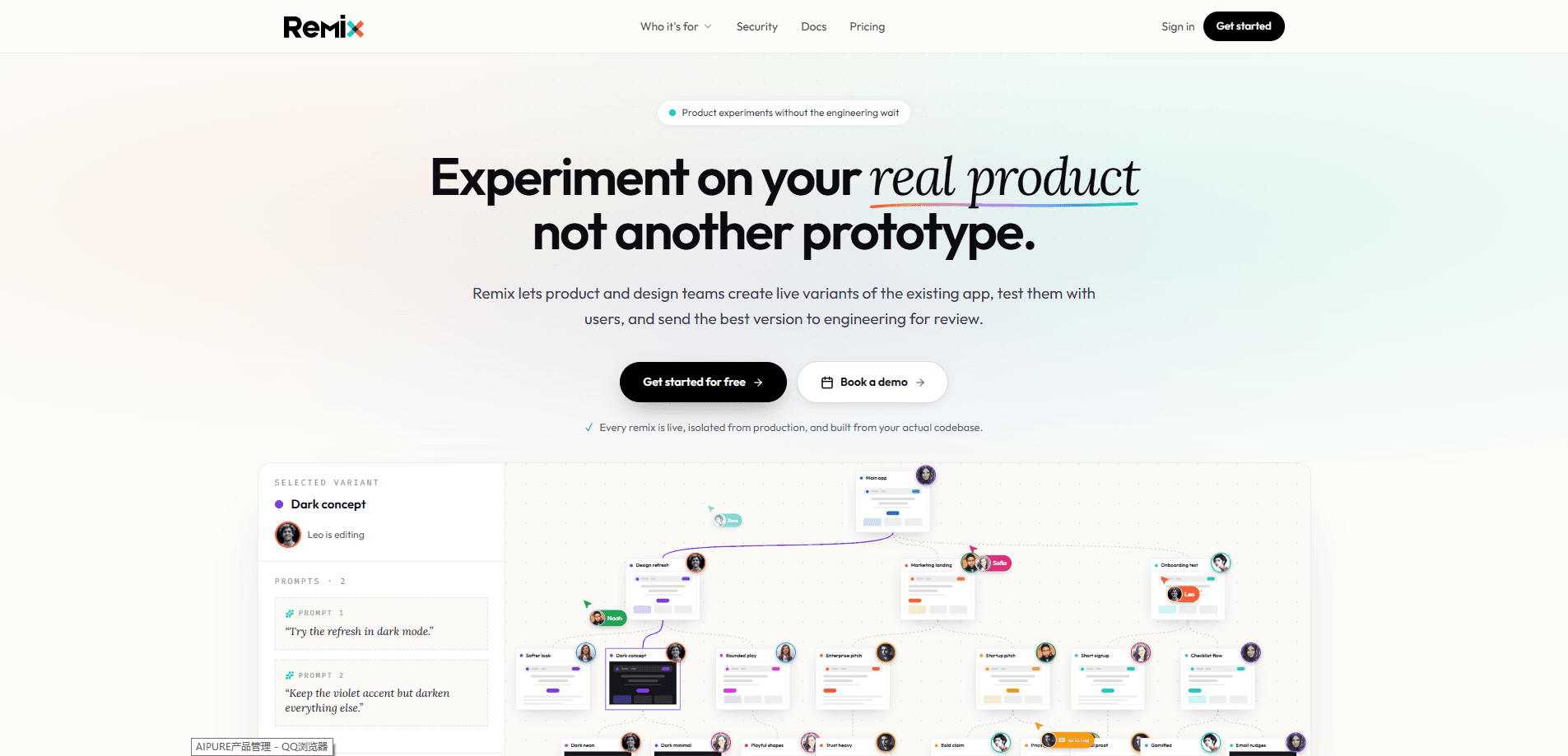
Remix is a tool for teams that want to change a live app without breaking it. It spins up a safe, sandboxed copy of your real production app, lets you make changes by prompting, and turns the result into a reviewable GitHub pull request with the full prompt history attached. The idea is simple. You sketch the change you want in a working version of the app, then hand engineering a PR they can actually review instead of a vague request. It's a different take on AI app prototyping.
About Remix
What Is Remix
Remix is built around a common problem in product teams. Someone wants a change. Testing happens only on the real app, and requests land as tickets that lose all their context. Remix fixes that by handing you a live sandbox.
Think of Remix as an AI prototyping tool for teams that already run an app in production. Instead of guessing, you get a sandboxed app preview you can click through.
What People Use It For
At its heart, this is prompt-driven development. You describe a change in plain words, Remix applies it inside a live copy, and you keep refining until the result looks right.
That sandbox is a copy of your actual production app. You prompt your way through the change, watch it happen in a running version, and keep a record of every prompt along the way. When the change looks right, Remix packages it as a GitHub pull request.
The main limit is scope. Remix works with apps that already exist in a codebase and connect to GitHub. It isn't a drag-and-drop builder for something from scratch, and anything you do still ends up in front of engineers for review.
Getting Started
- Connect Remix to your production app and its GitHub repository.
- Let Remix create a sandboxed copy of the app so you can work without touching the live version.
- Describe the change you want in a prompt and watch it apply inside the sandbox.
- Refine with follow-up prompts until the result matches what you had in mind.
- Send the change to GitHub as a pull request, preview link, and prompt history for your team.
Product Information
A quick look at Remix's pricing, supported platforms, and performance.
Best for
The users, tasks, and scenarios where this tool fits best.
Users
- Product managers
- Designers
- Founders at small teams
Tasks
- Mocking up a small UI tweak
- Testing a risky idea safely
- Keeping a record of decisions
Scenarios
- A design review where you want something clickable rather than a slide
- A quick experiment before committing engineering time
- Onboarding a new teammate
Key features
Sandboxed production copies
Remix builds a live copy of your actual production app rather than an empty project. That means the change you test behaves like the real thing, with real data flows and real interface. You get the freedom to break stuff on purpose, because none of it reaches your users. Nothing ships by accident here.
Prompt-driven changes
You describe what you want in plain language and Remix applies it inside the sandbox. This suits people who think in outcomes rather than code. You don't write the change; you ask for it, then refine the result with more prompts until it fits. That's the whole loop.
Full prompt history
Every prompt that shaped a change is saved with it. When engineering opens the pull request, they see what changed and the sequence of requests behind it. That context is usually the first thing lost between a request and a shipped feature.
GitHub pull requests
Remix turns finished changes into pull requests in your existing GitHub workflow. Engineers review them the same way they review any other PR. No new dashboard to learn. That keeps the process familiar instead of adding another tool.
Guardrails and review
Changes don't go straight to production. Guardrails keep the sandbox separate from the live app, and the pull request step keeps a human in the loop. Nothing ships until someone on the engineering side approves it. That's a hard stop, not a suggestion.
Shareable preview links
You can send a link to the running change so teammates, clients, or anyone else who needs a look can see the exact result without installing anything at all. It's the difference between describing a change and letting people click through it themselves.
Pros and cons
Pros
- Real sandbox means testing happens on a true copy of the app, not a throwaway mockup.
- Non-technical teammates can propose changes without learning the codebase.
- Prompt history gives reviewers the reasoning behind a change, not just the diff.
- Pull requests keep the process inside GitHub, so engineering workflows stay intact.
- Preview links make it easy to gather feedback on a working version.
Cons
- It needs an existing app connected to GitHub, so it won't help you start from nothing.
- Pricing beyond the free plan isn't clearly published, so you'll need to ask before budgeting.
- There's no public API, which rules out wiring Remix into an automated pipeline for now.
- Every change still goes through engineering review, so it speeds up requests rather than shipping.
Frequently asked questions
Remix is used to make changes to a live app in a safe, sandboxed copy and turn them into reviewable GitHub pull requests. Teams use it to move from an idea to a working preview without touching production.
Related content
Explore related tools, skills, and articles for Remix.
Remix Alternatives
Forefront
Forefront · CodingForefront is a web platform for building with open-source AI. It lets you fine-tune leading open-source language models on your own data, evaluate how they perform, and run them through an API or export them to host yourself. Developers who want the convenience of a closed-source platform but insist on owning their models and data are the target audience here.

Startkit
StartKit.AI · CodingStartkit is a boilerplate for building AI SaaS and AI wrapper products. Think of it as an AI startup boilerplate with the boring parts already wired up: authentication, Stripe and Lemon Squeezy payments, usage limits, transactional email, and an AI API starter that talks to OpenAI, Anthropic, Groq, or Llama. You clone the repo, set your price, and start on the part of your product that people actually pay for. It's Next.js under React and Tailwind, so most of the boilerplate code already feels familiar.
Testim
Tricentis · CodingTestim is an AI-powered test automation platform for building and running end-to-end tests across web, mobile, and Salesforce applications. It leans on machine learning to keep tests stable when an interface changes, so teams spend less time fixing broken selectors. Not bad for an automated testing tool you can start using today. You create tests by recording actions in a browser, then optionally add JavaScript when you need more control. It's a solid pick for busy QA teams.