

ReplylessAI
ReplylessAI · Writing · Marketing
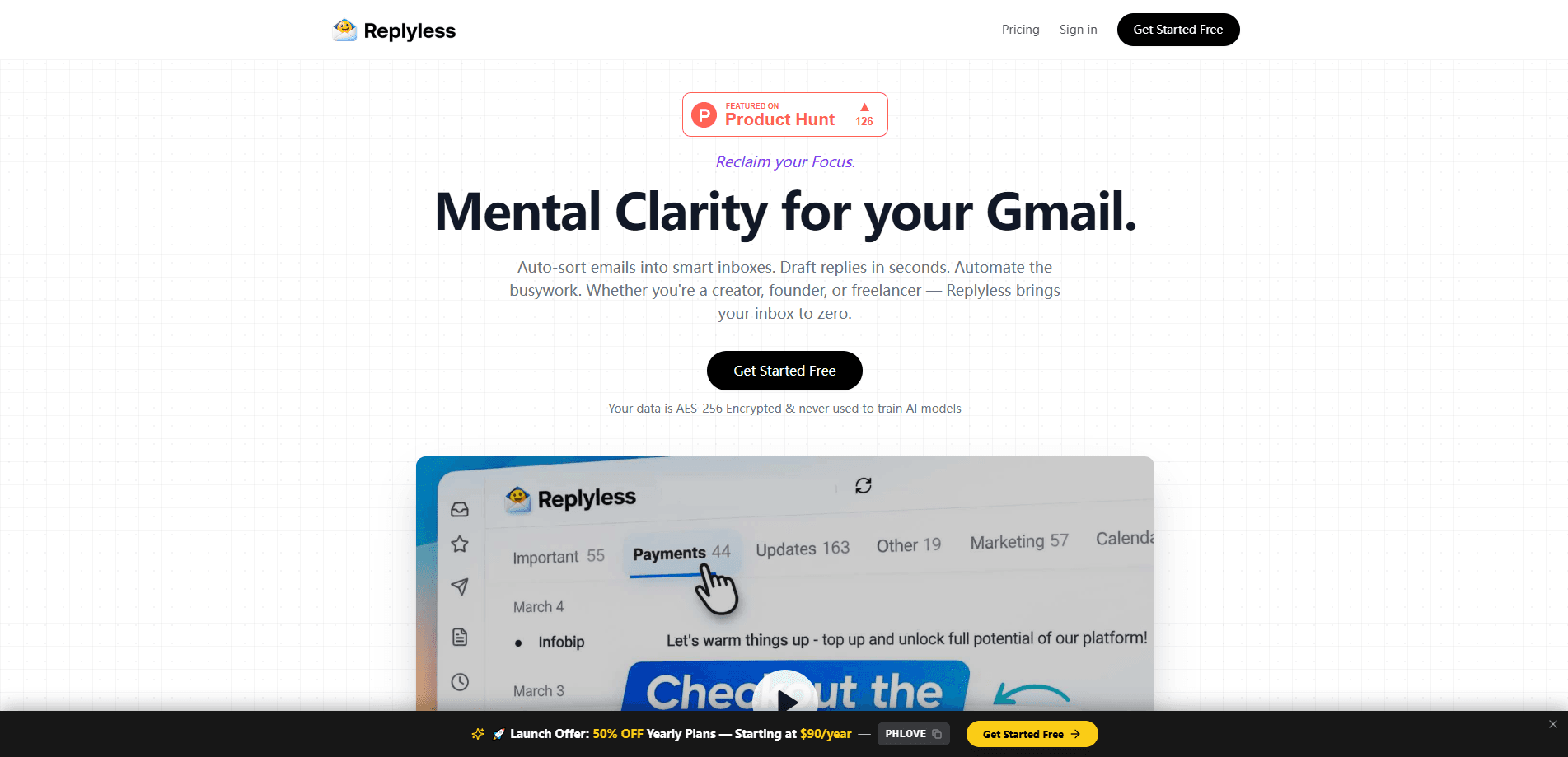
ReplylessAI is an AI-native email app built for people who are tired of drowning in their inbox. It connects Gmail, Outlook, and Zoho Mail, sorts incoming mail into focused views, drafts replies in your voice, and summarizes long threads so you can act fast. So what does it actually change? A lot. It replaces a stack of separate tools. The pricing page compares it directly against ChatGPT Plus, Superhuman, Zapier, and Clean Email, arguing one subscription can do the work of four. - **Best for:** founders, operators, creators, freelancers, and small teams - **Standout features:** AI split inboxes, prompt-based rules, AI drafts, thread summaries - **Pricing:** free tier, $15/month Basics, $299 one-time Lifetime, custom Enterprise - **Platforms:** web app plus a Mac desktop download - **Main trade-off:** it wants to become your main email client rather than sit beside one
About ReplylessAI
What Is ReplylessAI
ReplylessAI is an AI-native email application. Instead of adding a chatbot to a traditional inbox, it rebuilds the inbox around AI from the start. Mail lands in split views that separate noise from messages that need you. Replies get drafted from full thread context in your own tone. The assistant can browse the web to pull in outside information when a thread needs it.
The product markets itself with a simple promise: "Nothing.., Just Better Email." Under that line sits a practical set of tools. AI split inboxes, prompt-based rules, AI email drafts, thread summaries, an inbox cleaner, reusable snippets, and daily Telegram briefs all ship together.
It connects to Gmail, Outlook, and Zoho Mail, so most people can plug in the accounts they already use. The Mac desktop app is a direct download. The web app runs in the browser.
The developer also runs a Lifetime offer: a one-time $299 payment for permanent Basics access, capped at 50 founder spots.
Getting Started
- Go to replyless.ai and choose Start free, or open the /auth signup page.
- Connect your first mailbox (Gmail or Outlook on the free plan; add Zoho on a paid tier).
- Let the AI sort incoming mail into split inboxes such as Important, Updates, Promotions, and Other.
- Set prompt-based rules if you want custom views, like routing brand deals over $5k to a Revenue folder.
- Start drafting or summarizing from any thread, then review before you send.
Product Information
A quick look at ReplylessAI's pricing, supported platforms, and performance.
Best for
The users, tasks, and scenarios where this tool fits best.
Users
- Founders handling investor, customer, and partner mail in one place
- Operators and small teams juggling shared and personal inboxes
- Creators and freelancers who get paid a lot of low-value mail
- Sales and CRM-style follow-up work that needs reminders
Tasks
- Sorting a crowded inbox into focused, intent-based views
- Drafting replies that sound like you instead of a template
- Summarizing long threads before you respond
- Cleaning out recurring noise and low-value senders
Scenarios
- Reaching inbox zero before closing the laptop for the day
- Catching priorities from a Telegram brief before opening the full inbox
- Running simple founder-led outreach with reply-aware follow-ups
- Keeping shared team inboxes from turning into a free-for-all
Key features
AI Split Inboxes
ReplylessAI takes one crowded inbox and splits it into separate views based on intent rather than just sender or date. You get an Important tab, a Updates tab, a Promotions tab, and an Other tab out of the box, each drawing from the same account. A message that needs your attention and a newsletter that doesn't no longer sit in the same list. You switch tabs to triage fast. No mental sorting every morning.
Prompt-Based Rules
Rather than building filters from dropdown menus, you write rules as prompts. You might tell it to move brand deals over $5k into Revenue. You might route anything from one client into a Support view. The tool reads sender patterns and subject signals to make those calls. This matters when your mail doesn't fit a neat category and a normal filter would misfire.
AI Email Drafts
The assistant turns thread context into a ready-to-edit reply. You don't start from a blank compose box. It picks up on what was already said and writes in your voice, with quick actions like "Make it warmer" to adjust tone. You stay in control. The send button is always yours. For anyone who answers the same kind of mail all day, this is where most of the time savings come from.
Thread Summaries
Long conversations get compressed into the decisions and the next action. If a twelve-message thread has buried one open question, the summary surfaces it. That helps anyone who inherits threads from teammates. It also helps when you come back to a deal after a week away and need to know where things stand before replying.
Inbox Cleaner and Unsubscribe
The cleaner finds recurring low-value senders, checks for available unsubscribe links, and queues the cleanup actions you confirm. You review before anything is archived or trashed. Nothing important disappears by accident. It's a lower-risk way to drain the junk that piles up in any inbox over months.
AI Workflows and Integrations
Email automation is where paid plans pull ahead. You can build AI agents and workflows that draft, summarize, personalize, and move threads forward. Integrations cover tools like HubSpot, Linear, Slack, and Notion, plus custom connections. That lets a lead-focused workflow pull context from a CRM or push a follow-up into a project tool without leaving the inbox. Internet browsing is also available for the AI on Basics and above.
Daily Telegram Briefs and Multi-Account Support
You can connect several accounts and scan priorities from a Telegram brief before you ever open the full inbox. Each account stays scoped and organized, so mixing a personal Gmail with a work Outlook doesn't turn into a mess. Shared inboxes and priority support are part of the paid tiers, which suits small teams working the same queue.
Pros and cons
Pros
- Works across Gmail, Outlook, and Zoho Mail instead of locking you into one provider
- Drafts arrive in your voice, cutting the blank-page problem on routine replies
- Split inboxes and prompt rules make large volumes feel manageable
- Transparent pricing with a free tier and a one-time Lifetime option
- Telegram briefs and shared inbox features fit real team workflows
Cons
- It's designed to replace your email client, which needs a full switch
- Advanced workflows, integrations, and shared inboxes sit behind paid plans
- The Mac download is the main native app; other platforms lean on the web app
- Internet browsing for the AI and custom integrations aren't on the free tier
- The Lifetime deal is capped, so it may not stay available
Frequently asked questions
It's an AI-native email app that sorts your mail into smart split inboxes, drafts replies in your voice, cleans up noise, and helps you stay on top of what matters. It connects Gmail, Outlook, and Zoho Mail and keeps the send button in your hands.
Related content
Explore related tools, skills, and articles for ReplylessAI.
ReplylessAI Alternatives

Google EmbeddingGemma 2
Google DeepMind · Writing · Image · CodingGoogle EmbeddingGemma 2 is a 740M-parameter open model that turns text, code, images, audio, and video frames into vectors in one 768-dimension space, running on phones and laptops.

MePersona
MePersona, Inc. · Writing · Productivity · MarketingMePersona is an AI unified inbox for creators. It learns your voice, drafts replies to fan messages from 12 platforms, and sends only what you approve.

Fluence
Yay Software (Yannick Huchard) · Writing · Voice & Language · ProductivityFluence is an Android app that reads PDFs, EPUBs, Word files and web articles aloud, follows each sentence as it speaks, and answers questions about the text on the phone itself.