

Researcher.Life
Cactus Communications (CACTUS) · Writing · Image
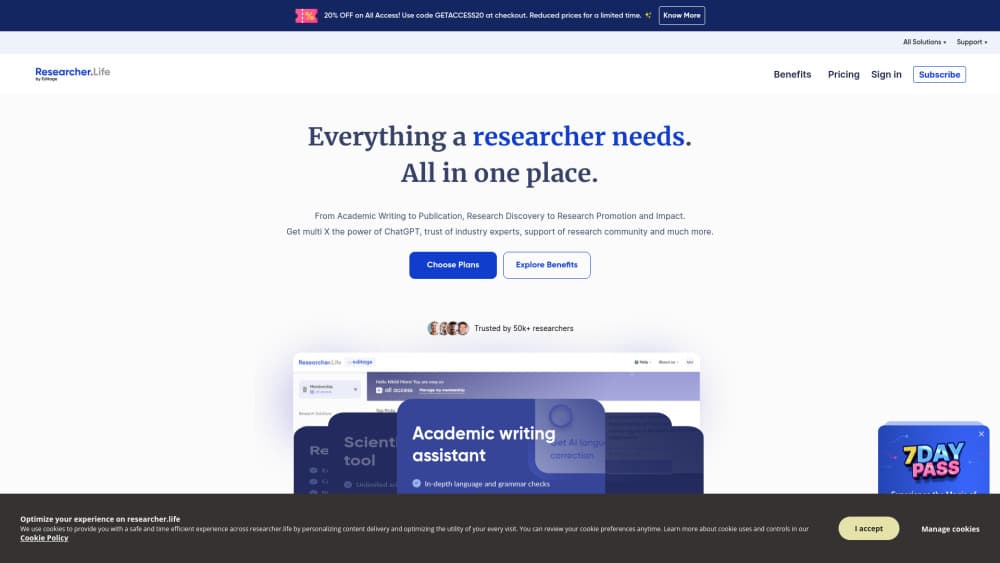
Researcher.Life bundles Paperpal writing checks, R Discovery literature feeds, Mind the Graph illustrations, and a journal finder into one AI subscription for academic researchers.
About Researcher.Life
What Is Researcher.Life
Researcher.Life is a subscription from Cactus Communications that puts several research tools behind one login. It works as an AI research assistant across a whole project rather than for a single step. The bundle covers manuscript writing, literature reading, figures, and journal selection, and each part is also sold on its own.
The gap it fills is the scattered toolchain most researchers carry. Instead of paying for a grammar checker, a reference feed, and an illustration app separately, you get them together at $25 a month or $199 a year. The academic writing assistant runs in Microsoft Word and in the browser, while the reading feed works on the web and in the R Discovery app.
The main limit is that this is a bundle, not one deep tool. If you only need spelling fixes, a cheaper grammar checker does the job. The value shows up when you lean on several parts of the suite across a project.
Getting Started
- Create an account at researcher.life and pick the All Access plan.
- Open the writing assistant to run a language review on a manuscript, in Word or in the browser.
- Set up your reading feed by adding keywords and fields so the literature discovery tool surfaces relevant papers.
- Build a figure in the illustration tool, or run the journal finder on your abstract to shortlist targets.
- Save your work and return from the dashboard, or add expert editing services when you're ready to submit.
Product Information
A quick look at Researcher.Life's pricing, supported platforms, and performance.
Best for
The users, tasks, and scenarios where this tool fits best.
Users
- Early-career researchers
- Non-native English authors
- PhD students and postdocs
Tasks
- Polishing a manuscript before submission
- Keeping up with new papers
- Building a graphical abstract
- Matching a paper to a journal
Scenarios
- Revising a thesis chapter against a deadline
- Preparing a first submission
- Tracking a fast-moving field
Key features
Research Tools in One Subscription
The plan groups four tools behind one login: a writing assistant, a literature feed, an illustration builder, and a journal finder. That matters because a single project touches all four areas. You stop juggling separate bills and logins for each stage, which is the core of the pitch.
Academic Writing Assistant
The writing assistant reviews language, grammar, and clarity, then suggests edits you accept or reject line by line. As a research writing software tool, it targets academic phrasing rather than general chat text, so the suggestions read like a journal editor's notes. It runs in Word and in the browser, which means it fits the draft you already have.
Personalized Literature Feed
The reading feed recommends papers based on the fields and keywords you follow, pulling from a large index of scholarly work. It appears on the web and in a mobile app, so you can catch up between tasks. Regenerating from a paper's citations keeps the picks tied to your project instead of a generic list.
Scientific Illustration Builder
The illustration tool ships templates, shapes, and drag-and-drop controls for figures, graphical abstracts, and posters. You assemble a visual from ready-made parts instead of starting in blank design software. Export options target the formats journals ask for, which saves a conversion step.
Journal Finder
The journal finder matches your manuscript against a list of more than 43,000 journals. You paste an abstract or title, and it returns candidates with scope and audience details. This narrows the field before you read submission guidelines, and it cuts the guesswork for first-time authors.
Expert Publication Services
Alongside the software, the subscription links to editing, translation, and publication support from human specialists. The annual plan adds discounts on those services. The mix suits authors who want AI help day to day and a person for the final polish.
Pros and cons
Pros
- One subscription covers writing, reading, figures, and journal choice, which removes four separate bills.
- The writing assistant works inside Microsoft Word, so you edit the real draft instead of copying text out.
- The journal finder checks a large title list, which beats reading scope pages by hand.
- The reading feed runs on web and mobile, so field updates reach you without manual searches.
- The annual plan adds discounts on human editing and translation for the final pass.
Cons
- It's a bundle, so a researcher who needs only grammar fixes pays for tools they may not open.
- The $25 monthly price sits above single-purpose grammar checkers, so value depends on using several parts.
- There's no public API for the tools, so bulk or automated workflows aren't an option here.
- The writing assistant handles language, not the science, so a paper with weak evidence still gets rejected.
Frequently asked questions
Researcher.Life is an AI research assistant subscription from Cactus Communications that bundles a writing assistant, a literature feed, a scientific illustration tool, and a journal finder into one plan for researchers.
Related content
Explore related tools, skills, and articles for Researcher.Life.
Researcher.Life Alternatives

Google EmbeddingGemma 2
Google DeepMind · Writing · Image · CodingGoogle EmbeddingGemma 2 is a 740M-parameter open model that turns text, code, images, audio, and video frames into vectors in one 768-dimension space, running on phones and laptops.

MePersona
MePersona, Inc. · Writing · Productivity · MarketingMePersona is an AI unified inbox for creators. It learns your voice, drafts replies to fan messages from 12 platforms, and sends only what you approve.

Fluence
Yay Software (Yannick Huchard) · Writing · Voice & Language · ProductivityFluence is an Android app that reads PDFs, EPUBs, Word files and web articles aloud, follows each sentence as it speaks, and answers questions about the text on the phone itself.