

RetroTerminal
Paramjot Singh · Other · Chatbot
RetroTerminal is a free web app that dresses Google Gemini in a retro CRT terminal, with six color themes, swappable AI personas, saved chat history, and support for your own API key.
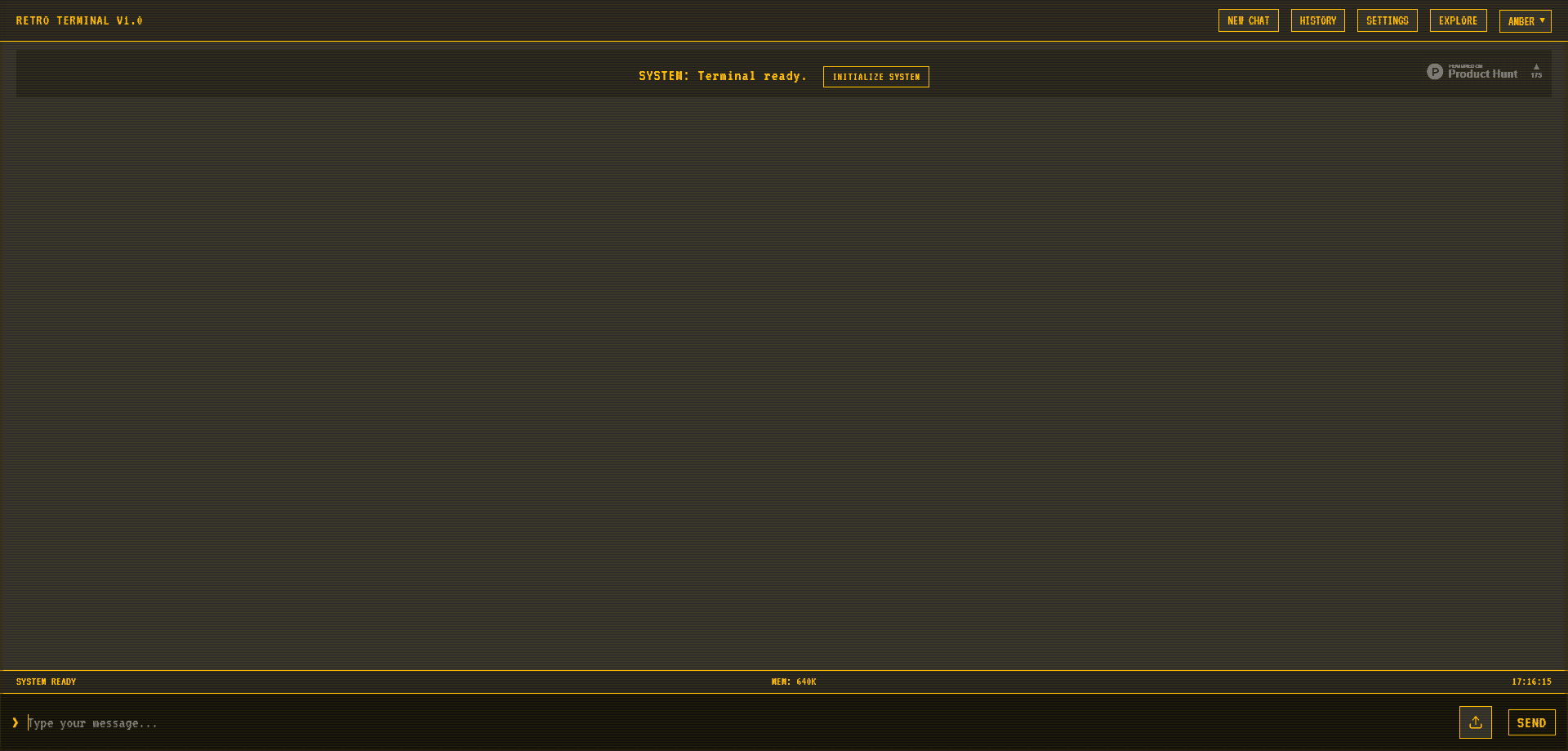
About RetroTerminal
What Is RetroTerminal
RetroTerminal is a browser-based chat interface styled like an old command-line computer. You type messages into a glowing terminal panel and get AI replies, but the whole experience is wrapped in amber, green, or blue phosphor screens that look like a monitor from the early 1980s. Under the skin, it talks to Google Gemini, so the actual answers come from a modern large language model. The project is built by developer Paramjot Singh and runs entirely on the web at iristerminal.vercel.app, with no install step.
The draw is personality and control rather than a new model. By default the app talks through a server-side proxy, so visitors can chat without pasting a key. If you'd rather use your own Gemini key, you can add one in settings, and it gets stored in the browser rather than sent to the author's servers. Alongside the themes, RetroTerminal ships a set of AI personas. Iris, Luna, Syntra, Captain Nova, and Atlas each carry their own voice and system prompt, so the same model can answer as a calm assistant, a poetic dreamer, or a cyberpunk renegade. You can also create new personas with your own prompt.
The limits are worth knowing up front. It leans on Google's Gemini API, so quality and availability track that service. Memory and personas live in your browser's local storage, which means clearing site data wipes your setup and history. There's no native mobile app or desktop client. And because it's a solo project, features move at the pace of one developer.
Getting Started
- Open iristerminal.vercel.app in any modern browser. No account or signup is required.
- Wait for the boot sequence to finish. The terminal prints a short status log and then the prompt unlocks.
- Start typing in the input line and press SEND. On first use, the app routes your message through its built-in proxy, so you can chat right away.
- Optional: open
/settingsto paste your own Gemini API key, then set the model, temperature, and token limits. - Use commands like
/themes,/persona switch,/history, and/memoryto change how the terminal looks and behaves.
Product Information
A quick look at RetroTerminal's pricing, supported platforms, and performance.
Best for
The users, tasks, and scenarios where this tool fits best.
Users
- AI chat hobbyists
- Retro computing fans
- Roleplay and persona tinkerers
Tasks
- Everyday Q&A and drafting
- Testing custom prompts
- Sharing a screen or stream
Scenarios
- A quick chat on a borrowed computer
- Switching moods mid-session
- Keeping a local record of chats
Key features
Six Retro CRT Themes
The interface ships with Amber, Green, Blue, White, Red, and Soft color schemes that recreate phosphor monitor looks. You can cycle themes from the top bar or with the /themes command, and switch to a specific one using /theme switch [name].
Swappable AI Personas
Five personas ship by default: Iris, Luna, Syntra, Captain Nova, and Atlas. Each has its own welcome messages and system prompt, so the tone changes sharply between them. A /persona create command lets you add a persona with your own instructions, and each one can carry a random greeting.
Bring Your Own API Key
The app can run through a built-in server-side proxy, or you can paste your own Google Gemini API key in settings. Your key is kept in browser storage rather than a shared server, which gives you direct control over usage and quota.
Chat History Save and Reload
The /history panel stores past conversations and lets you reopen them later. Messages keep their original formatting when reloaded, so you can pick an earlier thread back up without retyping context.
Terminal Command System
A small command set drives the app: /help, /new, /settings, /history, /themes, /persona, /memory, and more. It's a fast way to reach settings and switch modes without hunting through buttons.
Persona Memory
With memory enabled, RetroTerminal summarizes a conversation and stores the gist for a persona, so later sessions can reference what you discussed. It's a light continuity feature rather than a full knowledge base.
Settings Panel
A settings screen exposes model choice, temperature, token limits, and the system prompt. You can tune randomness and response length, which matters when you want tighter or more creative replies.
Pros and cons
Pros
- Free to use in a browser, with no account and no install.
- Six CRT themes and a boot sequence give it a look most chat apps don't have.
- Swappable and editable personas add variety that a plain chatbot lacks.
- Your own Gemini key can be used, and it's stored locally instead of on a shared server.
- Chat history and persona memory keep conversations carrying over between visits.
Cons
- Answer quality and uptime depend entirely on Google's Gemini service, so outages or model changes hit the app too.
- Data lives in browser local storage, so clearing site data erases history, personas, and saved keys.
- There's no native mobile or desktop app, and it's a single-developer project, so updates can be slow.
- The persona prompts can be heavy on theatrics, which won't suit users who want plain answers.
Frequently asked questions
Yes. RetroTerminal is free to use in a browser. There's no paid tier, and you can chat without an account because the app routes messages through its own proxy by default.
Related content
Explore related tools, skills, and articles for RetroTerminal.
RetroTerminal Alternatives

Odyssey 3
Odyssey · OtherOdyssey-3 is Odyssey's foundation world model. It simulates physics in real time, turns a prompt into an interactive environment, and adapts to robots, cars and games.

JarvisCore
Prescott Data · Coding · Productivity · OtherJarvisCore is an open source Python runtime where AI agents work as equal peers on an agent mesh, claim tasks from a shared ledger, and reach external services through a zero-trust broker.
Clef
Cloudflare · Business · OtherClef is Cloudflare's open-source decision model for Workers AI. It returns calibrated probabilities for typed questions, not generated text, so agents can classify, route, and act fast.