

Rev AI
Rev · Writing · Voice & Language
Rev AI is a speech to text API from Rev that transcribes recorded files and live audio in 58 languages, with optional sentiment, topic and translation add-ons.
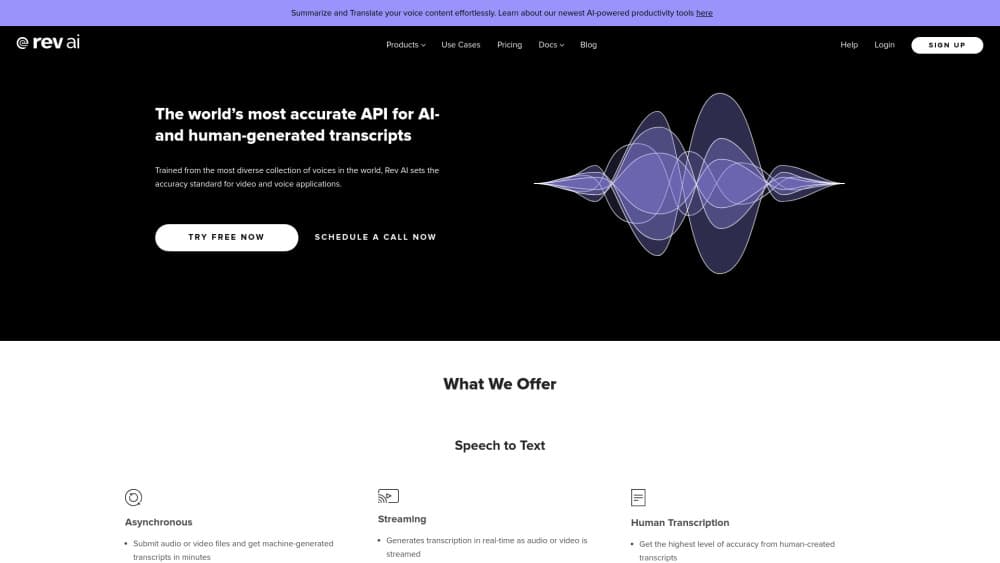
About Rev AI
What Is Rev AI
Rev AI is the developer product from Rev, the transcription company that has been collecting human-verified speech data since 2010. It's an automatic speech recognition API, not a consumer app. You send audio or video in, and you get back a transcript with punctuation, timestamps and speaker labels.
Two delivery modes cover most workflows. The asynchronous endpoint takes pre-recorded files and returns results in minutes. The streaming endpoint accepts live audio over WebSocket or RTMP and returns captions while people speak. Rev says both run on the same models, trained on a library of more than 7 million hours of human-verified speech.
The real limit is scope, not accuracy. Rev AI is built for teams that can write code or work with an SDK. A dashboard exists for testing, but production use assumes a developer is around. The insight features (sentiment analysis, topic extraction, summarization, translation) bill per minute or per 10 words on top of the base rate. Turn on everything at once and the bill grows fast.
Getting Started
- Create an account at rev.ai. New accounts get free credits equal to 5 hours of Reverb ASR, and the credits work across all products.
- Copy an access token from the dashboard. Every request passes it in an Authorization header.
- Submit a job. Post a media URL or a multipart upload to the jobs endpoint, then set the language and any optional flags.
- Poll the job status, or register a webhook so Rev AI calls your server when the transcript is ready.
- Download the result as JSON with timestamps, plain text, SRT or VTT.
Product Information
A quick look at Rev AI's pricing, supported platforms, and performance.
Best for
The users, tasks, and scenarios where this tool fits best.
Users
- Backend developers
- Media and post-production teams
- Contact center and compliance teams
Tasks
- Bulk captioning old archives
- Live captioning for webinars and broadcasts
- Call recording analysis
- Research interviews
Scenarios
- A support team reviewing 2,000 calls a week
- A podcast network shipping subtitles
- A hospital system transcribing protected recordings
Key features
Asynchronous Transcription With No File Length Cap
Batch jobs handle pre-recorded audio and video, and Rev says hour-long files come back in under a minute. The practical ceiling is 17 hours of audio per job, and files sent by URL can reach 5 TB. That covers full day recordings, depositions and conference archives without splitting them first.
Real Time Transcription Over WebSocket and RTMP
The streaming API turns live audio into captions with low latency. It runs on the same models as the batch product. It supports WebSocket for apps and RTMP for broadcast encoders. Streams run up to 3 hours, so long events need a reconnect step that Rev documents.
Speaker Diarization and Channel Separation
Rev AI labels who said what, with support for up to 8 speakers in English and 6 in other languages. If each person was recorded on a separate track, you can pass the channel count and get cleaner separation than diarization alone. No setting exists to force a speaker count, which matters on messy group recordings.
Word Level Timestamps and Forced Alignment
Every transcript can carry timestamps down to the word, which makes quoting, search and caption sync far easier. Forced alignment is the related feature: feed it audio plus an existing script and it returns exact timing per word. Media teams use it to sync burned-in subtitles, and legal teams use it to cite a moment in a deposition.
Language Identification and 58 Languages
The asynchronous API supports 58 languages, including multilingual English and Spanish models, while streaming covers 9. Language identification runs as a separate call, so you can sort unknown audio before spending money on transcription. Each language has its own accuracy profile, and Rev publishes the current list.
Insights for Sentiment, Topics, Summarization and Translation
Beyond text, the audio transcription service can score sentiment, extract topics, summarize a long recording and translate into another language. Each is a separate parameter on the job, which keeps you from paying for features you skip. Standard and premium models are priced differently, so check the rate before running a large batch.
Custom Vocabulary for Industry Terms
You can supply a list of names, products and technical terms so the model spells them the way your business does. This helps most with brand names, drug names and internal jargon that general models mangle. It's a plain word list, not a language model you train.
Developer Tooling and Delivery Options
Official SDKs cover Python and Node.js, webhooks signal job completion, and output formats include JSON, plain text, SRT and VTT. Rev also offers self-hosted deployment for buyers who can't use a public cloud. Jobs stay on the server for 30 days unless you shorten that window.
Pros and cons
Pros
- Low base rate for batch English audio at $0.20 per hour, with foreign languages at $0.30 per hour.
- Strong accuracy claims backed by Rev's own benchmark data, including lower error rates across accents.
- Diarization, word level timestamps and 58 languages sit in one API instead of four vendors.
- Compliance coverage (HIPAA, SOC 2, PCI) plus EU and on-prem deployment fits regulated buyers.
Cons
- No consumer app, so anyone without developer help is stuck at the dashboard demo.
- Insight features bill separately, and a full sentiment plus topic run can cost more than the transcript itself.
- Default concurrency limits (500 jobs per 10 minutes) queue large backlogs until the next window unless support raises them.
- Streaming stops at 3 hours per connection and covers 9 languages, well short of the batch API.
Frequently asked questions
Yes, with a cap. New accounts get free credits equal to 5 hours of Reverb ASR. Those credits apply to any product on the platform. After that you pay as you go, starting at $0.20 per hour of English audio.
Related content
Explore related tools, skills, and articles for Rev AI.
Rev AI Alternatives

Google EmbeddingGemma 2
Google DeepMind · Writing · Image · CodingGoogle EmbeddingGemma 2 is a 740M-parameter open model that turns text, code, images, audio, and video frames into vectors in one 768-dimension space, running on phones and laptops.

MePersona
MePersona, Inc. · Writing · Productivity · MarketingMePersona is an AI unified inbox for creators. It learns your voice, drafts replies to fan messages from 12 platforms, and sends only what you approve.

Fluence
Yay Software (Yannick Huchard) · Writing · Voice & Language · ProductivityFluence is an Android app that reads PDFs, EPUBs, Word files and web articles aloud, follows each sentence as it speaks, and answers questions about the text on the phone itself.