

Reviewly | Skyrocket Your Google Reviews With AI
Reviewly.ai · Marketing
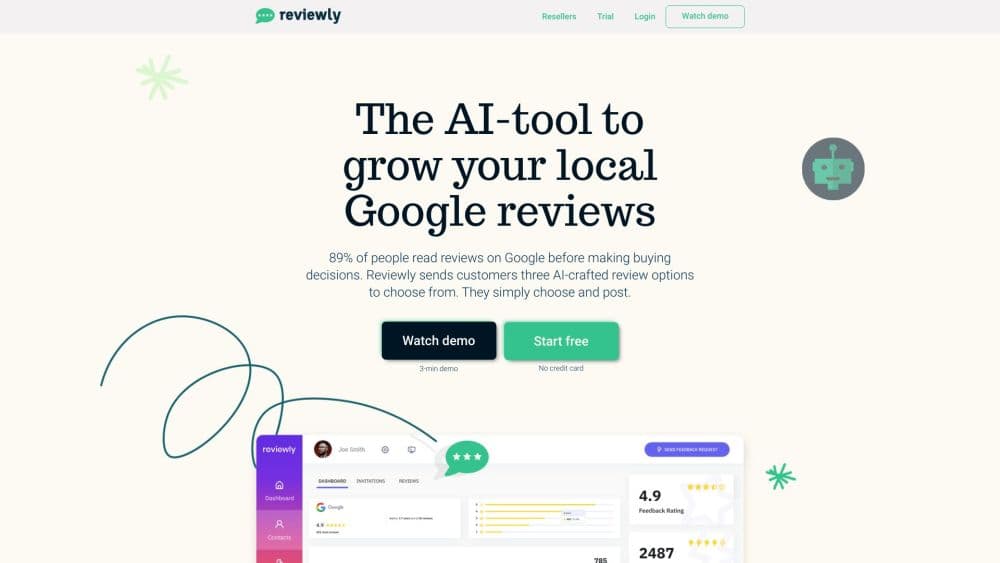
Reviewly is an AI Google review tool and review management software for local businesses. It sends automated review requests by text and drafts AI review responses from your phone.
About Reviewly | Skyrocket Your Google Reviews With AI
What Is Reviewly
Reviewly is a reputation management tool built around one platform: Google Business Profile. Customers get a text message after a job, the message opens a review form, and the AI offers a draft they can edit before posting under their own name. Owners get an alert for every new review and can send back a reply by text.
The narrow focus is deliberate. Reviewly doesn't connect to Yelp, Facebook, or Trustpilot, so if you need one inbox for five review sites, this isn't it. What you get instead is a short setup path: connect the Google profile, upload a customer list, send.
Pricing runs $99 per location each month for the standard plan and $139 for the premium plan, which adds the advanced AI model and a monthly review report. A 14 day trial comes with the whole platform unlocked and no card required.
Getting Started
- Start the trial at reviewly.ai and connect the Google Business Profile you want reviews on. The one click Google connection is the first of three setup steps.
- Add customers. Upload a list, connect a CRM, or use kiosk mode to type people in as they arrive.
- Confirm the feedback setting, then hit send. Requests go out by text from the dedicated number Reviewly assigns to your account.
- Watch the reviews land in the dashboard, reply straight from the alert text, and check the leaderboard if your staff is competing for review counts.
Product Information
A quick look at Reviewly | Skyrocket Your Google Reviews With AI's pricing, supported platforms, and performance.
Best for
The users, tasks, and scenarios where this tool fits best.
Users
- Local service businesses
- Small marketing agencies
- Multi location brands
- Owners who never sit at a desk
Tasks
- Asking for a review without the awkward conversation
- Writing a review reply in seconds
- Getting more detail out of happy customers
- Spotting reputation drift early
Scenarios
- Finishing a service call
- A bad review arrives on a Saturday
- Opening a new branch
Key features
SMS Review Requests
Reviewly handles automated review requests through text messaging rather than email. The company reports a 98% open rate on text, and each account gets a dedicated Twilio number so the owner's personal phone stays private. Requests can go out one at a time, as a bulk upload, or triggered through a CRM connection.
AI Assisted Review Drafts
Customers open the text, answer a few questions about the service, and get a draft review built from their answers. They edit it, keep the voice, and post it under their own name. The point is to help people who want to leave a review but stall at the blank box.
Advanced AI for Premium Plans
The premium plan adds a model that reads the customer's feedback and sentiment alongside SEO keywords the business supplies. Drafts come out sounding like a specific customer rather than a generic compliment, and the wording carries terms that help the listing surface in local search.
Text Back Review Replies
Every new Google review triggers an SMS alert, and the AI review responses go out from the same thread. From that same thread, the owner can generate a suggested reply or write their own, and it posts directly to the Google Business Profile without a login. Google rewards businesses that answer, so the friction here matters more than it sounds.
Review Devices and Leaderboard
QR codes, NFC tags, and physical review plates give walk in customers a one tap path to the form. A built in leaderboard tracks which staff member or location pulls the most reviews, which turns the ask into something teams compete over.
Dashboard and CRM Integrations
The dashboard handles requests, replies, monitoring, and multi location comparison in one view. Direct partner integrations and a Zapier connection push the feedback ask into the tools a business already runs, so a job marked complete in a CRM can fire a review request on its own.
Pros and cons
Pros
- Setup is short and the steps are obvious, so a non technical owner can send the first batch the same day.
- Replying from a text message removes the login step that keeps most owners from answering reviews at all.
- The SMS channel reaches customers where they still read messages, and the 98% open rate claim is consistent with how text performs against email.
- Multi location access controls and a company branded dashboard make it workable for agencies that resell reputation work.
Cons
- Google only. Businesses with reviews on Yelp, Trustpilot, or Facebook need a second tool, and there's no cross platform inbox.
- No refunds. If you cancel after a billing cycle, you keep access until the period ends but you don't get money back, so a 14 day trial is the only free look.
- The request cap is the real cost driver. The standard plan includes 500 feedback requests a month, so a high volume shop hits the premium plan fast.
- There's no public API documentation. Partner integrations exist, but a developer who wants to build a custom workflow has to ask the team first.
Frequently asked questions
It collects Google reviews by text message, helps customers write them with an AI draft, and lets the business owner reply to new reviews from their phone. The whole product is built around the Google Business Profile listing, not a general review inbox.
Related content
Explore related tools, skills, and articles for Reviewly | Skyrocket Your Google Reviews With AI.
Reviewly | Skyrocket Your Google Reviews With AI Alternatives

ngram 2.0
ngram · Video · Marketingngram 2.0 is an AI video generator for teams. It turns a prompt, a screen recording, or a product URL into a narrated explainer, product demo, or AI avatar video, and every scene stays editable.

shippedit.me
Krawlup · Marketing · Businessshippedit.me now redirects to Krawlup, a web platform that audits SEO, AEO and page speed every week, then hands the fixes to AI coding agents over MCP.

MePersona
MePersona, Inc. · Writing · Productivity · MarketingMePersona is an AI unified inbox for creators. It learns your voice, drafts replies to fan messages from 12 platforms, and sends only what you approve.