

Rewrait
Rewrait · Writing
Rewrait is an AI rewriter for non-native English speakers. It turns rough drafts, replies, and spoken notes into natural English in Slack, Gmail, Teams, Notion, and any app on Mac and Windows.
About Rewrait
What Is Rewrait
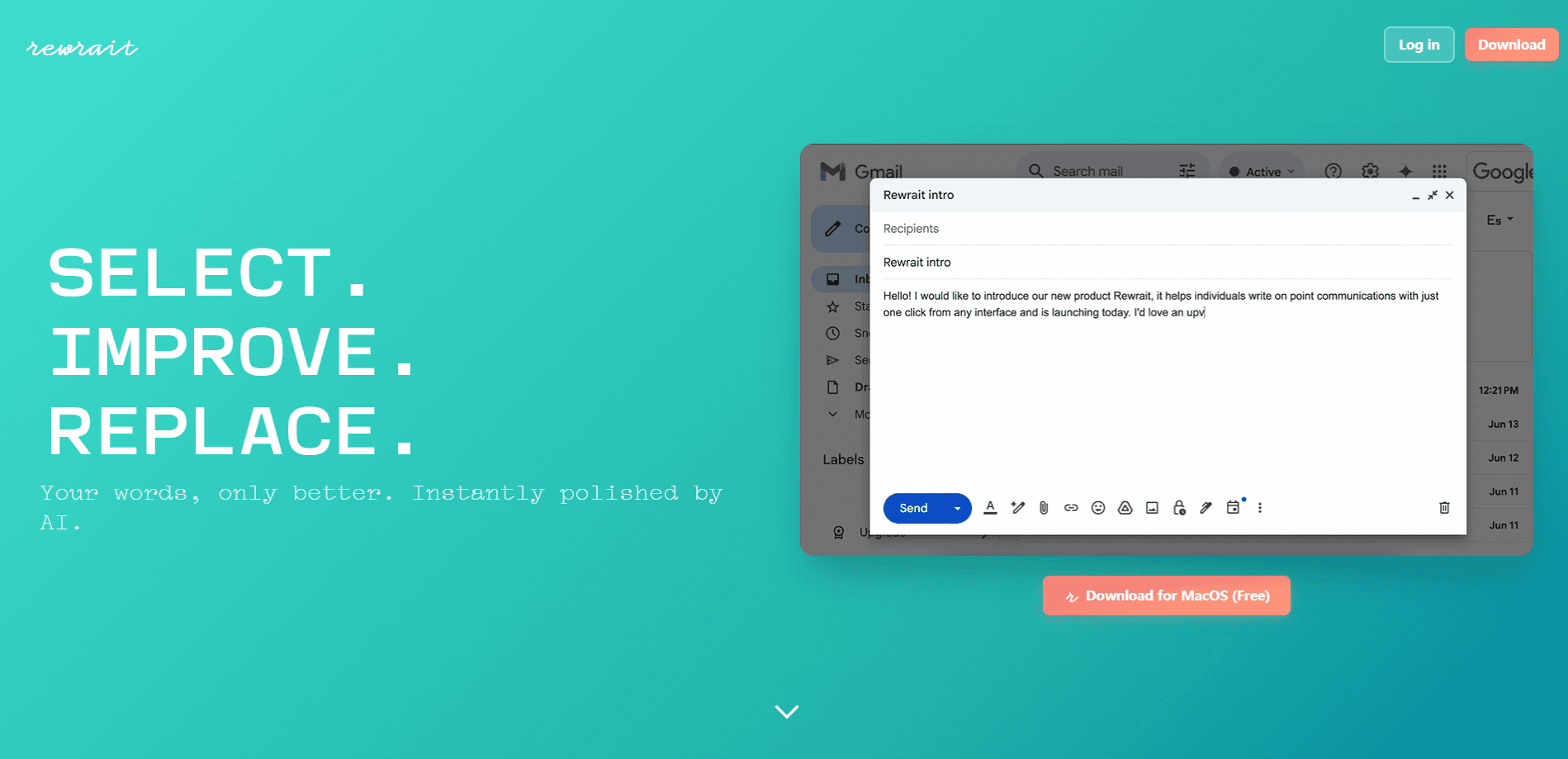
Rewrait is a desktop AI writing assistant that rewrites the text you already wrote into English a native colleague would use. You select a sentence in whatever app you work in, press a shortcut, and Rewrait shows your draft next to a cleaner version. Edit it if you want, then replace the text in place. There's no copy and paste between a browser tab and your inbox.
The tool targets a specific problem. Most proofreading tools catch grammar mistakes. Rewrait goes after the phrasing that's technically correct but still sounds translated, too direct, or too formal for the setting. A phrase like "We remain attentive to any comment" is grammatically fine, yet a native speaker would just write "Let me know if you have any questions." That gap is where this English writing app lives.
The AI writer for Windows and Mac covers Slack, Gmail, Outlook, Teams, Notion, and ordinary browser fields. You can also type or dictate in Spanish, Portuguese, French, or German and pick a style that outputs English. The main limits: it's a desktop tool with no mobile app, and you need to approve every change rather than let it rewrite silently.
Getting Started
- Install the Rewrait app for macOS 14.6 or later, or Windows 10 or later, and sign in. On Mac, allow Accessibility access so it can read and replace selected text.
- Select the text you wrote in any supported app, then press Cmd+Shift+P on Mac or Ctrl+Shift+P on Windows.
- Compare your draft with the rewrite side by side, edit the result if you want a different tone, and replace your text in the same spot.
- For a quicker pass, skip the preview and let one shortcut drop in your default style; Undo brings the original back.
- Dictate in your own language when you'd rather speak than type, and choose a style that writes the result in English.
Product Information
A quick look at Rewrait's pricing, supported platforms, and performance.
Best for
The users, tasks, and scenarios where this tool fits best.
Users
- Non-native English speakers at work
- International teams
- Freelancers and consultants
Tasks
- Fixing a rough draft
- Replying to a message
- Softening a direct request
Scenarios
- Sending a client email in English
- Writing in Slack or Teams under time pressure
- Dictating a rough idea in your own language
Key features
Rewrite in place, in any app
You select text where you already wrote it and press one shortcut, and the new version goes back in the same field. This works across Slack, Gmail, Outlook, Teams, Notion, and browser inputs on both Mac and Windows. Because nothing gets copied into a separate window, your workflow stays where it is.
Review before it replaces
Rather than swapping your words blindly, Rewrait shows the draft and the rewrite side by side. You can edit the result, try again, or replace the selection. Every change is yours to approve, and Undo restores the original if you change your mind.
Warmer, shorter, more direct variants
Not every message needs the same tone. Rewrait can hand back a warmer, shorter, or more direct version of the same text while keeping your meaning intact. The variants sit behind the Pro plan, so they're for people who write all day and want to shift the register fast.
Keeps links and mentions intact
Names, numbers, links, @mentions, and list formatting stay exactly as you wrote them, and only the wording changes. That matters in chat and email, where a rewritten link or a mangled handle breaks the message. You shouldn't have to fix formatting after every rewrite.
Multilingual dictation
You can dictate in Spanish, Portuguese, French, German, or English, then choose a style that writes the result in English. It's aimed at people who think faster than they type in a second language. You can also keep just the transcript if you'd rather edit it yourself.
Learns your corrections
When you fix a result, Rewrait can propose a rule for next time instead of leaving you to repeat the same edit. Learning is off until you switch it on, you confirm every rule, and only the rule is stored, never your text. Custom styles let you save instructions like "British spelling, no exclamation marks" and reuse them across apps.
Pros and cons
Pros
- Fixes phrasing that sounds translated, not just grammar, so readers stop noticing the second-language tell.
- Works in place across Slack, Gmail, Outlook, Teams, Notion, and browser fields without a separate editor or per-app extension.
- Runs on both Mac and Windows with the same shortcut and styles, unlike tools locked to one platform.
- Text is processed only when you trigger a rewrite, with no model training on your writing and history off by default.
- Multilingual dictation turns spoken Spanish, Portuguese, French, or German into an English draft.
Cons
- No mobile app, so you can't rewrite on a phone the way you can on a desktop.
- The free plan caps you at 30 rewrites a month and 1,000 characters each, which runs out fast if you write all day.
- Rewrite variants like Warmer, Shorter, and More direct, plus API access, sit behind the paid Pro plan.
- SOC 2 certification is still on the roadmap, which can slow a formal security review at larger companies.
Frequently asked questions
Rewrait rewrites text you already wrote into natural, native-sounding English. You select a draft in any app, press a shortcut, and it returns a cleaner version that keeps your meaning. It targets phrasing that's correct but sounds translated, too direct, or too formal.
Related content
Explore related tools, skills, and articles for Rewrait.
Rewrait Alternatives

Emailwritr
Emailwritr · Writing · MarketingEmailwritr is an AI email copywriting tool built for affiliates, course creators, and online businesses that want more revenue from the list they already own. Instead of blank pages or generic chatbot prompts, this AI email writer generates welcome sequences, launch campaigns, cart recovery emails, and promo series from frameworks modeled on well-known direct-response copywriters. You connect your autoresponder, answer a few questions about your offer, and it writes the copy for you.

Swms
Swms AI · Writing · Productivity · BusinessSwms is an AI safety compliance tool that turns a plain description of a job into ready-to-use safety documents. Describe your project, trade, and known hazards, and it writes a safe work method statement, job hazard analysis, safe work procedure, RAMS, or safety data sheet in seconds. It also ships with Oscar, a chat assistant that answers workplace safety questions in any language. Teams in construction, mining, transport, and warehousing use it to cut the paperwork that usually eats into a workday.

Prosp
Prosp · Writing · Voice & Language · MarketingProsp is an AI LinkedIn outreach tool built for agencies and sales teams, and it writes the message and the voice note in your own voice for each prospect so they actually reply. You connect your accounts, find leads, and let the AI draft and send personalized messages at scale, all from one inbox. It's built for people running outbound at volume. That's the whole pitch. Every touchpoint still has to feel human.