

Riffly
Riffly · Writing · Productivity
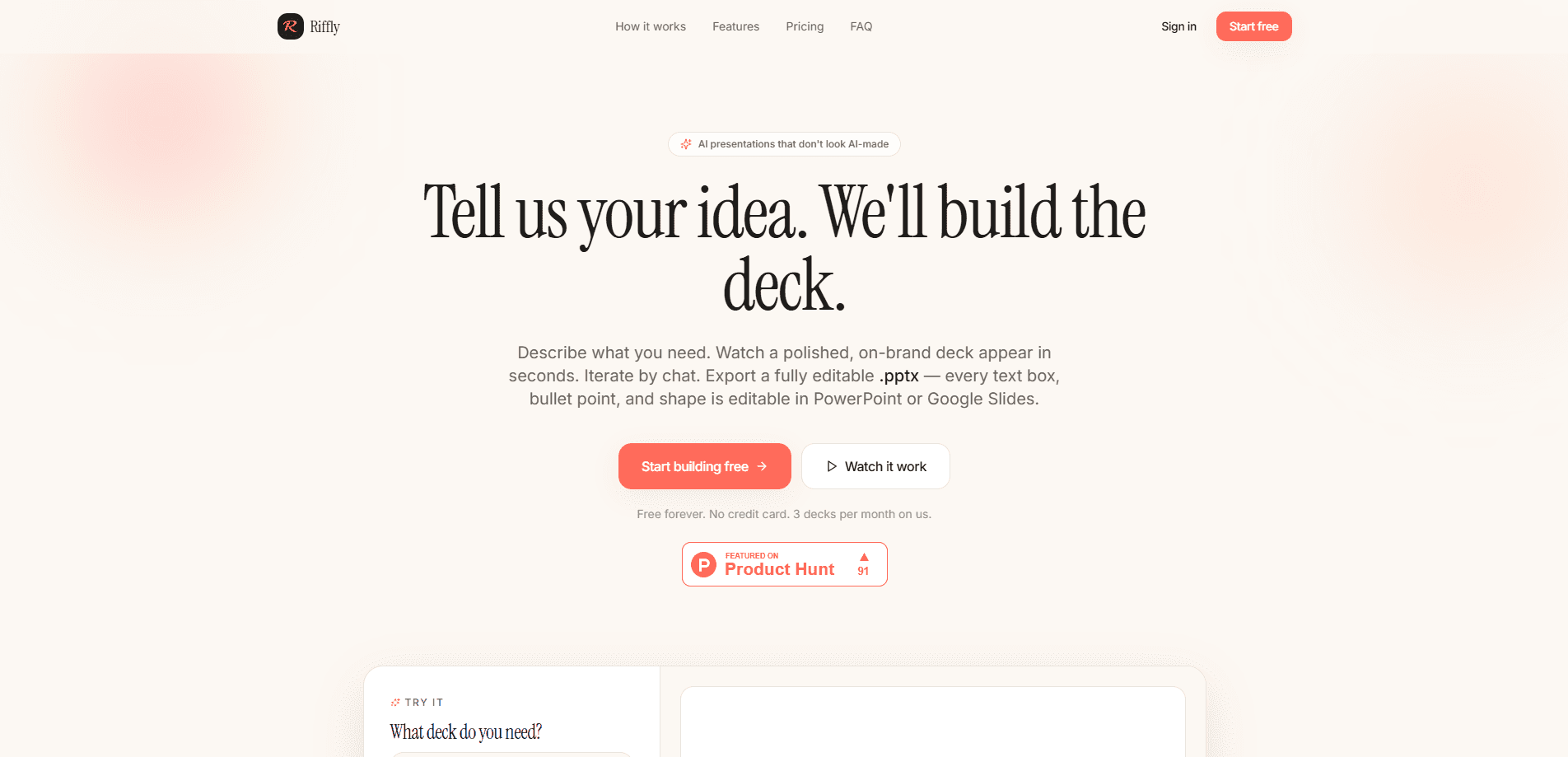
Riffly is a chat-driven AI presentation builder that turns a short prompt into a finished deck in seconds, and it does this without asking you to open a single blank slide or pick a template from a gallery. You describe the talk you need, the tool writes the slides, applies a consistent look, and hands back a file you can still edit in PowerPoint or Google Slides. It works as an AI slide deck generator and a plain presentation maker in one box. No blank template. No dragging boxes around. It suits founders, students, and anyone who needs a presentable deck without the usual fuss.
About Riffly
What Is Riffly
Riffly sits in the growing group of AI presentation builders, and its twist is the chat. Instead of filling in a long form or dragging blocks around a canvas, you talk to it. Say what the deck is for, and it drafts the structure and the slides. Keep the conversation going to swap sections, change the tone, or add a slide, and the deck updates as you go.
The output matters as much as the speed. Riffly exports a fully editable .pptx, so the file opens with real text boxes in PowerPoint or Google Slides rather than flattened images that you can't touch. PowerPoint export is the whole promise here. That means you can hand it to a colleague, drop in your company template, and keep working on it the normal way, because nothing in the file is baked into a picture that would block edits later. It's not a locked preview you have to rebuild by hand. That distinction matters more than it sounds.
The main catch is that a chat-first tool only works if the deck is close to what you pictured. Your prompt shapes everything, so a vague request gives you a vague deck. You'll get the most out of it by naming the audience, the length, and the key points up front. Skip that step and you'll spend the time you saved fixing the output.
Getting Started
- Open the Riffly site and sign in to start a new project.
- Describe your presentation in the chat: topic, audience, and roughly how many slides.
- Review the generated deck and ask for changes in plain language, like a different order or a tighter section.
- Export the finished deck as an editable .pptx file.
- Open that file in PowerPoint or Google Slides and finish the last touches.
Product Information
A quick look at Riffly's pricing, supported platforms, and performance.
Best for
The users, tasks, and scenarios where this tool fits best.
Users
- Founders and small teams
- Students and teachers
- Consultants and freelancers
Tasks
- Turning a written outline into slides
- Rebuilding an outdated deck
- Drafting a pitch narrative
Scenarios
- A Monday morning team update that needs to be ready before the meeting
- Last-minute class or workshop slides
- A client proposal where the content matters more than the design
Key features
Chat-Driven Deck Building
The core of Riffly is a chat box. You describe the presentation you need, and the tool writes the slides to match. Think of it as a chat-driven presentation tool that just keeps listening. From there you keep talking to it, asking for a shorter section, a new slide, or a different order, and the deck responds in place rather than making you start the whole thing over from a fresh template. It fits people who can explain an idea faster than they can build a slide. Simple as that.
Editable .pptx Export
Riffly exports a real .pptx file, not a static image or a locked web preview. The slides open in PowerPoint or Google Slides as editable text and layouts, so you can rename a heading, move an image, or apply your company template afterward. That keeps the deck inside the tools most workplaces already use.
On-Brand, Polished Layouts
The generated decks come out with consistent spacing, type, and structure rather than a pile of mismatched slides. You get something presentable without choosing fonts or aligning boxes. That saves real time. Restyling comes later, if you need it. If the look isn't quite right, you can restyle it in your own template once you export.
Fast Draft to Final
Riffly is built around speed. The first pass lands in seconds, which is enough for a rough review, and you spend your time refining instead of formatting. For anyone who has lost an evening to slide design, that shift is the whole point. Speed is the feature. Everything else supports it.
Prompt-Guided Structure
The tool organizes your content into a logical flow based on what you ask for, so a request for a three-part argument or a teach-and-demo shape comes back as slides that already follow that order instead of a loose pile you have to sequence yourself. Tell it the deck is a three-part argument, or a teach-and-demo shape, and it arranges slides to follow. You still control the substance, but the scaffolding shows up for free. That saves a surprising amount of staring at a cursor.
Pros and cons
Pros
- Turns a prompt into a full slide deck in seconds, which saves the slowest part of presentation work.
- Exports a genuinely editable .pptx, so the file keeps working in PowerPoint and Google Slides.
- The chat interface is easy to pick up, with no design skills required.
- Layouts come out clean and consistent, which means fewer hours spent on formatting.
- A free plan lets you test the output before paying.
Cons
- Output quality tracks your prompt, so a thin request returns a thin deck.
- There's no simple way to enforce a strict house style, so you may finish the branding by hand after export.
- The site is web-only, so there's no native mobile app to build a deck offline on your phone.
- Public information on the API is limited, so teams hoping to automate decks at scale should check with the vendor first.
Frequently asked questions
Riffly is an AI presentation builder that works from a chat prompt. You describe the deck you need, and it generates the slides and exports an editable .pptx for PowerPoint or Google Slides.
Related content
Explore related tools, skills, and articles for Riffly.
Riffly Alternatives

Google EmbeddingGemma 2
Google DeepMind · Writing · Image · CodingGoogle EmbeddingGemma 2 is a 740M-parameter open model that turns text, code, images, audio, and video frames into vectors in one 768-dimension space, running on phones and laptops.

MePersona
MePersona, Inc. · Writing · Productivity · MarketingMePersona is an AI unified inbox for creators. It learns your voice, drafts replies to fan messages from 12 platforms, and sends only what you approve.

Fluence
Yay Software (Yannick Huchard) · Writing · Voice & Language · ProductivityFluence is an Android app that reads PDFs, EPUBs, Word files and web articles aloud, follows each sentence as it speaks, and answers questions about the text on the phone itself.