

Rill Browser
Manifold AI Inc. · Coding · Productivity
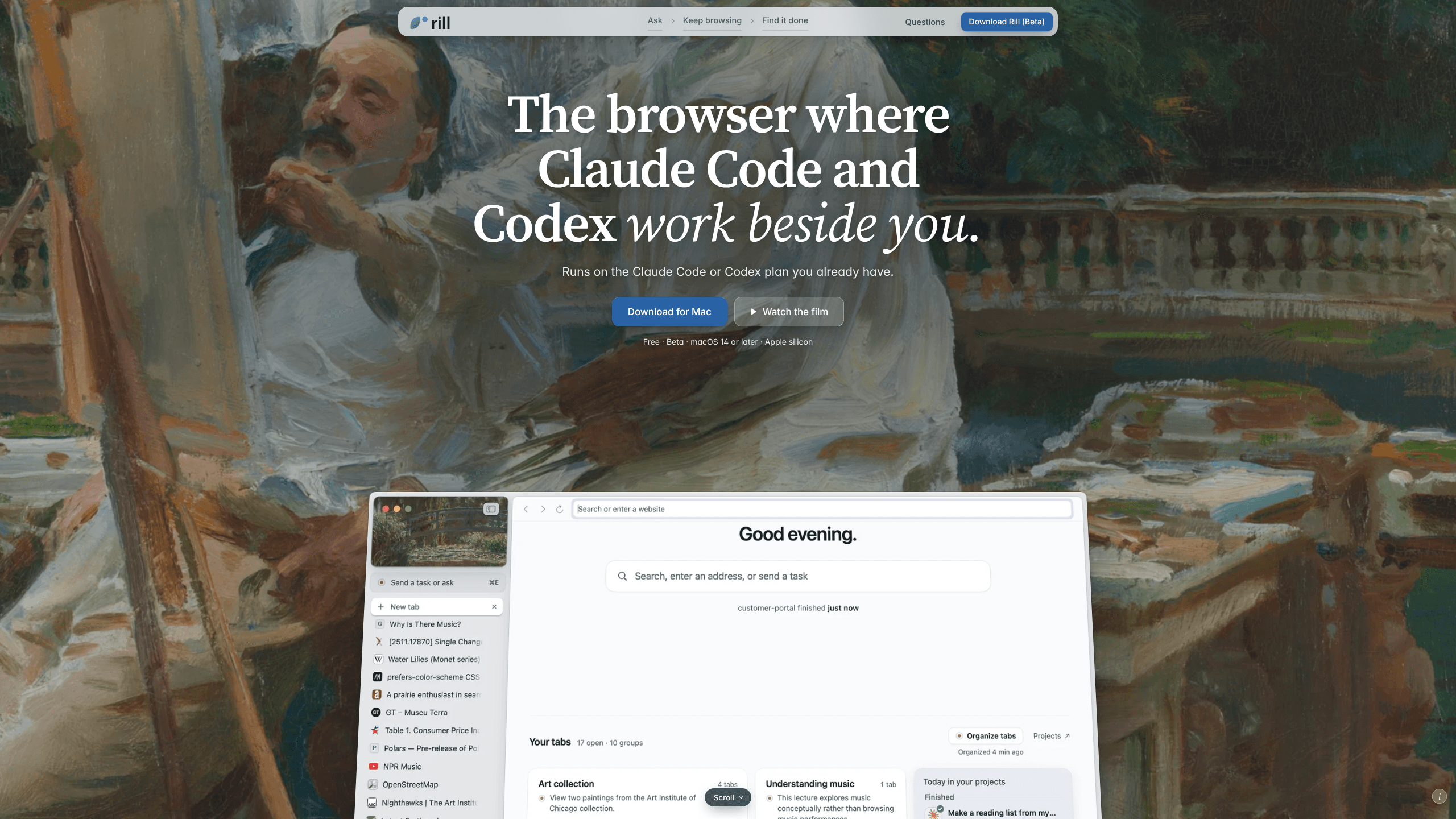
Rill Browser is a free Mac browser that runs Claude Code or Codex beside your tabs, so any page, selection, or task can go to your own coding agent without switching apps.
About Rill Browser
What Is Rill Browser
Rill Browser is an AI browser for Mac with one clear bet: the coding agent you already pay for should live in the window where you browse. Manifold AI Inc. builds it for Apple silicon machines, and the whole app is organized around that single handoff. Press ⌘E on a page, describe what you want, and the request goes to the Claude Code or Codex command line tool installed on your machine, signed in with your own account.
That detail is the product. Rill doesn't sell a model, resell tokens, or ask for an API key. It reads your existing Claude Code and Codex session history, works out which project a request belongs to, and runs the task there. Anyone already paying for a Claude or ChatGPT plan gets the AI side at no extra cost, which is rare in a category where browsers tend to bundle their own assistant and bill for it.
What you give up is reach. The app is beta software, version 0.1.7, and it runs only on Macs with Apple silicon and macOS 14 or later. There is no Windows build, no Intel Mac build, and no version that works without Claude Code or Codex installed. Browsing works fine without either one. The features that make Rill interesting do not, and in daily use it reads more like an AI agent browser than a normal one with a chat panel bolted on.
Getting Started
- Download the disk image from rill.love, open it, and drag Rill into Applications.
- Launch the app and sign in to Claude Code, Codex, or both. Rill walks you through the login for each tool.
- Import bookmarks, history, and passwords from Chrome, Arc, or Safari when asked. Saved passwords go into the macOS Keychain.
- Open any page and press ⌘E. Type your request, correct the project if Rill picks the wrong one, and let the agent work in a tab behind yours.
Product Information
A quick look at Rill Browser's pricing, supported platforms, and performance.
Best for
The users, tasks, and scenarios where this tool fits best.
Users
- Developers already on Claude Code or Codex
- Researchers and analysts who work in tabs
- Solo builders and small teams on Apple silicon
Tasks
- Handing a documentation page to a coding agent
- Comparing several sources in one pass
- Research that ends in a booking or an order
Scenarios
- You hit an API doc mid-project and want the change made now
- Five long tasks are running and you still have tabs open
- You remember a page but not its title
Key features
Page Context on ⌘E
The shortcut is what turns a normal browser into a browser with a coding agent. Press ⌘E on any page and a prompt opens with the page attached, including its title, address, and your selection or the first part of the text. You type what you want in plain language, and the request goes to Claude Code or Codex with that context already in hand. Answers open beside the page instead of replacing it.
Project Routing From Your Own History
Rill reads the session history of your coding tools and builds a map of the projects you work in. When you send a request, it guesses which project the work belongs to based on the page and the wording. A release note about a library lands in the repo that uses it; a table row you clicked goes to the charts project. You can override the choice before the agent starts.
Agents in Background Tabs
Agents run in tabs of their own, behind the one you're reading. In a project, an agent browses without your logins and only clicks or types when you allow it, which keeps a stray instruction from acting as you. You can take over its tab at any point, and finished work is marked Done wherever it happened.
Web Tasks With a Stop Before Payment
Some requests don't belong to a project. Ask for a flight, a hotel, or a product and Rill runs the task on the web with your signed-in sessions, in a tab you can watch. It is told to stop before the step that pays, orders, sends, posts, or deletes unless you clearly said to go through with it, and it cannot type into password, card, or one-time-code fields. That boundary is the difference between useful agentic browsing and handing an assistant a blank cheque.
A History That Reads Like a Journal
Rill records where you went, what you asked for, and what got done, then groups visits into day summaries you can read later. Search works two ways: exact words stay on your Mac, while a description like "the page with the green pricing table" goes to a read-only agent that searches your local library. History and page text are stored as files on your disk, for as long as you choose.
Tab Groups and a Project Map
Tabs are grouped by what you were doing, so a research session and a debugging session don't blend into one long strip. A project view shows every project your agents have touched on a single map, with finished work marked and recent activity visible. Both the grouping and the day summaries can be switched off in Settings if you would rather keep the browser plain.
Pros and cons
Pros
- No new AI subscription. Rill runs on the Claude Code or Codex plan you already have, and it never asks for an API key.
- Page context arrives with the request, which removes the copy, paste, and re-explain loop that makes browser plus terminal workflows slow.
- Project routing is learned from real session history rather than a folder picker, so the first request usually lands in the right repo.
- Permissions are sensible by default: new tasks are read-only until you allow edits, git repositories can undo each edit, and payment or posting steps stop for approval.
- History, passwords, and page text stay on the Mac, with passwords in the Keychain and a private window that sends nothing.
Cons
- macOS 14 on Apple silicon only. Anyone on Windows, Linux, or an Intel Mac cannot run it at all, which rules out most corporate fleets.
- Beta software at version 0.1.7. Crashes and missing browser basics are part of the deal, so it works best as a second browser rather than the only one.
- The AI features need Claude Code or Codex installed and logged in. Without one, Rill is a ordinary browser with tab groups.
- Prompt injection is reduced, not solved. Agents read web pages as untrusted text, and a task on the web still acts inside your signed-in sessions.
Frequently asked questions
Rill Browser is a free browser for Apple silicon Macs that connects to the Claude Code or Codex tool already installed on the machine. You send a page, a selection, or a request to that agent from inside the browser, and the work happens in your own projects.
Related content
Explore related tools, skills, and articles for Rill Browser.
Rill Browser Alternatives

Base Code
Base44 (Wix) · Coding · ProductivityBase Code is a shared cloud development environment from Base44. Teammates describe changes to an existing GitHub codebase in chat, preview them live and send them back as pull requests.

Google EmbeddingGemma 2
Google DeepMind · Writing · Image · CodingGoogle EmbeddingGemma 2 is a 740M-parameter open model that turns text, code, images, audio, and video frames into vectors in one 768-dimension space, running on phones and laptops.

GitGlow
GitGlow · Coding · ProductivityGitGlow is a local-first desktop Git client that lets independent developers review their own code and their AI agents' changes in one place before shipping.