

Ringly.io
Ringly (Ringly.io), Rotterdam, Netherlands · Marketing · Business
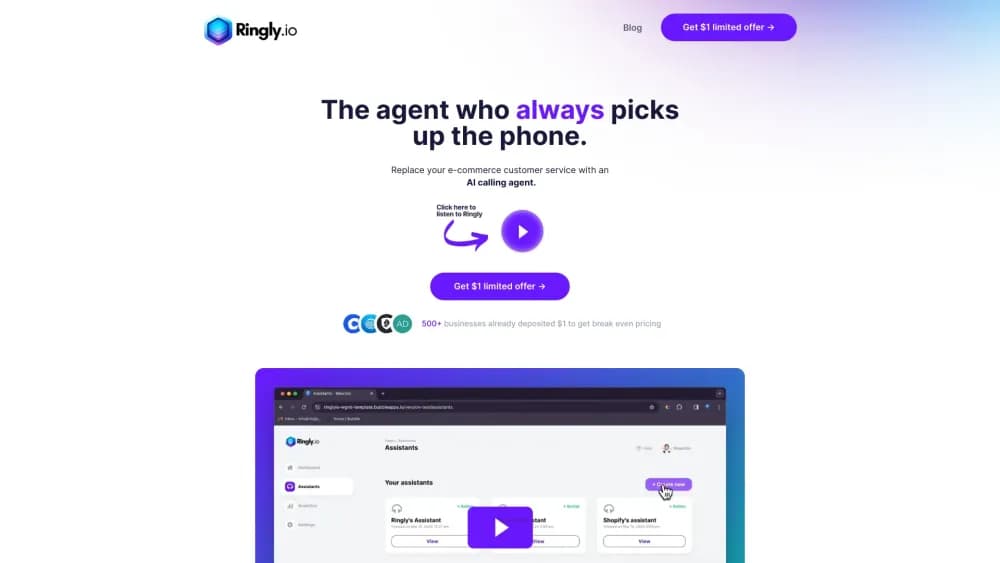
Ringly.io is an AI phone agent for Shopify stores. Its agent Seth answers support calls, looks up orders, starts returns and passes hard cases to your team, day or night.
About Ringly.io
What Is Ringly.io
Ringly.io is a phone support service built for Shopify brands. The product is an AI voice agent named Seth who picks up the line when a customer calls about an order, a return or a product question. He reads your Shopify data, your help docs and your store policies before he answers, so most callers get a real answer instead of a promise that someone will email them back. In practice it works as a virtual receptionist for Shopify customer support: the caller hears a person, and the answers come from live order data.
The company is small and specific about it. Two founders in Rotterdam built Seth in summer 2025 after one of them ran a Shopify store and got tired of answering "where is my order?" all day. Seth has handled more than 200,000 calls since then, and that call history is what the agent is tuned on.
The limits matter as much as the pitch. Ringly.io only works for stores on Shopify, it doesn't make outbound or cold calls, and it's meant for brands that get roughly 60 calls a month or more. If you run a WooCommerce shop or you want every caller to reach a person, this isn't the tool.
Getting Started
- Create an account at app.ringly.io and connect your Shopify store.
- Give Seth your help docs, return policy and shipping rules, then pick where unresolved calls should go: a live transfer, a Gorgias or Zendesk ticket, or an email to your support inbox.
- Forward your existing number to Seth, or use the number that comes with the account. You can forward everything or only the calls nobody picks up.
- Listen to the first calls, correct anything that sounds off in Coach, and let it run. Most brands are live in under an hour.
Product Information
A quick look at Ringly.io's pricing, supported platforms, and performance.
Best for
The users, tasks, and scenarios where this tool fits best.
Users
- Shopify store owners with a phone line
- Small support teams of one to five people
- Brands selling in several languages
Tasks
- Answering "where is my order?" calls
- Starting returns and exchanges
- Taking product and stock questions
- Filtering spam and wrong numbers
Scenarios
- After-hours and weekend calls
- Seasonal spikes
- A store with no phone support yet
Key features
Caller Recognition and Order Context
Seth matches the incoming number to a customer record and pulls their recent orders, so the call starts with "I see order 1042 shipped yesterday" instead of an order number request. Unknown callers have to give an order number before he reads or changes anything, and you can add a ZIP code check. Plenty of AI receptionist tools stop at taking a message, and that gap is where this one earns its place.
Actions Inside Shopify
He doesn't just talk about the order. Seth tracks shipments, starts returns and exchanges, cancels orders and updates details in Shopify while the caller is still on the line. For subscriptions in Recharge or other tools, you describe the case to Coach and it writes a new skill for him.
Handoff to Your Team
When a call needs a person, Seth passes it the way you set up: a live transfer, a ticket in Gorgias or Zendesk, or an email to your support inbox. On a transfer he can brief the teammate first, so the caller doesn't repeat the whole story.
Coach, the AI Manager
Coach is the chat inside Ringly.io that reads your setup and your call recordings. It finds why a call went wrong, suggests a fix for you to approve and writes new skills for Seth. You don't need a developer to teach him a store-specific rule.
Phone Orders with a Checkout Link
In beta, Seth can build an order during the call, confirm options and stock, then text the caller a Shopify checkout link. Card details never go over the phone, and the sale shows up as a normal Shopify order with shipping and tax calculated at checkout.
Call Analytics and Sales Tracking
Every call gets a recording, a summary and a list of what Seth did. The analytics page shows resolution rate, what customers call about, customer experience scores and the revenue that came from calls, so you can see whether the AI voice agent pays for itself.
Pros and cons
Pros
- Flat $1.99 per conversation, so a nine-minute call costs the same as a two-minute one.
- Billing is transparent: spam, hang-ups, wrong numbers, test calls and callers who only want a human are free, and each call is marked billed or free in your history.
- Setup is fast for a Shopify store, with most brands live in under an hour and no developer involved.
- The 65% resolution guarantee returns that month's bill as credit if Seth resolves less, checked after your first 90 days.
- Coach lets you fix gaps in plain language, which beats waiting on a support ticket to your vendor.
Cons
- Shopify only. If your store runs on WooCommerce, BigCommerce or a custom stack, the product isn't built for you.
- No outbound calling, so you can't use Seth for follow-ups, win-back campaigns or cold outreach.
- Returns and exchanges resolve at a much lower rate than order status questions, which means your team still handles a good share of those calls.
- The $99 monthly plan fee applies even in a quiet month, so a store with fewer than about 60 calls may pay more than the calls are worth.
Frequently asked questions
$99 a month, which includes your first 50 conversations, then $1.99 for each additional conversation. Ringly.io estimates that about 80% of calls are billable, so 100 calls a month comes to roughly $159. You can set a spending cap in settings.
Related content
Explore related tools, skills, and articles for Ringly.io.
Ringly.io Alternatives

ngram 2.0
ngram · Video · Marketingngram 2.0 is an AI video generator for teams. It turns a prompt, a screen recording, or a product URL into a narrated explainer, product demo, or AI avatar video, and every scene stays editable.

shippedit.me
Krawlup · Marketing · Businessshippedit.me now redirects to Krawlup, a web platform that audits SEO, AEO and page speed every week, then hands the fixes to AI coding agents over MCP.

MePersona
MePersona, Inc. · Writing · Productivity · MarketingMePersona is an AI unified inbox for creators. It learns your voice, drafts replies to fan messages from 12 platforms, and sends only what you approve.