

Ritmo
VRSM Labs · Voice & Language
Ritmo is a Chrome extension that captures audio from any browser tab, detects BPM and musical key on your device, and saves every clip to a searchable sound library.
About Ritmo
What Is Ritmo
Ritmo is a browser audio recorder and analysis toolkit published by VRSM Labs. It records the audio playing in a Chrome tab, reads that clip for tempo and musical key, and files the result in a local library. Everything runs on your own machine, so clips never get uploaded to a server and you don't need an account to start.
The tool aims at people who pull sound out of the web. Producers grab a loop from a stream, DJs check the tempo of a mix, and students record a lecture without wiring up virtual cables. Instead of routing a system's audio into a separate app, you click Record in the Ritmo popup and the capture happens right there.
The catch is scope. Ritmo records tab audio, not your microphone, so it's the wrong tool if you need to dub a voice track. It also only runs on Chromium-based browsers, and mobile browsers don't offer the tab capture APIs it depends on. Some protected or muted streams come through as silence, and trimming or editing still happens later in a DAW, since Ritmo saves clips exactly as captured.
Getting Started
- Install Ritmo from the Chrome Web Store and pin the extension to your toolbar.
- Open a tab that's playing audio, then click the Ritmo icon and hit Record in the popup.
- Stop the capture when you're done, and Ritmo reads the clip for BPM and key.
- Reopen the sound library to preview, tag, or export the file as 24-bit WAV or 320kbps MP3.
Product Information
A quick look at Ritmo's pricing, supported platforms, and performance.
Best for
The users, tasks, and scenarios where this tool fits best.
Users
- Music producers
- DJs
- Students and note-takers
Tasks
- Sampling web audio
- Tempo and key reference
- Archiving browser sound
Scenarios
- A producer hears a loop inside a tutorial or stream and wants it as a clean 24-bit WAV within seconds, so the idea stays fresh.
- A DJ needs the key of an unfamiliar track mid-practice to line up the next transition, and a phone app won't capture tab audio at all.
- Someone wants to keep a podcast segment for notes, and the browser is already the only player they're using.
Key features
Tab Audio Capture
Ritmo records the audio stream from the active browser tab, so you can grab sound from a stream, video, or web player without virtual cables or system routing. It works from the popup, and recording keeps going even if you close the popup. Output lands as uncompressed 24-bit WAV or 320kbps MP3.
On-Device BPM and Key Detection
The analysis engine works as a BPM detector and key reader, reporting tempo and musical key from a clip in seconds. Ritmo uses deterministic DSP rather than a cloud queue, so results come back fast and stay consistent between runs. Accuracy holds up best on clean, rhythmic audio, and drops on dense percussion or heavy distortion.
Searchable Sound Library
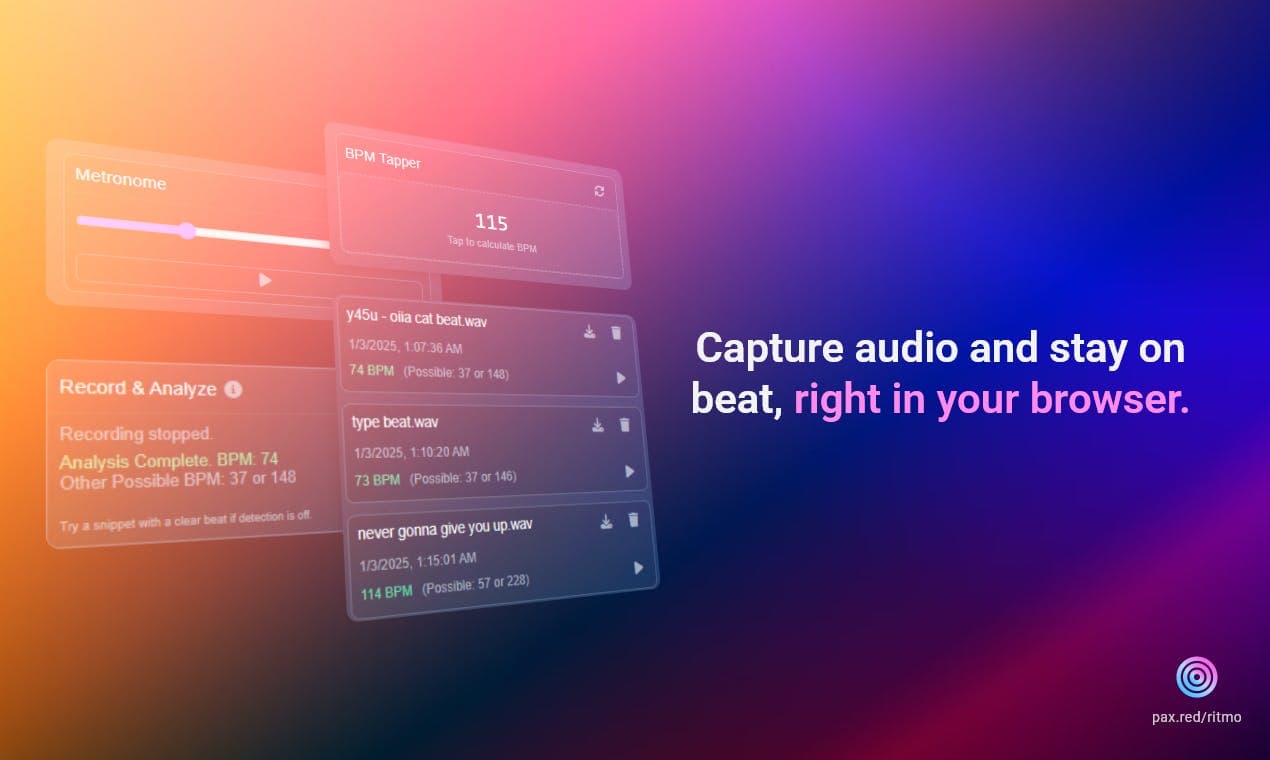
Every capture lands in a local library with an interactive waveform, automatic BPM and key tags, and smart filenames. You can preview clips in the browser, filter and sort them, and toggle loop or shuffle playback. The library lives in your browser until you export it.
Local File and Batch Analysis
Premium imports local audio for analysis through drag and drop. It accepts WAV, MP3, FLAC, and M4A files and can process up to 50 of them at once, which suits anyone checking a folder of references instead of one clip at a time.
Real-Time Audio Effects
The FX engine adds gain, bass boost, and analog-style saturation to browser playback. You can apply them just for listening or print them into a recording, so a capture can carry the shaping you dialed in. Effects stay local like the rest of the toolkit.
Musical Verification Tools
A scale-aware Virtual Piano, a BPM Tapper, and a Metronome sit alongside the recorder to let you check tempo and harmony by ear while audio plays. They run either in the popup or in a dedicated fullscreen tab, which is handy for longer sessions.
Pros and cons
Pros
- Processing stays on your device, so clips aren't uploaded and no account is required to record.
- BPM and key results come back in seconds from a local engine rather than a cloud queue.
- Output is 24-bit WAV or 320kbps MP3, which drops cleanly into most DAWs and editors.
- Automatic tagging and smart filenames save manual labelling when the library grows.
- A free tier covers recording, BPM detection, key detection, and the built-in tools.
Cons
- It only runs on Chromium-based desktop browsers, so Safari, Firefox, and mobile users are out.
- Tab capture is the only source it records, so you can't record a microphone directly.
- Free accounts cap recording length and monthly capture volume.
- DRM-protected or muted tabs can return silence, so some sources simply won't work.
Frequently asked questions
Ritmo is free to start. The core recorder, BPM detection, key detection, and built-in tools cost nothing, and Premium adds features like unlimited recording, local file analysis, and batch export.
Related content
Explore related tools, skills, and articles for Ritmo.
Ritmo Alternatives

Prosp
Prosp · Writing · Voice & Language · MarketingProsp is an AI LinkedIn outreach tool built for agencies and sales teams, and it writes the message and the voice note in your own voice for each prospect so they actually reply. You connect your accounts, find leads, and let the AI draft and send personalized messages at scale, all from one inbox. It's built for people running outbound at volume. That's the whole pitch. Every touchpoint still has to feel human.

Wordly AI Translation
Wordly · Voice & Language · ProductivityWordly AI Translation is a real-time AI translation and captioning platform built for meetings, conferences, and events. It delivers live translation, captions, transcripts, and summaries in more than 60 languages, and attendees join by scanning a QR code or opening a link instead of using dedicated headsets. The platform works with Zoom, Microsoft Teams, Google Meet, and Webex, and it's designed for organizations that want multilingual access without hiring human interpreters for every session. Simple as that.
Musicful
Musicful AI · Voice & Language · VideoMusicful is an AI music generator and AI music video maker that turns text to music in minutes. Give it a text prompt, a set of lyrics, or a hummed melody and it returns a finished track with vocals and instruments. It also doubles as an AI song generator, produces music videos from the songs you create, and offers an AI cover tool plus a developer API. The platform runs in a web browser and through an Android app, so you can start a song on desktop and pick it up on your phone.