

RivalSense
RivalSense · Coding · Marketing
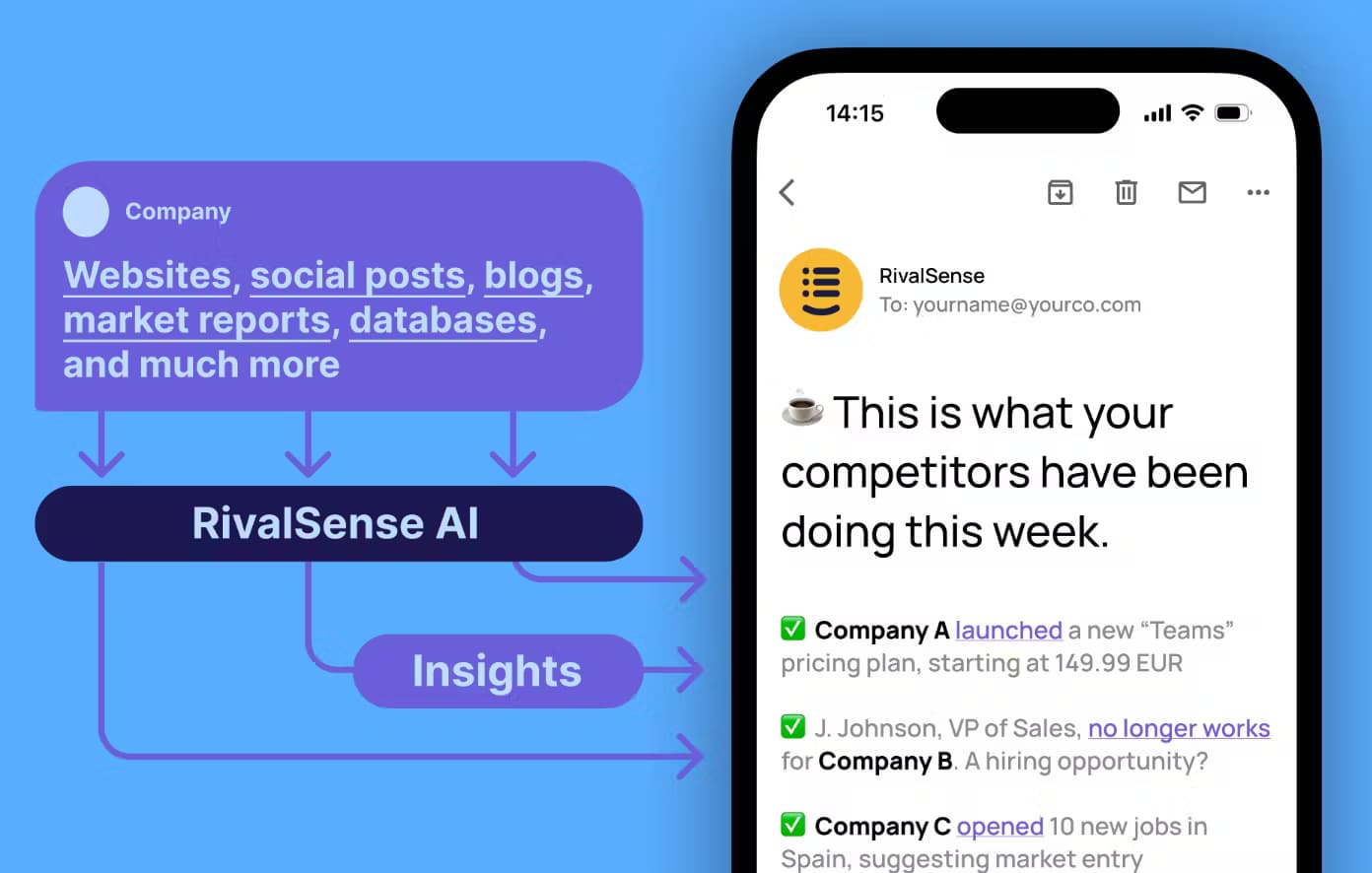
RivalSense is an AI competitor monitoring tool. It watches 80+ sources for pricing, product, and hiring changes, then emails a curated weekly digest instead of a raw data dump.
About RivalSense
What Is RivalSense
RivalSense is a company monitoring platform that uses competitor analysis AI to track other businesses for you and report back once a week. You add the companies you care about, pick the topics that matter, and the AI scans their websites, social profiles, job boards, news coverage, and public registers every day. Rather than a dashboard you have to remember to open, the output is a short email or Slack message listing what actually changed.
As a market intelligence tool, it fits anyone whose job depends on knowing what a competitor, client, or prospect just did. Founders watch rival launches. Sales teams watch hiring signals at target accounts. Customer success managers watch for churn risk. Founded in 2023 by Martins Vaivars and Arturs Prieditis and built in Latvia, it focuses on the signals that move a business decision, not on logging every page edit a rival makes.
The limits matter as much as the features. RivalSense is a weekly briefing, not a real-time alert system, so it won't catch a price change the moment it happens. Users also report that search and filtering inside past updates can feel thin, and that data accuracy is uneven on companies with a light public footprint. Treat it as a way to stay informed, not as a source of verified ground truth.
Getting Started
- Sign up at rivalsense.co. No credit card is needed to start, and you get your first free report.
- Add the companies you want to track, whether they're competitors, clients, prospects, or your own business. Setup takes about three minutes.
- Pick the monitoring topics that match your needs, such as product updates, pricing, hiring, expansion, or legal developments.
- Wait for the AI to connect to its sources. Your first digest usually lands the next day.
- Downvote insights that miss the mark so the model adjusts what it sends next week, then share the useful items with your team.
Product Information
A quick look at RivalSense's pricing, supported platforms, and performance.
Best for
The users, tasks, and scenarios where this tool fits best.
Users
- Startup founders tracking rivals
- Sales teams prospecting named accounts
- Customer success managers watching churn risk
- Market and competitive intelligence analysts
Tasks
- Tracking competitor pricing
- Watching hiring and layoffs
- Monitoring product launches
- Researching prospects before outreach
- Keeping an eye on your own company
Scenarios
- Monday competitive review
- Preparing a sales call
- Watching a fast-moving rival
- Onboarding a new market
Key features
Multi-source monitoring
RivalSense connects to more than 80 public sources in one place. It looks at company websites, LinkedIn and Twitter accounts, job listings, news coverage, government registers, and GitHub activity, then picks out the changes worth reporting. The pitch is coverage that would take hours to assemble by hand, delivered as one weekly email or Slack message. The catch is that private companies with a small public footprint give it less to work with, and users say accuracy varies there.
AI-curated weekly digest
The core output is a short weekly update, not a dashboard full of charts. It summarizes the most relevant developments across your monitored companies and marks why each one matters, so you get a readable brief rather than a pile of links. Every plan includes this report, and the paid tiers raise the number of recipients and add an archive. It suits people who want a decision aid, so anyone needing live alerts will find the weekly pace too slow.
Customizable monitoring topics
You choose which areas to watch for each company, such as product updates, pricing, hiring, expansion, or legal and regulatory news. The system also learns from feedback: downvote an irrelevant insight, and future digests lean away from that kind of item. As a competitor tracking software built around your own watchlist, it keeps the scope narrow on purpose. That feedback loop is how the tool cuts noise over time.
Searchable update archive
Paid plans keep a searchable archive of past updates with filters, so you can look back at what a company did months ago. This is the part that turns the weekly email into a reference you can revisit before a meeting or a renewal. It's a step up from a pure inbox delivery, but reviewers note that search inside the archive is basic and can be slow to narrow results.
Email, Slack, and role support
Digests arrive by email by default, and the Growth plan and above add Slack so insights land where a team already works. Higher tiers also add role management and 24/7 support, with recipient counts rising from a single address on the entry plan to unlimited on the top one. Teams that live in Slack will get more from it than solo users who only want an inbox summary.
Pros and cons
Pros
- It pulls from 80+ sources in one place, which saves the manual work of checking sites, job boards, and registers yourself.
- The weekly digest is short and readable, so you get the changes that matter instead of a raw feed.
- It covers several use cases at once, from competitor tracking to client monitoring and your own company.
- Topic selection and downvoting let you shape what arrives without rebuilding the setup.
- A free first report and no credit card up front let you judge the output before paying.
Cons
- It's a weekly briefing, so it won't catch a price change or launch in real time, which rules it out for teams that need live alerts.
- Accuracy is uneven on companies with little public presence, so a quiet firm may produce thin or off-target updates.
- Search and filtering inside the archive are basic, which makes digging through months of updates slower than it should be.
- There's no API, so you can't pipe the insights into a sales tool or a data warehouse, and the integration list stops at email and Slack.
Frequently asked questions
RivalSense is used to monitor companies for competitor moves, client changes, and market shifts. It scans more than 80 sources and sends a curated weekly digest by email or Slack, covering things like pricing changes, product launches, hiring, and layoffs.
Related content
Explore related tools, skills, and articles for RivalSense.
RivalSense Alternatives

Base Code
Base44 (Wix) · Coding · ProductivityBase Code is a shared cloud development environment from Base44. Teammates describe changes to an existing GitHub codebase in chat, preview them live and send them back as pull requests.

Google EmbeddingGemma 2
Google DeepMind · Writing · Image · CodingGoogle EmbeddingGemma 2 is a 740M-parameter open model that turns text, code, images, audio, and video frames into vectors in one 768-dimension space, running on phones and laptops.

GitGlow
GitGlow · Coding · ProductivityGitGlow is a local-first desktop Git client that lets independent developers review their own code and their AI agents' changes in one place before shipping.