

Rixx
Rixx · Coding · Business
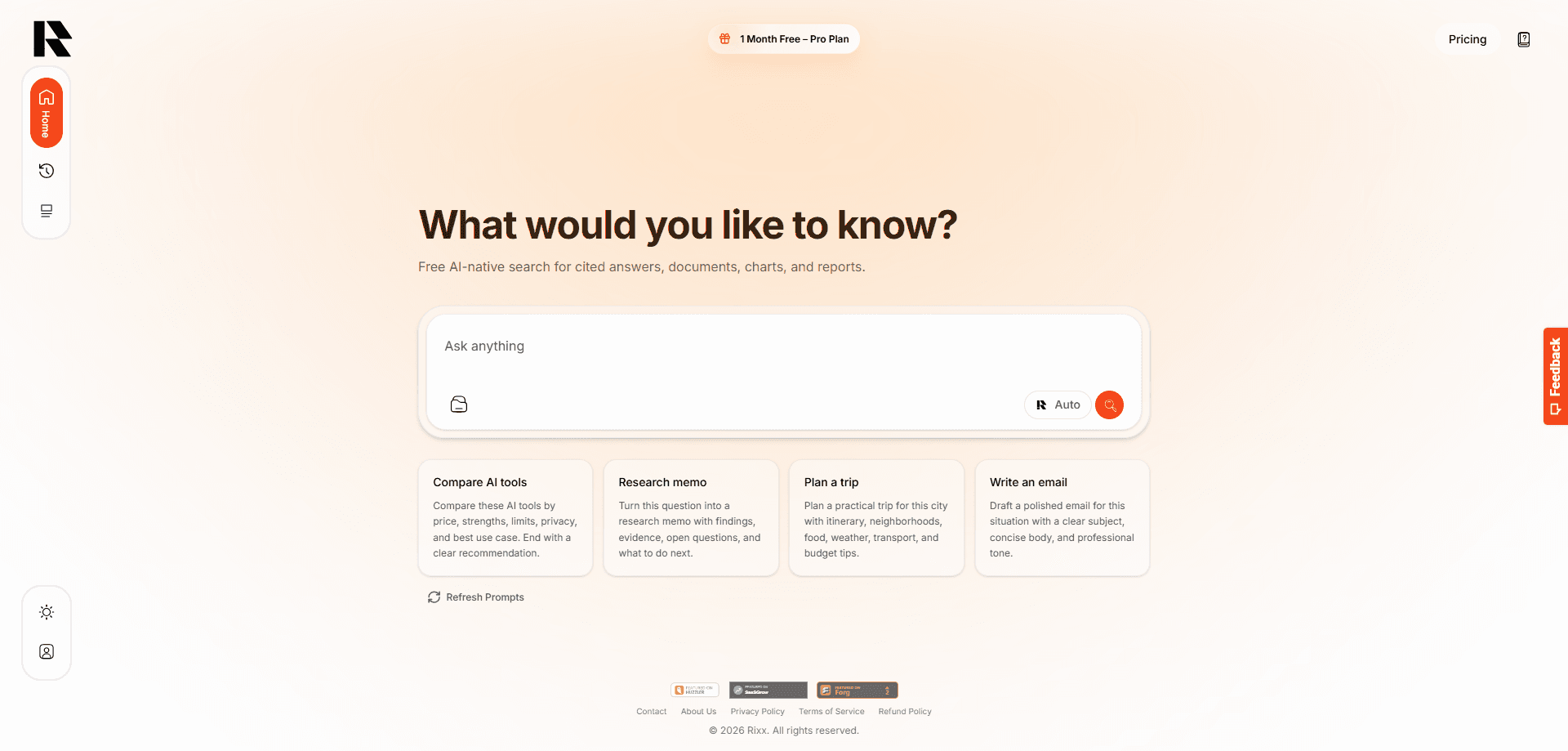
Rixx is a free AI-native search and research workspace that takes a question and returns a cited answer, an analyzed document, a chart, or a report. It sits between a plain links search engine and a general chatbot: you ask in normal language, inspect the sources behind each claim, add your own files, and keep the result around for later. It runs in the browser. And you can start asking real questions before paying anything.
About Rixx
What Is Rixx
Rixx is an AI search engine built around research, not casual chat. You type a question the way you'd ask a colleague, and it searches the current web, then writes an answer with the sources attached so you can check the evidence yourself. That citation trail is the whole point. A chatbot that states things confidently without sources is hard to trust in a work setting. Rixx treats source inspection as part of the task, not an afterthought.
It also handles your own material. You can upload PDFs, spreadsheets, screenshots, and scans, ask questions against them, and reuse those files across new conversations from a private library. From there it can turn numeric evidence into charts, draft structured reports, and produce export-ready writing blocks for emails, proposals, and notes. Conversations branch. Exploring a second angle doesn't wipe out the first.
The limits are worth knowing upfront. Rixx is a web app, so there's no offline mode and nothing to install on your phone. The free tier runs on usage-based AI credits, which means heavy daily research burns through your allowance faster than a fixed-quota plan would. And it isn't a model you plug into your own code, since there's no public API for developers.
Getting Started
- Sign up at the Rixx website with an email address and land in the free plan.
- Type your first research question in plain language, or pick a report, chart, or document task from the workspace.
- Open the citation panel, read the source snippets, and refine the question if an answer looks thin.
- Attach a PDF, image, or spreadsheet when the answer needs to come from your own files.
- Export the finished result as a document, or share the conversation so someone else can fork it.
Product Information
A quick look at Rixx's pricing, supported platforms, and performance.
Best for
The users, tasks, and scenarios where this tool fits best.
Users
- Students
- Researchers and analysts
- Founders and operators
Tasks
- Turning a vague question into a sourced brief
- Reading long PDFs
- Building quick visuals
Scenarios
- Early project research
- Pre-meeting prep
- Study sessions
Key features
Cited AI search
Every answer comes with the sources it pulled from, and you can open the snippets to see what the model actually read. Not every source holds up. That matters when you're writing something a client or professor will question. If a claim looks shaky, you refine the question instead of starting over.
Document and image analysis
Rixx reads PDFs, office documents, spreadsheets, screenshots, and scans. Think of it as an AI PDF summarizer that also handles your other files. You upload once, and the file sits in a private library you can reuse in future conversations. The free plan allows up to 50 MB per file and 1000 PDF pages, which covers most papers and reports.
Charts and visual answers
Give it numeric or comparative data and it behaves like an AI chart generator, building interactive charts, tables, and diagrams from what you supply. It's the difference between reading a paragraph about a trend and seeing the trend. Static visuals export cleanly into decks and documents.
Report generation
This is the part people reach for when they need an AI report generator, not just an answer. You go from question to a formatted document, with structured sections and export-ready formatting, and you can branch and refine before committing. Handy.
Writing blocks and exports
It produces emails, social posts, notes, proposals, and standard writing, then exports as PDF, Word, PowerPoint, spreadsheets, CSV, JSON, Markdown, or plain text. Full conversations can be exported too. Your research doesn't stay trapped in the app.
Branching conversations and memory
You can fork an answer, edit a question, regenerate a response, and switch branches without losing what came before. Folders and memory carry context across sessions, which is what makes Rixx feel less like a one-off query box and more like a workspace you return to, where earlier research still sits waiting for you.
Private Skills and connected apps
Skills let you save reusable instructions and references for tasks you repeat. Supported connected services work under clear approval controls. You stay in charge of what Rixx can reach.
Pros and cons
Pros
- Free plan is genuinely usable for real research, not a stripped demo.
- Citations sit next to every answer, so verification is built into the workflow.
- Document library and branching keep long research projects organized across sessions.
- Broad export support means outputs fit into the tools you already use.
- No install needed; it runs entirely in the browser.
Cons
- The free plan runs on usage-based AI credits, so heavy daily use hits the ceiling quickly.
- No public API, which rules it out for developers who want to build on top of it.
- Web-only, with no mobile app for research on the move.
- Chart quality depends on how clean your input data is; messy numbers produce messy visuals.
Frequently asked questions
Rixx is a research workspace for asking questions and getting cited answers, analyzing your own documents, building charts, and drafting reports. It's aimed at people who need to show their sources, not just generate text.
Related content
Explore related tools, skills, and articles for Rixx.
Rixx Alternatives
Forefront
Forefront · CodingForefront is a web platform for building with open-source AI. It lets you fine-tune leading open-source language models on your own data, evaluate how they perform, and run them through an API or export them to host yourself. Developers who want the convenience of a closed-source platform but insist on owning their models and data are the target audience here.

Startkit
StartKit.AI · CodingStartkit is a boilerplate for building AI SaaS and AI wrapper products. Think of it as an AI startup boilerplate with the boring parts already wired up: authentication, Stripe and Lemon Squeezy payments, usage limits, transactional email, and an AI API starter that talks to OpenAI, Anthropic, Groq, or Llama. You clone the repo, set your price, and start on the part of your product that people actually pay for. It's Next.js under React and Tailwind, so most of the boilerplate code already feels familiar.
Testim
Tricentis · CodingTestim is an AI-powered test automation platform for building and running end-to-end tests across web, mobile, and Salesforce applications. It leans on machine learning to keep tests stable when an interface changes, so teams spend less time fixing broken selectors. Not bad for an automated testing tool you can start using today. You create tests by recording actions in a browser, then optionally add JavaScript when you need more control. It's a solid pick for busy QA teams.