

RunPod
Runpod · Coding
Runpod is a cloud GPU platform for AI builders. It rents H100, A100, and RTX GPUs by the second and runs serverless endpoints for AI inference, so you pay only while your code runs.
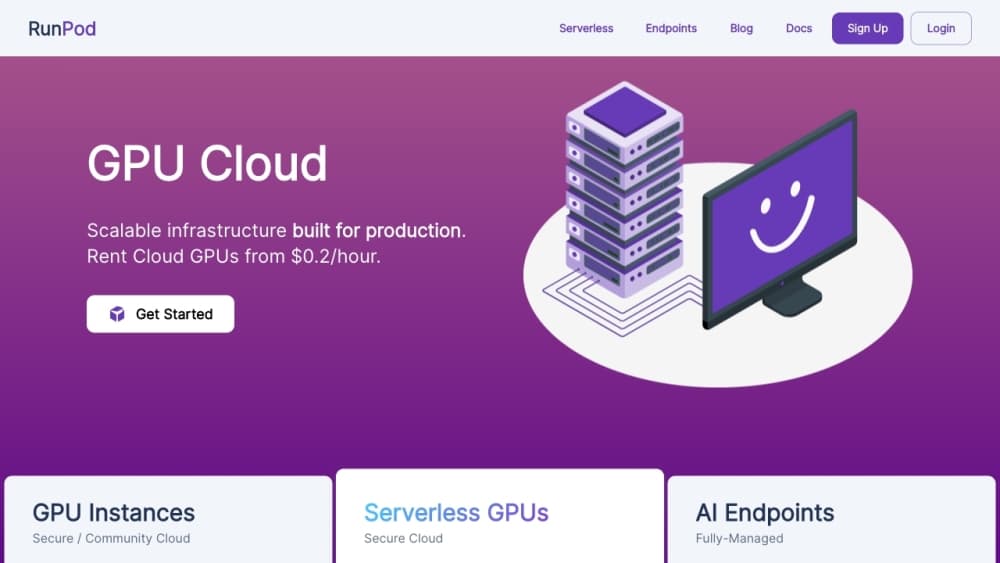
About RunPod
What Is Runpod
Runpod is a cloud GPU platform built for AI and machine learning work. Zhen Lu and Pardeep Singh started it in 2021 after running into the same wall many developers hit: H100 rental was slow, expensive, and buried in paperwork. Runpod's answer is a pay-as-you-go model where you launch a GPU in seconds and get billed per second, not per hour of reserved capacity, which reshapes GPU cloud pricing for small teams.
The platform splits its hardware into two pools. Community Cloud uses idle GPUs from partner data centers and is the cheaper option. Secure Cloud runs in certified data centers and suits production workloads that need steadier performance and compliance. Both pools offer the same core products, so you can deploy AI models on GPU Pods for dedicated instances, run them as a serverless GPU, use an AI inference API for request-driven workloads, or book Clusters for multi-node training jobs.
The main limit is that you manage your own environment. Runpod gives you the machine and the network, but installing frameworks, uploading models, and tuning performance is on you. If you want a fully managed model API with no setup at all, Runpod leaves that work in your hands.
Getting Started
- Create a Runpod account and add credit. Most workloads are prepaid, and new accounts often get a starter credit.
- Pick a GPU and a cloud type in the deploy console, or choose a ready-made template with PyTorch and other frameworks preinstalled.
- Launch the Pod, then connect over SSH, Jupyter, or a web terminal.
- For inference, deploy a serverless endpoint from your own container, or use a template from the Runpod Hub.
- Send requests to your endpoint and watch workers scale up and down on their own.
Product Information
A quick look at RunPod's pricing, supported platforms, and performance.
Best for
The users, tasks, and scenarios where this tool fits best.
Users
- Independent developers and hobbyists
- AI startups and small teams
- Researchers running training jobs
Tasks
- Training and fine-tuning models
- Deploying inference endpoints
- Running image, video, and audio generation
Scenarios
- A weekend fine-tuning run on a budget
- Launching a product that has unpredictable traffic
- Testing a new model before committing to it
Key features
Per-second billing on GPU Pods
Every Pod bills by the second, so a twenty-minute job costs twenty minutes of GPU time. You pick the hardware, from a budget RTX A5000 up to a B300, and the rate is listed up front. Stopping a Pod ends the charge, which makes short experiments cheap to run.
Serverless GPU endpoints
Serverless turns your container into an autoscaling AI inference API. Workers start when a request arrives and wind down to zero when traffic stops, so idle time costs nothing. Runpod quotes sub-200ms cold starts through a feature it calls FlashBoot, which matters when users are waiting on the first token.
Community Cloud and Secure Cloud
Two hardware pools cover different needs. Community Cloud draws on idle GPUs from partner facilities and carries the lowest rates. Secure Cloud runs in controlled data centers with steadier performance and the compliance posture that production teams ask for.
Multi-node Clusters
Clusters connect many GPUs with high-speed networking for large training runs. You can scale a job across nodes without rebuilding it, which keeps distributed training on one platform instead of stitching together separate providers.
Ready-made and custom templates
Runpod Hub and the template library ship preconfigured environments with PyTorch, ComfyUI, and other common tools. You can also bring your own Docker image, so a working local setup moves to the cloud as-is.
API, CLI, and developer tooling
A REST API, a command-line tool, and a Python SDK let you script deployments and manage Pods from your own code. A developer can create an endpoint, push a container, and pull results without touching the web console.
Pros and cons
Pros
- Per-second billing keeps short jobs affordable and removes the cost of idle reserved capacity.
- A wide GPU lineup, from budget RTX cards to H100 and B300, sits on one platform.
- Serverless endpoints scale to zero and restart fast, so low-traffic services stay cheap.
- Community Cloud rates undercut most traditional cloud providers on raw GPU hours.
Cons
- You handle the setup. Installing frameworks and tuning the environment is your job, which adds time before the first result.
- Community Cloud relies on partner hardware, so availability and performance can vary between hosts.
- Data transfer and persistent storage are billed on top of GPU time, so the headline hourly rate is not the whole bill.
Frequently asked questions
Runpod rents cloud GPUs for AI work. People use it to train and fine-tune models, deploy AI models through serverless endpoints, and run GPU-heavy jobs like image generation. It targets developers who want fast access to hardware without a long-term contract.
Related content
Explore related tools, skills, and articles for RunPod.
RunPod Alternatives

Base Code
Base44 (Wix) · Coding · ProductivityBase Code is a shared cloud development environment from Base44. Teammates describe changes to an existing GitHub codebase in chat, preview them live and send them back as pull requests.

Google EmbeddingGemma 2
Google DeepMind · Writing · Image · CodingGoogle EmbeddingGemma 2 is a 740M-parameter open model that turns text, code, images, audio, and video frames into vectors in one 768-dimension space, running on phones and laptops.

GitGlow
GitGlow · Coding · ProductivityGitGlow is a local-first desktop Git client that lets independent developers review their own code and their AI agents' changes in one place before shipping.