

ruOS
Cognitum One · Coding · Productivity
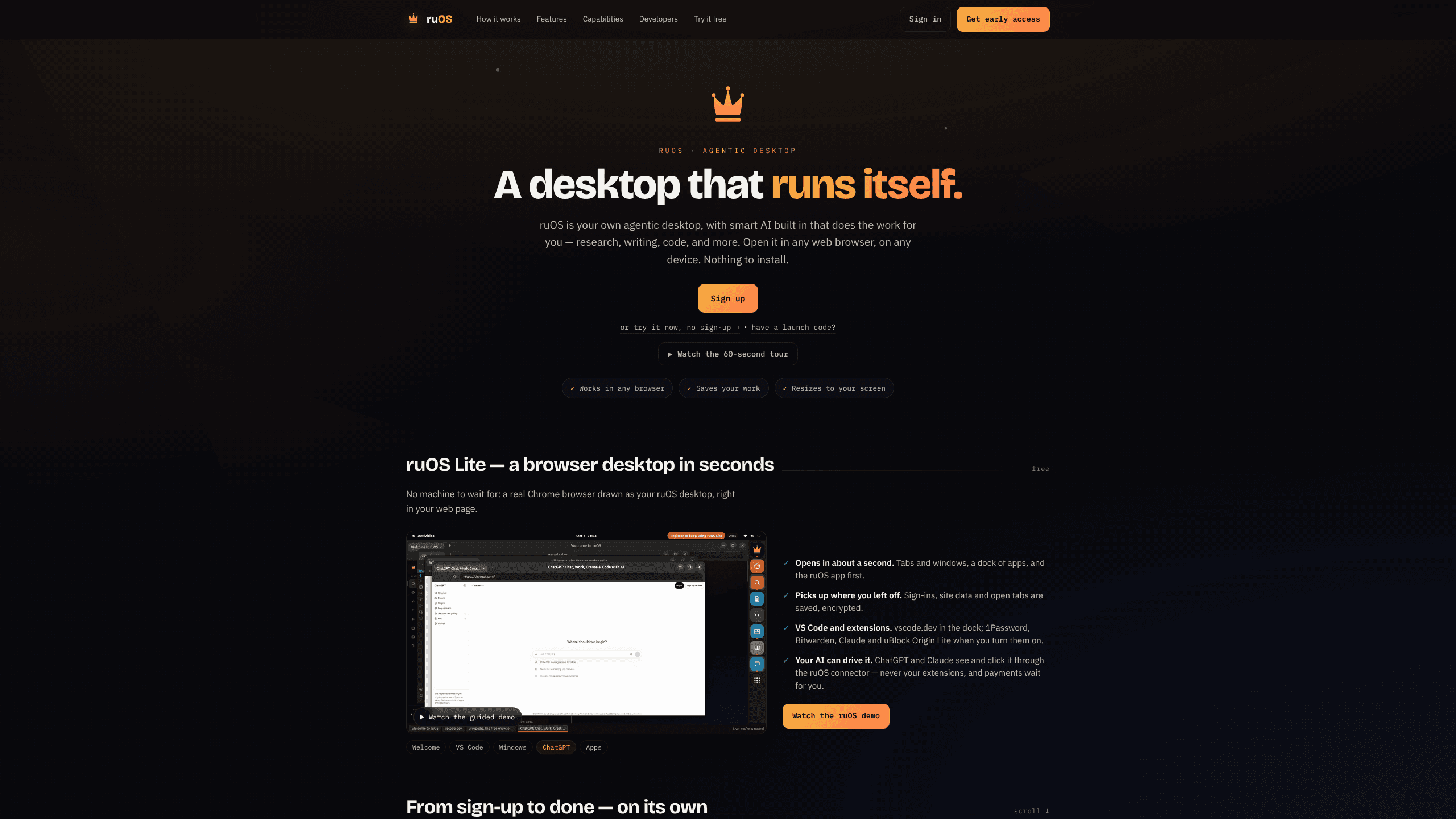
ruOS is a browser-based Linux desktop where a team of AI agents researches, writes, and runs code, keeps project memory, and lets ChatGPT or Claude drive the machine through MCP.
About ruOS
What Is ruOS
ruOS is an agentic desktop, which in practice means a private Linux machine on a cloud VM streamed into a web browser. What sets it apart from a plain remote desktop is the agent layer on top: Claude Code, Codex, a swarm orchestrator called ruflo, a memory system called ruvector, and a screen reader called ruview arrive preinstalled and signed in. You ask for work in plain language, and the agents use the desktop the way a person would, opening apps, typing, clicking, and running shell commands.
Cognitum One builds it on top of the ruvnet open-source stack, and that origin explains the shape of an AI agent desktop. This is a working Linux machine, Ubuntu 24.04 with GNOME, not a chat window with a few buttons, so the output isn't limited to text. Agents can edit a repository, run the test suite, pull sources from the web, and leave the result in a folder you open later.
The catch mirrors the appeal. A machine that runs shell commands on your behalf needs supervision, and early access means capacity and plan details are still filling in. ruOS Lite, the free browser tier, lets you test the interaction model before you commit to a full desktop.
Getting Started
- Sign up with an email address at ruos.cognitum.one. You get a private desktop bound to your account, and the company says it's ready a few minutes later.
- Or open ruOS Lite, which draws a Chrome browser as a desktop inside your current tab in about a second, with no install.
- Open the desktop in a browser, the iPad PWA, or the macOS Connect app. Files, tabs, and agent memory follow the account.
- Type a request in the AI panel, or hand a job to an agent from the terminal. Something like "clone this repo, fix the failing test, and show me the diff" works as a starting point.
- Review the result. Payments and confirmations wait for you, and every command an agent runs happens on the desktop you're watching.
Product Information
A quick look at ruOS's pricing, supported platforms, and performance.
Best for
The users, tasks, and scenarios where this tool fits best.
Users
- Developers who want an agent working in a real environment
- Solo founders without a devops habit
- Researchers and writers who switch devices
Tasks
- Fixing a bug in an unfamiliar repository
- Web research with sources attached
- Turning a rough idea into a running prototype
Scenarios
- You work on a locked-down laptop
- A long job needs to run while you do something else
- You need the same workspace on two machines
Key features
A Desktop That Opens in a Browser
ruOS runs Ubuntu 24.04 with GNOME on a cloud VM and streams it through a browser viewer, so any device with a modern browser reaches the same machine. The result is a full Linux desktop in browser tabs, with nothing to install on the client and no sync step. The public repo documents an iPad PWA and a native macOS app as alternative front ends, while the browser stays the default.
AI Helpers Already Signed In
Claude Code, Codex, ruflo, ruvector, and ruview arrive installed and authenticated on first boot. That skips the setup that usually eats an afternoon: API keys, CLI installs, editor extensions, and the small mismatches between them. The helpers also work as a group, so a coding agent can hand research to a browsing agent without you moving files between tools.
Ruflo Swarm Orchestration
ruflo splits a large job across several agents with a hierarchical topology, so a build runs in parallel instead of one task at a time. Start it from a terminal command or ask the desktop agent to do it. The practical effect shows up on multi-part work, such as scaffolding an app and writing its tests in one pass.
Persistent Project Memory
ruvector stores what the agents learn about your projects, and that memory survives across sessions and devices. Come back a week later and the agent still knows the repository layout and the conventions you asked for. Memory belongs to one desktop, so context from your work doesn't bleed into another account.
Screen Understanding
ruview reads what's on the display, which lets an agent work with software that has no API: a spreadsheet, a settings panel, an older web tool. It pairs with the computer-use tools, so the agent can look, decide, then click or type. This covers the last step that text-only models miss.
Computer-Use MCP Control Plane
ruOS ships ruos-computeruse-mcp, a server that exposes 16 tools for screenshots, mouse moves, clicks, typing, key presses, shell commands, system actions, and display resolution changes. Point Claude, Claude Code, or another MCP client at the desktop and it drives the machine for real. Transport is stdio over SSH today, which keeps the security boundary at the SSH session, and the site also lists a hosted MCP address for ChatGPT and Claude connectors.
ruOS Lite in a Tab
Lite draws a real Chrome browser as your desktop inside the current page. Tabs, a dock, saved sign-ins, and site data persist encrypted between visits. VS Code runs from vscode.dev, and you can switch on 1Password, Bitwarden, Claude, and uBlock Origin Lite as extensions. An AI client can see and click through the ruOS connector, the extension layer stays hidden from it, and payments always wait for your confirmation.
Pros and cons
Pros
- The stack is preinstalled and authenticated, so a new desktop is usable in minutes instead of an afternoon of key setup.
- Agents work in the same environment you do, with files, terminal, browser, and editor in reach rather than a sandbox that only returns text.
- Memory and sessions persist across devices, which makes an iPad a real continuation of a laptop session.
- The MCP server and the ruvnet skills sit in a public GitHub repository, so you can read the code before you trust it with a machine.
- ruOS Lite is free and needs no account, which gives you a low-risk way to test whether the agent-first layout suits you.
Cons
- Pricing for the full desktop isn't published. Cognitum runs early access, and the site says access is metered by the entitlements assigned to your account.
- Agents that run shell commands need review. A wrong delete or a bad migration is possible, and the guardrails are mostly the instructions you write.
- The advanced setup expects terminal comfort: SSH keys for MCP, resolution presets, swarm commands.
- There's no native Windows or Android client, so those users stay in the browser. One desktop per account also means a heavy job can't be split across two machines.
Frequently asked questions
ruOS is a Linux desktop hosted on a cloud VM and streamed to your browser, with a team of AI agents preinstalled. You describe the work, and the agents use the desktop to research, write, or code until it's done.
Related content
Explore related tools, skills, and articles for ruOS.
ruOS Alternatives

Base Code
Base44 (Wix) · Coding · ProductivityBase Code is a shared cloud development environment from Base44. Teammates describe changes to an existing GitHub codebase in chat, preview them live and send them back as pull requests.

Google EmbeddingGemma 2
Google DeepMind · Writing · Image · CodingGoogle EmbeddingGemma 2 is a 740M-parameter open model that turns text, code, images, audio, and video frames into vectors in one 768-dimension space, running on phones and laptops.

GitGlow
GitGlow · Coding · ProductivityGitGlow is a local-first desktop Git client that lets independent developers review their own code and their AI agents' changes in one place before shipping.