

SaaSpec
SaaSpec · Marketing
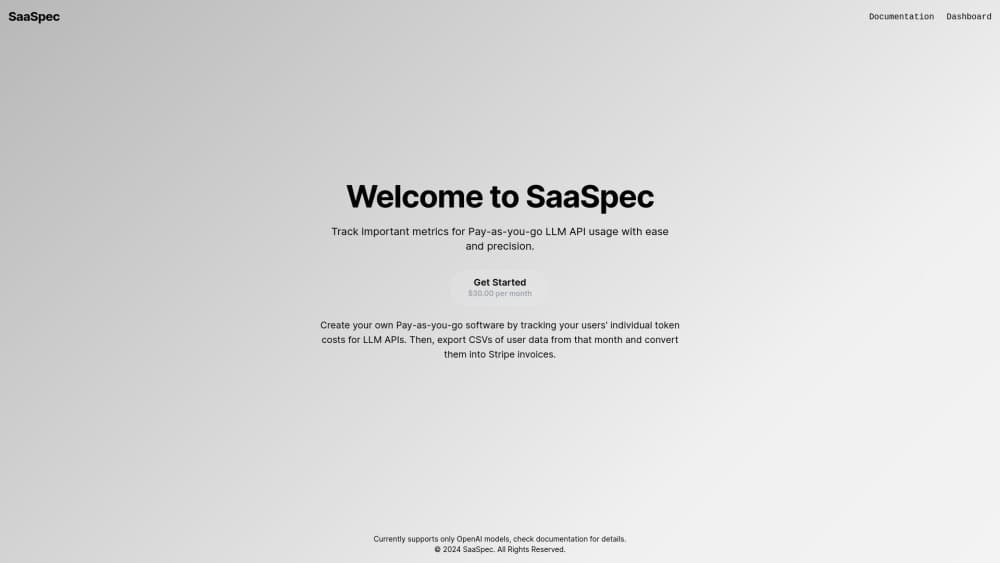
SaaSpec tracks per-user token usage and cost for pay-as-you-go LLM apps, then turns a monthly export into Stripe invoices. It works with OpenAI models today.
About SaaSpec
What Is SaaSpec
SaaSpec is an LLM API usage tracking service for developers who resell model access and charge by consumption. If your product lets people query GPT models, the meter has to live somewhere. SaaSpec is that meter. It records what each account sends and receives, converts the tokens into dollars, and keeps a running total you can bill against at the end of the month.
The unit of accounting is a request. Your app sends SaaSpec the prompt, the model's answer, the model name, and a user ID after every call. SaaSpec handles the token counting and the per-model pricing math, then stores the result under that ID. So the number you invoice is tied to real usage, not to a guess about average consumption.
Three limits shape where it fits. It supports OpenAI models only, so a product routing traffic to Claude, Gemini, or an open-weight model has no coverage for those calls. Invoicing isn't automatic either: you export a CSV and run a script against Stripe. And because the prompt and the response travel to SaaSpec's endpoint, you're sending user text to a third party. Teams with strict data rules should check that before wiring it in.
Getting Started
- Sign up at saaspec.com and open the dashboard. A short tutorial video walks through the main screens.
- Copy the API token from the profile section. That token authenticates every logging request your app makes.
- Add one call to your request handler. POST the user's UID, the input text, the output text, the model name taken from the API response, and your token.
- Run a few test queries and confirm the dashboard shows the right user, the right model, and a plausible cost.
- At the end of the billing period, export the month's CSV and feed it to your Stripe invoicing script.
Product Information
A quick look at SaaSpec's pricing, supported platforms, and performance.
Best for
The users, tasks, and scenarios where this tool fits best.
Users
- Indie SaaS founders selling an OpenAI-powered feature
- Developer teams running prepaid credits
- Finance and ops staff at small AI startups
Tasks
- Moving a flat subscription to usage-based billing
- Billing end users for token consumption
- Finding the account behind a spend spike
- Turning metered usage into Stripe invoices
Scenarios
- Launching a pay-as-you-go billing tier on top of an existing app
- Month-end close
- Auditing a jump in OpenAI API costs
Key features
One POST per Request to Log Usage
Logging takes a single HTTP call to SaaSpec's endpoint with five fields: user ID, input, output, model name, and your API token. There's no SDK to install and no agent to run on your servers. Dropping the call into an existing handler takes a few lines, which matters when you're adding billing to an app that already ships.
Per-User Cost Attribution by UID
Every record is filed under the UID you pass in. That string has to line up with how the same person appears in Stripe, or with something you can map back to an email when you invoice. Get that key wrong at the start and the monthly export becomes a list of costs with no owner, so the naming decision deserves a minute of thought before launch.
Model Pricing Read From the Response
SaaSpec asks you to send the model name exactly as the API returned it, not a hardcoded string. Models get renamed and repriced, and a static value in your code will quietly drift from reality. Passing the response value keeps the pricing table in sync with whatever model actually served the request.
Anomaly Flags on Unusual Spenders
The export includes an anomaly column alongside cost, input count, and output count. It marks accounts whose usage sits far from the rest, which is the fastest way to spot a runaway script, a leaked key, or a customer who found an expensive prompt. You still have to act on the flag, but you don't have to build the detection yourself.
Monthly CSV Export
One export per billing period gives you a table you can open in a spreadsheet, hand to an accountant, or parse in code. Each row pairs a user with their token cost and their input and output counts, so a support question about a charge can be answered from the same file.
Stripe Invoicing Handoff
Stripe invoicing isn't built in, but the docs hand you a working pattern: read the CSV, find or create a Stripe customer by email, add an invoice item for the token cost, then create and send the invoice. Paste it into a script, adjust the column names to your export, and run it once a month.
Pros and cons
Pros
- Setup is a single POST call per request, so you can add metering without reworking your application structure.
- Costs come from actual input and output tokens per user, which is the number a pay-as-you-go customer expects to see on an invoice.
- The model name comes from the API response, which keeps pricing correct as OpenAI ships new versions.
- The anomaly column saves you from writing your own outlier detection for spend.
- The Stripe example in the documentation is close to runnable, which shortens the gap between usage data and a sent invoice.
Cons
- OpenAI is the only supported provider, so products that also call Anthropic, Google, or open-weight models need a second meter for those calls.
- No pricing is published on the site, which means you can't estimate cost per user before talking to the vendor.
- Invoicing stays manual: you export a CSV and run a script, so there's no scheduled job that bills customers on its own.
- Prompts and responses leave your infrastructure, which is a problem for products handling health, legal, or financial text.
Frequently asked questions
It records each LLM request your app makes, prices the tokens for the model used, and keeps a per-user running total. At the end of the period you export that data and turn it into invoices.
Related content
Explore related tools, skills, and articles for SaaSpec.
SaaSpec Alternatives

ngram 2.0
ngram · Video · Marketingngram 2.0 is an AI video generator for teams. It turns a prompt, a screen recording, or a product URL into a narrated explainer, product demo, or AI avatar video, and every scene stays editable.

shippedit.me
Krawlup · Marketing · Businessshippedit.me now redirects to Krawlup, a web platform that audits SEO, AEO and page speed every week, then hands the fixes to AI coding agents over MCP.

MePersona
MePersona, Inc. · Writing · Productivity · MarketingMePersona is an AI unified inbox for creators. It learns your voice, drafts replies to fan messages from 12 platforms, and sends only what you approve.