

SalesRobot
SalesRobot · Marketing · Business
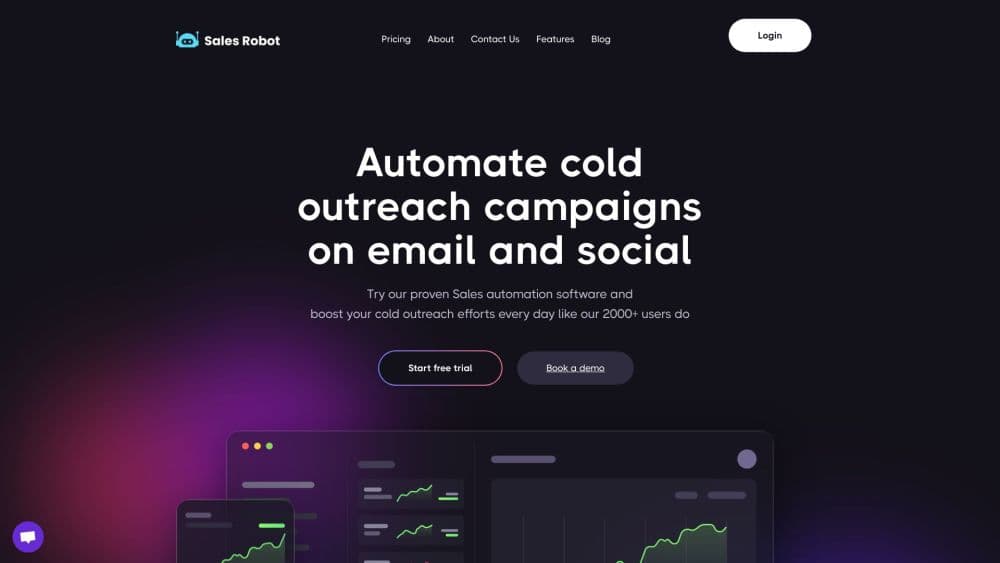
SalesRobot is a cloud-based LinkedIn and cold email automation tool for B2B sales teams. It runs multi-step outreach campaigns, answers replies with AI, and sends voice and video messages.
About SalesRobot
What Is SalesRobot
SalesRobot is an outreach automation platform built for people who sell on LinkedIn, and it covers AI sales outreach end to end. You load a list of prospects, build a sequence of steps, and let the tool send connection requests, messages, InMails, and emails on a schedule that mimics a person working a normal day. Everything runs on SalesRobot's servers, so you don't keep a browser open on your laptop and your LinkedIn account isn't tied to one machine. Each connected LinkedIn profile gets its own dedicated IP.
The AI pieces are what separate it from plain drip tools. An AI reply handler reads incoming messages and drafts answers in your voice, including handling the first objection before you ever see it. Voice notes and short videos can be generated and sent to individual prospects, and the platform can score and filter leads before they enter a campaign. According to SalesRobot, customers report reply rates above 40% on voice and video outreach.
The honest limitation is that this is still automation on top of LinkedIn, a platform that doesn't formally allow it. SalesRobot reports a ban rate under 0.001% across its user base, but no tool can promise zero risk. If losing your LinkedIn account would sink your business, weigh that before you scale. The platform also rewards prep work: campaigns with researched lists and tailored copy perform far better than ones that blast a generic message.
Getting Started
- Sign up at salesrobot.co and start the 14-day trial. No credit card is required to begin.
- Connect a LinkedIn account by logging in through the guided setup. SalesRobot adds it to your workspace with its own IP and handles the cloud session.
- Build a prospect list. Import from LinkedIn Search, Sales Navigator, Recruiter, post reactions, event attendees, or a CSV upload.
- Create a campaign. Pick from pre-built sequence templates or write your own steps, then add AI variables so each message pulls in details from the prospect's profile.
- Watch replies land in the unified inbox. Review the AI drafts, approve or edit them, and let qualified leads sync to your CRM.
Product Information
A quick look at SalesRobot's pricing, supported platforms, and performance.
Best for
The users, tasks, and scenarios where this tool fits best.
Users
- B2B sales reps and SDRs
- Lead generation agencies
- Solo founders and consultants
- Recruiters and job seekers
Tasks
- Running a multi-step LinkedIn sequence
- Getting more replies with personalization
- Answering first replies while you sleep
- Moving LinkedIn leads into the CRM
- Testing message angles
Scenarios
- A small sales team working a single avatar
- An agency onboarding a new client
- A founder validating a new offer
- An SDR covering US hours from Asia
Key features
Cloud LinkedIn Automation
LinkedIn lead generation here runs on a cloud engine rather than in a browser tab, so you can close your laptop and the sequence keeps going. Each LinkedIn account gets a dedicated IP and the platform simulates human pacing, with delays and activity limits built in. You can run up to 75 connection requests and 75 messages per day on paid plans, staying inside LinkedIn's published limits.
AI Reply Handler and Appointment Setter
When a prospect replies, the AI reads the message and drafts a response that matches your tone and handles common objections. You can train it on your company's positioning and your own past replies. The appointment setter add-on keeps the conversation going until the person books a call, and SalesRobot cites the five-minute response window as the reason speed matters here. You still see every draft and can step in at any point.
Personalized Voice Notes and Video Messages
SalesRobot generates voice notes and short videos with your cloned voice and face, tailored to each prospect. They attach to LinkedIn messages as part of a sequence, so the outreach looks like a personal touch rather than a text block. The company reports these get the highest reply rates in its customer base. This is the feature agencies mention most when they switch over from other tools.
Unified LinkedIn and Email Inbox
Replies from LinkedIn and cold email land in one inbox inside SalesRobot. You see the thread, the prospect's profile details, and any notes or tags your team left. The AI suggestions sit next to the compose box, so you can send a quick reply without switching tabs. Smart reply detection stops a sequence the moment someone answers, which avoids the awkward second message after a prospect has already replied.
Cold Email Sequences
Email outreach runs on the same campaign builder as LinkedIn, with support for Gmail, Outlook, and custom SMTP. Unlimited email accounts and built-in warmup help keep new addresses out of the spam folder. You can mix LinkedIn and email steps in a single sequence and let the tool route each prospect down whichever path fits.
Native CRM and Webhook Integrations
Direct connectors sync leads and activity to HubSpot, Salesforce, Pipedrive, Zoho CRM, Copper, GoHighLevel, and Google Sheets. Webhooks cover everything else, with documented paths into Zapier, Make, and n8n. There's also an API, an MCP server for AI assistants such as Claude, and a command line interface on npm, so developers can wire SalesRobot into their own tools.
Pros and cons
Pros
- Runs entirely in the cloud with a dedicated IP per LinkedIn account, so nothing needs to stay open on your machine.
- AI reply handling plus voice and video personalization covers outreach that most competitor tools leave manual.
- Native CRM sync and webhook support mean leads land where your team already works.
- White-labeling and multi-account workspaces make it practical for agencies managing several clients.
- A 14-day free trial without a credit card lets you test the AI quality before paying.
Cons
- Pricing is per LinkedIn account, so a team of five pays five times the base rate. Costs climb quickly for larger teams.
- The Basic plan caps you at 20 actions per day and one active campaign, which is too tight for real prospecting.
- AI drafts still need review. Messages that sound off or miss context will hurt reply rates more than a manual send would.
- Outreach automation carries account risk no matter the tool. SalesRobot's low ban figures are self-reported.
- Cold email quotas are sold as separate plans from LinkedIn plans, so a full multichannel setup means two subscriptions.
Frequently asked questions
SalesRobot automates LinkedIn and cold email outreach for B2B sales teams. You import prospects, build a multi-step sequence, and the platform sends connection requests, messages, InMails, voice notes, and emails on your behalf while AI handles initial replies.
Related content
Explore related tools, skills, and articles for SalesRobot.
SalesRobot Alternatives

ngram 2.0
ngram · Video · Marketingngram 2.0 is an AI video generator for teams. It turns a prompt, a screen recording, or a product URL into a narrated explainer, product demo, or AI avatar video, and every scene stays editable.

shippedit.me
Krawlup · Marketing · Businessshippedit.me now redirects to Krawlup, a web platform that audits SEO, AEO and page speed every week, then hands the fixes to AI coding agents over MCP.

MePersona
MePersona, Inc. · Writing · Productivity · MarketingMePersona is an AI unified inbox for creators. It learns your voice, drafts replies to fan messages from 12 platforms, and sends only what you approve.