
Scade Pro
AI Cascade Solutions Corp. · Coding · Other
Scade Pro is a no-code AI platform for building AI apps, agents, and multi-step workflows from 1,500+ models, with templates, private knowledge, and API access.
About Scade Pro
What Is Scade Pro
Scade Pro is a browser-based platform from AI Cascade Solutions Corp. that puts more than 1,500 AI models behind one subscription. You don't need separate accounts with OpenAI, Anthropic, Google, or a GPU host. You pick a model inside Scade and pay for the run in credits.
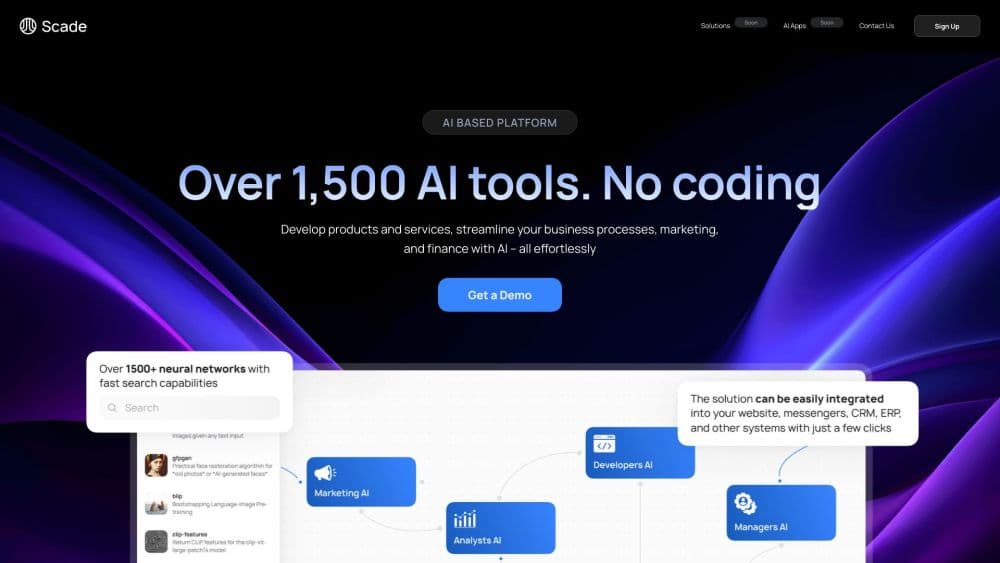
The main building block is a flow. Each node in that flow is a model, a small tool, or a block of Python. Connect the nodes and the whole chain runs as one job. A template might transcribe a video, summarize the text, and generate a thumbnail in a single pass. You can start from one of those templates or build the chain yourself.
The limits matter as much as the features. Credits are the only way to run anything, and image or video models eat them much faster than text models. The platform also lives entirely in a browser, so there's no desktop or mobile app. If you need offline processing or full control over the underlying infrastructure, this isn't the right tool.
Getting Started
- Create an account at scade.pro with email or a Google login.
- Open the template gallery, or go straight to the flow builder if you already know the steps you want.
- Add nodes for each step: a language model for text, an image model for visuals, Whisper for audio, or a Python node for custom logic.
- Connect the nodes, run a test, and check the cost and run time shown on each node.
- Publish the flow as an AI app, or generate a server key and call it through the Scade Pro API.
Product Information
A quick look at Scade Pro's pricing, supported platforms, and performance.
Best for
The users, tasks, and scenarios where this tool fits best.
Users
- Content marketers
- Startup founders
- Small agency teams
Tasks
- Faceless video production
- Document Q&A
- Image generation at volume
- Video summarization
Scenarios
- Testing an AI feature before committing engineering time
- Running recurring content work with a two-person team
- Connecting AI output to an existing product
Key features
Flow Builder With 1,500+ Models
The AI workflow builder is the center of the product. You drag nodes onto a canvas, connect them in order, and each node runs its own model or tool. Nodes show execution time and credit cost, so you can see which step is expensive before you scale a workflow up.
Ready-Made Templates and AI Apps
Scade Pro works as an AI app builder out of the box, with templates for common jobs, including sketch to image, virtual fitting rooms, competitor analysis, and shorts generation. Each template opens as an editable flow, which makes it a starting point rather than a locked product. You can publish a finished flow as an AI app with its own interface.
AI Agents for Recurring Work
Agents take a flow and run it on a schedule or a trigger. The faceless video agent, for example, produces short clips for social channels without filming. This is the part that turns a one-off experiment into a repeatable process. You still need to check the output before publishing.
Private Knowledge and LoRA Fine-Tuning
You can load your own documents into a private knowledge base and have models answer from that material instead of general training data. Scade also supports LoRA fine-tuning, which adapts an existing model to your style or dataset without training one from scratch. Both features are aimed at teams that need output tied to their own content.
API Access and Connectors
Every published flow can be executed through a REST endpoint. You create a server key in the API and credentials section, then send a request with the start and end node IDs. Connectors and triggers push results into web apps, messengers, and e-commerce platforms, so the flow can sit behind a product instead of only inside the Scade dashboard.
Credit-Based Cost Tracking
Every action costs credits, and one credit is roughly one cent. A ChatGPT node task averages about 0.5 credits, while an image generation with Flux Pro costs around 6. The platform shows cost per node, which helps you compare a cheap text step against an expensive media step before you commit.
Pros and cons
Pros
- One subscription covers text, image, audio, and video models, which removes the usual key juggling across vendors.
- Flows are visual and editable, so non-developers can change a step without touching code.
- Per-node cost and run time make it easy to find the expensive part of a workflow.
- API access and connectors let a prototype move into a real product without a rebuild.
- Templates cover practical jobs such as document chat, image generation, and short video production.
Cons
- Credit burn is hard to predict for media-heavy flows, so a busy month can cost much more than the plan suggests.
- Free credits run out quickly once you test image or video models.
- Complex flows still require logical thinking about inputs and outputs, and a wrong connection wastes credits on failed runs.
- There's no desktop or mobile app, and no way to run flows locally when you need full control over data.
Frequently asked questions
Scade Pro is used to build AI apps, agents, and multi-step workflows without code. Typical jobs include document chat, image generation, video summarization, and automated short video production.
Related content
Explore related tools, skills, and articles for Scade Pro.
Scade Pro Alternatives

Base Code
Base44 (Wix) · Coding · ProductivityBase Code is a shared cloud development environment from Base44. Teammates describe changes to an existing GitHub codebase in chat, preview them live and send them back as pull requests.

Google EmbeddingGemma 2
Google DeepMind · Writing · Image · CodingGoogle EmbeddingGemma 2 is a 740M-parameter open model that turns text, code, images, audio, and video frames into vectors in one 768-dimension space, running on phones and laptops.

GitGlow
GitGlow · Coding · ProductivityGitGlow is a local-first desktop Git client that lets independent developers review their own code and their AI agents' changes in one place before shipping.