

Scheduled
Scheduled · Writing · Productivity
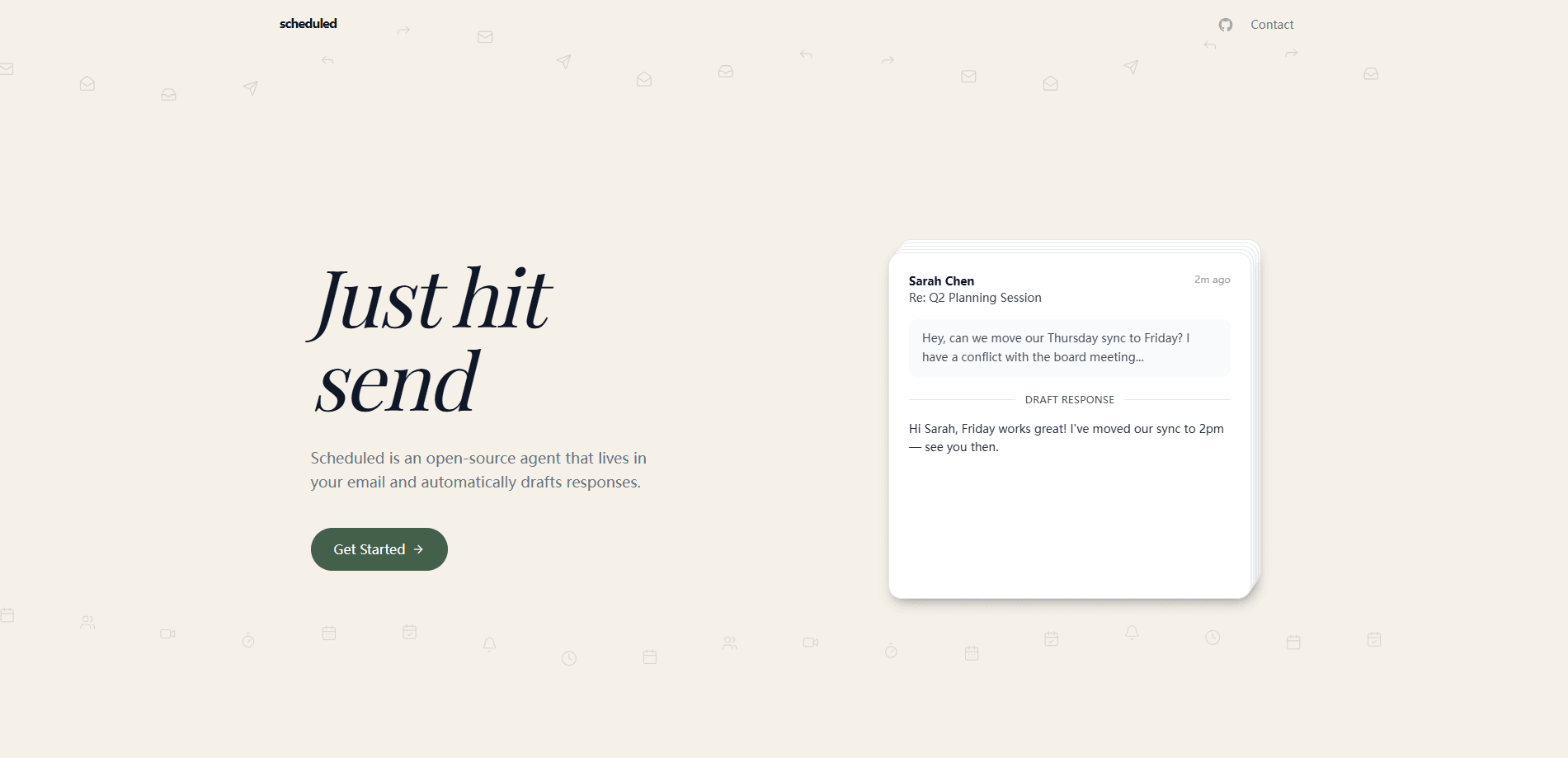
Scheduled is an open-source AI scheduling assistant that lives inside your email and calendar. Think of it as an email scheduling tool that does the tedious part for you. It reads your real-time availability across every connected calendar, learns how you like to meet, and then handles the back-and-forth of agreeing on a time. You connect your calendars, set a few preferences, and it drafts replies to scheduling requests in your own voice. The whole thing runs on one paid plan with a free trial, and the code is public if you'd rather run it yourself.
About Scheduled
What Is Scheduled
Scheduled is an AI email scheduling agent built for people who lose hours to messages like "can we grab coffee this week?" It works a bit like a calendar assistant app sitting in your inbox. Instead of you checking your calendar, proposing two or three slots, and waiting for a reply, the assistant runs that loop for you. It reads your availability in real time, proposes times that actually work, keeps the conversation moving across however many replies it takes, and only stops once a slot is locked in.
Why bother? Because the meeting scheduling AI here reads the whole thread, understands who wants what, and answers the way you would, rather than scanning for empty boxes and calling it a day.
So what sets it apart? The pitch is context, not just calendars. It tracks when you like to meet, how long your meetings usually run, and the tone you use when you write back. A first-name sign-off, a casual opener, a suggestion for a specific coffee shop: all of that gets folded into the replies it produces. Scheduled also filters ordinary mail out of the way, using AI to spot which emails are real scheduling requests and which are just the report someone owed you.
The main limits are scope and cost, and they're worth weighing before you sign up. Scheduled is a web tool, so it's tied to the browser and whatever calendars and email accounts you connect. There's no free tier beyond the trial, and there's no mobile app on the Google Play Store. For some teams that's fine. For others it's the deciding factor.
Getting Started
- Sign up on the official site and start your 7-day free trial; no charge runs during the trial window.
- Connect the calendars you actually use, including shared team calendars and any dedicated calendar for commitments.
- Set your scheduling preferences so the assistant matches your style, meeting lengths, and communication tone.
- Let it watch your inbox and drafts replies to scheduling requests, or step in to approve a proposed time yourself.
- Adjust the output as you go; the assistant updates its read on your preferences with each conversation.
Product Information
A quick look at Scheduled's pricing, supported platforms, and performance.
Best for
The users, tasks, and scenarios where this tool fits best.
Users
- Founders and freelancers who book a lot of calls
- Team leads juggling shared calendars
- Open-source fans
Tasks
- Answering meeting requests by email
- Protecting focus time
- Screening an overflowing inbox
Scenarios
- A week of coffee chats and intake calls
- Coordinating across several calendars
- Working in an email-first culture
Key features
Real-Time Calendar Awareness
Scheduled reads your availability across every connected calendar, including shared team calendars and a separate calendar for commitments. It checks the live state before proposing anything, so double-bookings don't happen. That sounds small. It isn't. You get the benefit without keeping a second tab open just to confirm a time, and the assistant never offers a slot you've already given away.
Preference Learning
The assistant doesn't just find an empty slot; it studies how you schedule. It notes when you prefer to meet, how long your sessions typically run, and the way you phrase things. Over time the replies come out closer to what you'd have written yourself, down to the sign-off.
Email Style Matching
Every reply is shaped around your voice. If you write casually and sign with your first name, the drafts do too. This matters more than it sounds, because a scheduling reply that reads like a robot is the fastest way to make the other person notice something is off.
Scheduling Intent Detection
Not every email needs a time slot. Scheduled uses AI to tell the difference between a genuine meeting request and a message that just happens to mention getting together. Non-scheduling mail gets set aside, which keeps the assistant from replying to things that don't need a reply. That filtering is the difference between a helpful assistant and one that answers everything badly.
Multi-Calendar Support
Shared calendars are the norm for teams, and Scheduled is built to handle several at once. It folds primary, team, and commitment calendars into a single availability picture. That's the part most simple calendar tools skip, and it's usually where manual scheduling falls apart.
Open-Source Codebase
The project is fully open source, so you get a real open source email scheduler rather than a black box. You can read the code, run your own instance, or contribute changes. The practical upside is transparency over what happens to your calendar and email data, and the option to self-host if you'd rather not hand that data to anyone. Trust matters here. You're giving a tool access to your inbox.
Pros and cons
Pros
- Reads real-time availability across primary, shared, and commitment calendars.
- Learns your scheduling habits and email tone, so drafts sound like you.
- Filters non-scheduling mail out of the way with intent detection.
- Fully open source, with the option to self-host.
- Starts with a 7-day free trial before you pay anything.
Cons
- No free plan after the trial; the only option is $100 a year.
- Web only, with no mobile app and no Google Play download.
- It needs your calendars connected to be useful, which is a setup step and a trust decision.
- API availability isn't publicly documented, so developers can't assume an integration path.
Frequently asked questions
Not beyond the trial. You get a 7-day free trial with no charge, then it's $100 a year on a single plan that includes everything. There's no permanent free tier.
Related content
Explore related tools, skills, and articles for Scheduled.
Scheduled Alternatives

Google EmbeddingGemma 2
Google DeepMind · Writing · Image · CodingGoogle EmbeddingGemma 2 is a 740M-parameter open model that turns text, code, images, audio, and video frames into vectors in one 768-dimension space, running on phones and laptops.

MePersona
MePersona, Inc. · Writing · Productivity · MarketingMePersona is an AI unified inbox for creators. It learns your voice, drafts replies to fan messages from 12 platforms, and sends only what you approve.

Fluence
Yay Software (Yannick Huchard) · Writing · Voice & Language · ProductivityFluence is an Android app that reads PDFs, EPUBs, Word files and web articles aloud, follows each sentence as it speaks, and answers questions about the text on the phone itself.