
Screenshot to Code
Abi Raja · Coding
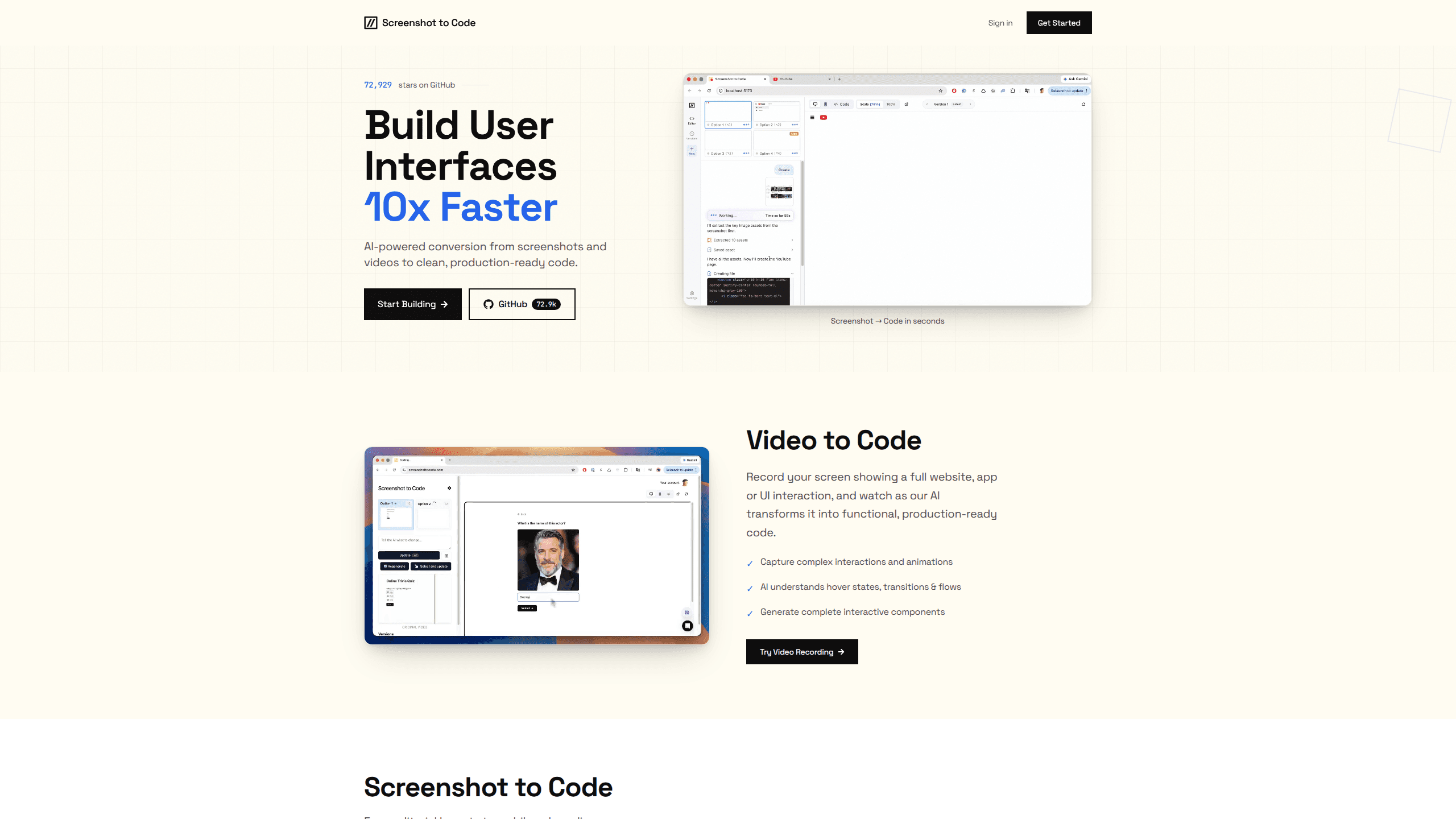
Screenshot to Code is an AI code generator that turns a screenshot, a mockup, a Figma design, or a screen recording into working front-end code. Drop in an image, pick a stack such as HTML with Tailwind, React, or Vue, and it builds a clean first draft of the page. You can convert a screenshot to code in minutes. The tool runs as a hosted app at screenshottocode.com, and the source is open, so you can also self-host it and plug in your own model keys.
About Screenshot to Code
What Is Screenshot to Code
Screenshot to Code is a web tool that reads a picture of a user interface and writes the code to rebuild it. The idea is simple. Instead of measuring pixels and typing out markup by hand, you upload the design and let an AI model handle the translation. It ships as an open-source project on GitHub, with a React and Vite front end and a FastAPI back end, and it powers the official hosted product on screenshottocode.com.
The main problem it solves is the boring part of front-end work. Turning a finished design into a first pass of code takes time, and a lot of that time goes into layout, spacing, and matching colors. Screenshot to Code cuts that first pass down to a few minutes. You still review and clean up the result, but you start from something that renders rather than a blank file. As an AI coding tool, it doesn't replace you. It just removes the grunt work.
The biggest limit is accuracy. AI models do a good job on common layouts and standard components, and a shakier job on dense or unusual interfaces. Complex interactions, real data, and accessibility details are usually left for you to finish. Treat the output as a strong starting point, not a finished product. That's the honest trade-off. You save the tedium, and you pay with cleanup time on the hard parts.
Getting Started
- Open screenshottocode.com and sign in, or clone the GitHub repo if you'd rather run it locally.
- Upload a screenshot, mockup, or Figma export, or paste a URL to clone a live page.
- Choose your output stack, such as HTML with Tailwind, React with Tailwind, Vue, or Bootstrap.
- Pick a model if you're on your own API keys, then hit generate and watch the code appear.
- Copy the result into your project, tweak the details, and ship it.
Product Information
A quick look at Screenshot to Code's pricing, supported platforms, and performance.
Best for
The users, tasks, and scenarios where this tool fits best.
Users
- Front-end developers
- Designers who code a little
- Product and marketing teams
Tasks
- Rebuilding a page from a screenshot
- Turning Figma files into code
- Cloning a live site's look
Scenarios
- Early prototyping before design is final
- Learning a new stack
- Speed-running repetitive layouts
Key features
Screenshot to Code Conversion
The core feature takes a flat image and returns structured front-end code. You upload a PNG or JPG of any interface, and the tool identifies layout blocks, text, buttons, and images, then writes the markup and styles to match. It works best on clean mockups and standard app screens. Messy screenshots? Those need a second look.
Figma and URL Input
You don't have to start from a static image. Figma designs and a live URL both work as inputs, which means you can pull a real page's structure without sketching it first. This cuts a step for teams that design in Figma or want to rebuild an existing site. Why bother redrawing what already exists?
Multiple Output Stacks
Pick the framework that fits your project. Supported stacks include HTML with Tailwind, plain HTML with CSS, React with Tailwind, Vue with Tailwind, Bootstrap, and Ionic with Tailwind. Seeing the same design in a few stacks is handy when you're deciding which one you actually want to build in. No lock-in either way.
Choice of AI Models
The tool isn't tied to one model. It supports options like Gemini, GPT, and Claude variants, and it can pick a stronger mix when you add more provider keys. If you run it yourself, you bring your own keys, which gives you control over both quality and cost.
Real Asset Extraction
When a Gemini key is available, the tool pulls the actual logos and images out of your screenshot and reuses them, rather than dropping in a gray placeholder. That small detail saves a surprising amount of cleanup on image-heavy pages. Placeholders are a pain to chase down later.
Screen Recording to Prototype
Beyond static images, Screenshot to Code can take a screen recording of a site in action and turn it into a functional prototype. That gives you more than a still page, and it's useful for capturing a flow rather than a single view.
Self-Hosting and Local Runs
The project is open source, so you can clone it, run the backend and frontend locally, and customize it to your own workflow. Teams that can't send designs to a third-party service can keep everything on their own machines. Privacy matters. Full control matters too.
Pros and cons
Pros
- Turns a design into a working first draft of code in minutes, which saves hours of layout work.
- Supports several popular front-end stacks, so the output fits different projects.
- The source is open, so you can self-host it and use your own model keys.
- Accepts screenshots, Figma files, URLs, and screen recordings, not just one input type.
- Hands back real extracted assets instead of placeholders when the right model key is set.
Cons
- Output needs review; complex layouts and interactions often come back imperfect.
- The hosted version has a paid generation limit, so heavy use means either a plan or your own API keys.
- Quality depends heavily on the model you choose, which means results can vary from run to run.
- Best accuracy is on standard screens, while dense or unusual interfaces need more manual fixing.
Frequently asked questions
It reads a screenshot or design and writes front-end code that rebuilds it. You get HTML, React, Vue, or Bootstrap output depending on the stack you pick, ready to drop into a project and refine. You hand it a picture of a page, and it hands back the markup, layout, and styling so you can spend your time on the parts a machine can't fake.
Related content
Explore related tools, skills, and articles for Screenshot to Code.
Screenshot to Code Alternatives
Forefront
Forefront · CodingForefront is a web platform for building with open-source AI. It lets you fine-tune leading open-source language models on your own data, evaluate how they perform, and run them through an API or export them to host yourself. Developers who want the convenience of a closed-source platform but insist on owning their models and data are the target audience here.

Startkit
StartKit.AI · CodingStartkit is a boilerplate for building AI SaaS and AI wrapper products. Think of it as an AI startup boilerplate with the boring parts already wired up: authentication, Stripe and Lemon Squeezy payments, usage limits, transactional email, and an AI API starter that talks to OpenAI, Anthropic, Groq, or Llama. You clone the repo, set your price, and start on the part of your product that people actually pay for. It's Next.js under React and Tailwind, so most of the boilerplate code already feels familiar.
Testim
Tricentis · CodingTestim is an AI-powered test automation platform for building and running end-to-end tests across web, mobile, and Salesforce applications. It leans on machine learning to keep tests stable when an interface changes, so teams spend less time fixing broken selectors. Not bad for an automated testing tool you can start using today. You create tests by recording actions in a browser, then optionally add JavaScript when you need more control. It's a solid pick for busy QA teams.