
Screenwriting.AI
AI Digital Productions LLC · Writing
Screenwriting.AI is an AI screenwriting studio that moves a story from logline to screenplay to short film, with 47 writing tools, 19 Director Avatars and a built-in film editor.
About Screenwriting.AI
What Is Screenwriting.AI
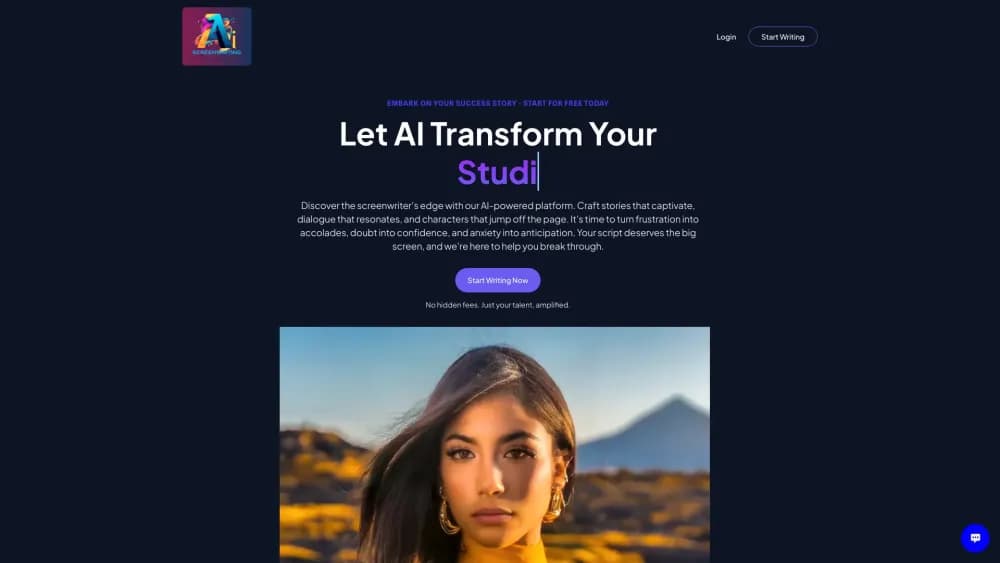
Screenwriting.AI is a browser-based studio from AI Digital Productions LLC for people who write scripts and want to see them shot. It puts three jobs in one place: drafting story material with AI, writing in a formatted screenplay editor, and turning scenes into storyboard frames, video clips and a finished cut. Most screenwriting software stops at the page. This one keeps going.
The writing layer runs on 47 named tools, many of them drawn from the book AI Amplified Screenwriting. Creative Cinema handles concept work, Character Canvas builds a cast, Dialogue Dynamics rewrites lines in place. A Screenwriting Expert chat and 19 Director Avatars read your saved pages before they answer, so feedback lands on your draft instead of a blank prompt box. In practice it behaves like an AI screenplay writer with a human in the chair, which is the arrangement the marketing claims and the tool actually supports.
Two limits matter before you pay. Media work runs on credits and third-party models, and the cheapest plan leaves out storyboards, film generation and the Film Editor. There's no public API either, which keeps the studio a tool for people rather than a component for other software.
Getting Started
- Create an account with an email address or Google sign-in. New accounts get a limited trial, and no card is needed.
- Start a project and write a short brief: premise, genre, the characters you already know.
- Open the AI Writer and pick a tool such as a logline builder or story outline. Each run produces an editable document rather than chat text.
- Move the draft into the screenplay editor and set scene headings, action, character cues and dialogue in industry format.
- Export a PDF, Final Draft or Fountain file. On Pro or Studio you can keep going into storyboards, clips and the Film Editor.
Product Information
A quick look at Screenwriting.AI's pricing, supported platforms, and performance.
Best for
The users, tasks, and scenarios where this tool fits best.
Users
- First-time writers
- Working screenwriters
- Writer-directors
- Film students
Tasks
- Turning a premise into a logline, outline and character sheet before you write pages.
- Rewriting dialogue and scene description in a draft you imported from another app.
- Testing a structure against a genre model when a second act feels soft.
- Making a proof-of-concept short from a scene you wrote yourself.
Scenarios
- A festival deadline where you need a finished short, not a script.
- A pitch meeting next week and a pilot that still needs a stronger opening.
- A classroom unit on three-act structure, where students can compare generated outlines against their own.
Key features
47 writing tools with named workflows
Every tool has a job and a name, from Creative Cinema for concept development to Antagonist Architect for building an opposing force. You pick the task, fill a short brief, and get a document you can edit. Naming matters here: writers who read AI Amplified Screenwriting can find the same tools in the studio under the same labels.
A screenplay editor built for industry format
Scene headings, action, character cues, parentheticals, dialogue and transitions format as you type. Autosave and version history mean a bad afternoon of edits doesn't cost you the morning's work. Exports cover a Courier 12 PDF with title page, page numbers and continued-dialogue marks, plus Final Draft (.fdx) and Fountain screenplay files.
19 Director Avatars
Each avatar is a storytelling perspective drawn from a filmmaker's body of work: suspense with Hitchcock, time and structure with Nolan, dialogue with Tarantino. You can outline a concept in that style or hold a conversation about your script. Treat them as a room of opinionated readers, not as authors.
AI storyboard frames with reference images
Scenes turn into storyboard frames, and reference images hold characters, locations and props steady from shot to shot. That consistency is the part most AI storyboard tools struggle with, and it's what makes a sequence usable as a shooting plan rather than a mood board.
AI film generation with native sound
Each frame becomes a video clip with sound, up to 1080p, using models such as ByteDance Seedance 2.5. The price appears before anything renders, so a long shot list doesn't turn into a surprise bill. Shot length is limited, which pushes you toward coverage rather than long takes.
A film editor and MP4 export
Clips land on a timeline where you trim takes, add fades and music, and settle the rhythm. Exports come out as a single MP4 at 1080p, ready for a festival submission, a social post or a portfolio page. Your script and your film sit in the same project.
Pros and cons
Pros
- One workspace covers writing, storyboarding, generation and editing, so a short film doesn't require four subscriptions. It also works as a Final Draft alternative for drafts that need to keep moving into production.
- Format exports are real: PDF, Final Draft and Fountain, plus import of the last two.
- Director Avatars give specific, usable notes on structure and dialogue instead of generic praise.
- Credit costs show before a render, and failed runs are refunded automatically.
- You keep ownership of scripts and films, and your content isn't used to train models.
Cons
- The $29 Writer plan blocks storyboards, film generation and the Film Editor, so the studio's main promise sits behind $59.
- Media credits are separate from writing credits, which makes a finished short cost more than the sticker price.
- Everything runs in a browser tab, so there's no desktop app for long sessions, and the AI tools stall when the connection drops, while edits keep saving offline.
- Clip length caps and model limits mean dialogue-heavy scenes are harder to shoot than action beats.
Frequently asked questions
Yes. New accounts get a limited trial with no card, and it doesn't renew on its own. After that, plans start at $29 a month.
Related content
Explore related tools, skills, and articles for Screenwriting.AI.
Screenwriting.AI Alternatives

Google EmbeddingGemma 2
Google DeepMind · Writing · Image · CodingGoogle EmbeddingGemma 2 is a 740M-parameter open model that turns text, code, images, audio, and video frames into vectors in one 768-dimension space, running on phones and laptops.

MePersona
MePersona, Inc. · Writing · Productivity · MarketingMePersona is an AI unified inbox for creators. It learns your voice, drafts replies to fan messages from 12 platforms, and sends only what you approve.

Fluence
Yay Software (Yannick Huchard) · Writing · Voice & Language · ProductivityFluence is an Android app that reads PDFs, EPUBs, Word files and web articles aloud, follows each sentence as it speaks, and answers questions about the text on the phone itself.