

Scribbyo
Textalky · AI Detection · Other
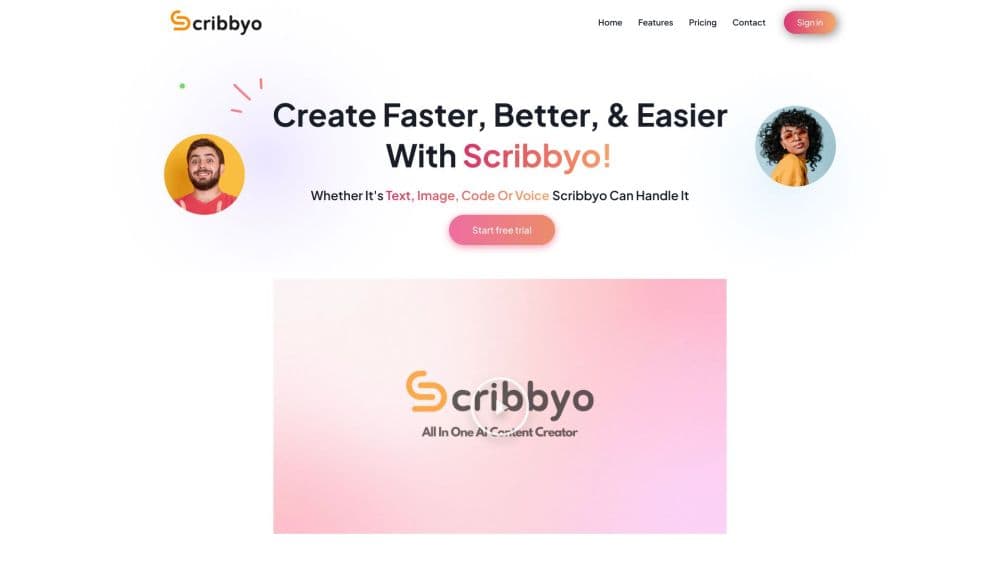
Scribbyo puts writing, image, voiceover, transcription, video and code tools into one workspace on a shared credit balance, so creators pay for one subscription instead of five.
About Scribbyo
What Is Scribbyo
Scribbyo is an all-in-one AI content platform from Textalky that runs in a browser. Rather than selling a single tool, the content creation subscription covers nine separate studios under one login: an AI writer, image generator, chat assistant, voiceover engine, transcription service, video editor, code helper, a chat tool that reads the live web and your files, and an RSS feed watcher. All of them draw on the same monthly allowance and keep your saved prompt templates in one place.
The pitch is bookkeeping more than novelty. A freelance writer who already pays for a writing tool, a voiceover service and a transcription app gets a single bill and a single set of limits instead of three renewal dates. Content teams get team seats on the middle plan, so a brand voice defined in one studio carries into the next.
The limits matter more than the feature list. Each plan caps writing words, voiceover characters, visual credits and transcription minutes separately, and one busy week of video work can eat the visual credits long before the word count runs low. Nothing here is built for enterprise deployment either: there's no self-hosting, no custom model training below the top plan and no published uptime commitment.
Getting Started
- Create an account on the Scribbyo site. Sign-up is open, no credit card is needed, and there's a 30 day money-back guarantee on paid plans.
- Pick a studio from the workspace home. Writer, Image, Chat, Voice, Code, Video and Transcribe each open their own editor, and the click-through tour covers the basics of each one.
- Set the brief. Give the prompt a topic, a tone and an audience, or start from one of the 15 ready-made templates for launch posts, product descriptions and newsletters.
- Generate and revise in the editor. Scribbyo keeps every output editable, so you rewrite sentences, swap images or re-cut scenes rather than starting the prompt over.
- Export or publish. Download the result in the format the studio supports, or connect WordPress to push finished articles straight to a site.
Product Information
A quick look at Scribbyo's pricing, supported platforms, and performance.
Best for
The users, tasks, and scenarios where this tool fits best.
Users
- Freelance writers
- Small marketing teams
- Podcasters and video creators
- Developers who need a quick draft or explanation
Tasks
- Turning a short brief into a publishable article
- Producing voiceover for explainer videos
- Transcribing calls, interviews and podcasts
- Keeping a content calendar fed
- Building simple visuals for social posts
Scenarios
- Running a one-person content operation
- Drafting product pages and launch posts
- Repurposing a long recording into several formats
- Publishing to WordPress without copy-paste
Key features
Nine Studios on One Credit Balance
The strongest argument for Scribbyo isn't any single tool. It's that writing, image generation, voice, transcription, video, code, chat, file analysis and RSS automation share one workspace and one monthly allowance. You top up once and decide where the credits go, which suits work that shifts between formats week to week.
AI Writer With a Smart Editor
The writer takes a short prompt and returns an article, campaign copy or social post. From there the smart editor does the heavier lifting: you ask for a rewrite of a paragraph, tighten a section or change the tone without regenerating the whole draft. Templates for launch articles, product descriptions and newsletters set the structure before the first word appears.
Voiceover Generation and Voice Cloning
The AI Voice studio turns a script into narration and includes voice cloning, so a creator can keep the same voice across a series. Recordings can also be pushed through the same studio to produce editable text, which makes it a useful stop for spoken-word source material you want to rewrite.
Transcription for Calls, Interviews and Podcasts
AI Transcribe converts recordings into searchable transcripts. The plan allowance is counted in minutes, from 90 on the entry plan to 1,000 on the top one, so a podcast with long episodes will need the higher tier before video work ever comes into it. Transcripts feed naturally into the writer when you want to turn an interview into an article.
AI RSS Automation
The AI RSS studio watches feeds and turns new items into publish-ready content automatically. For niche sites and industry newsletters this replaces a manual morning check. The output still needs a human pass before it goes live. It's only available from the Plus plan up.
WordPress Integration and Team Seats
Explorer and above connect to WordPress, so finished articles publish to a live site without copying and pasting. Plus and Pro add team seats, which lets an editor, a designer and a writer share the same credits and brand voice instead of passing files around.
Video and Image Studios
AI Video drafts scripts, generates scenes and cuts long footage into short clips. The AI Image studio generates imagery from a brief and hands it to a photo studio for retouching. Both draw on the visual credit pool, which is the allowance most likely to run dry during a heavy launch week.
Pros and cons
Pros
- One subscription and one credit balance cover writing, images, voice, transcription, video and code, which cuts the number of renewals a creator tracks.
- The entry plan at $12 a month includes the whole studio lineup, so you can test every tool before paying more.
- Every result stays editable, and the smart editor handles section-level rewrites instead of forcing a full regeneration.
- WordPress integration and team seats on the mid plan give small teams a working publishing pipeline without extra software.
- Open sign-up with no credit card and a 30 day money-back guarantee lowers the cost of trying it out.
Cons
- The allowance is split into four separate meters, so heavy video or image work can exhaust visual credits while most of your word count sits unused.
- No plan publishes a single AI model name, which makes it hard to judge output quality against tools that name their underlying models.
- Custom AI models, fine-tuning and API access only arrive on the $79 Pro plan, so agencies building automated pipelines pay the top price from day one.
- There's no public changelog or version history for the studios, which leaves you guessing when a feature changes.
Frequently asked questions
Scribbyo is an all-in-one AI content platform that runs nine creative studios from one dashboard under a single content creation subscription. Writing, image generation, voiceover, transcription, video editing, code help, web and file chat, and RSS automation all share a single credit balance.
Related content
Explore related tools, skills, and articles for Scribbyo.
Scribbyo Alternatives
Isgen AI
Isgen · AI DetectionIsgen AI is a web-based AI detector that scores text for machine authorship and shows you which sentences and phrases push the number up. It's built for teachers, editors, students, and writers. Their question is simple: did this draft come from ChatGPT, GPT-5, Claude, Gemini, DeepSeek, or another model? You paste or upload content, run a scan, and get a Human, AI, and Mixed breakdown in seconds. There's also a companion editor that scores text while you write it.
Humanizeai Tools
Humanizeai Tools · Writing · AI DetectionHumanizeai Tools is a web-based AI humanizer that rewrites machine-generated text so it sounds like a person wrote it, which is the whole point of the category it belongs to. Paste a draft from ChatGPT, Claude, or Gemini, run it through the tool, and it swaps out the phrases and sentence patterns that AI detectors flag. If your goal is to make AI text sound human before you publish it, this is the kind of tool built for exactly that. It suits students, bloggers, and marketers who need copy that reads naturally and clears tools like GPTZero, Copyleaks, and Winston AI after a single pass.

Hidemyai
Hidemyai · Writing · AI DetectionHidemyai is an AI content humanizer. It rewrites text from ChatGPT, Jasper, and similar tools so the result reads like a person wrote it. You paste your draft, pick a document type and tone, and the service returns a version meant to bypass AI detectors such as Originality.ai, Turnitin, and ZeroGPT. It targets writers, marketers, and students who lean on AI drafts but can't ship copy that sounds robotic. The promise is simple: make AI content undetectable.