

ScribeBuddy
ScribeBuddy · Writing
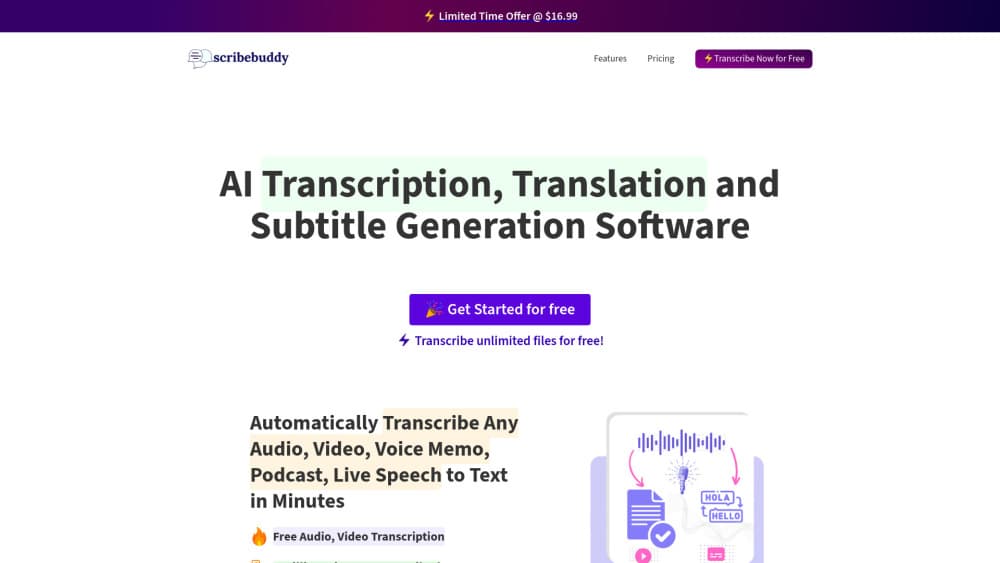
ScribeBuddy is a web-based AI tool that turns audio, video, podcasts and meetings into text, subtitles and translations across more than 100 languages.
About ScribeBuddy
What Is ScribeBuddy
ScribeBuddy is an online transcription and subtitle platform. You upload an audio or video file, or point it at a link, and the service returns a text transcript. From there it can translate the transcript, generate a subtitle file, produce a summary, or handle a live speech feed. The company reports over 2 million minutes transcribed and lists accuracy above 98 percent, which is the number worth checking against your own recordings before you trust it with anything critical.
The appeal is breadth. Instead of one narrow use case, ScribeBuddy covers audio files, video files including YouTube links, podcasts, meetings, interviews, lectures and voice memos. It also reaches into 100-plus languages and hundreds of dialects, so the same tool handles a Spanish interview and a Korean lecture without you switching products.
A few features carry an asterisk on the official site, which is the signal to read closely. AI summaries and live speech transcription sit in that group, so they may be tied to a paid plan or a usage limit rather than the free tier. The core transcription is the part advertised as unlimited and free, and that's where the tool is most useful.
Getting Started
- Create a free account on Scribebuddy and open the dashboard.
- Upload an audio or video file, or paste a link such as a YouTube URL.
- Pick the language of the source audio and, if you want, a target language for translation.
- Let the AI process the file and watch the transcript appear.
- Edit the text, then export it as a document or download subtitles in a subtitle format.
Product Information
A quick look at ScribeBuddy's pricing, supported platforms, and performance.
Best for
The users, tasks, and scenarios where this tool fits best.
Users
- Podcasters and video creators
- Students
- Journalists and researchers
- Meeting and admin staff
Tasks
- Converting audio or video to text
- Generating subtitles
- Translating a transcript
- Summarizing long content
Scenarios
- Publishing a podcast episode
- Catching up on a lecture
- Working across languages
- Documenting a meeting
Key features
Audio and video transcription
The core feature takes an audio or video file and returns text. That is speech to text done for you. You can upload a file or paste a link, and the tool handles formats from podcasts to YouTube videos. Podcast transcription includes speaker recognition and timestamps, which makes a long recording easier to navigate. Accuracy is the thing to verify per file, since background noise, crosstalk and heavy accents pull the number down from the advertised figure.
Subtitle generation
Beyond a plain transcript, ScribeBuddy builds subtitle files for videos and podcasts. That covers accessibility for viewers who watch without sound and reach for audiences that need captions in another language. The subtitle output is the feature most creators reach for first, because it feeds straight into an editing workflow without a separate step.
AI translation across 100+ languages
Translation is built on top of the transcript. Once the audio is text, the service moves it into another language, which suits creators republishing content for a second market or researchers reading a source in a language they don't speak. The count reaches over 100 languages and hundreds of dialects, so coverage is wide. Quality still varies by language pair.
AI summaries
The summary feature distills a meeting, lecture or podcast into a shorter overview. It's useful when you want the gist without reading a full transcript, and it's aimed at people who record often. One caveat: summaries carry an asterisk on the official site, so treat this as a paid or limited feature rather than a given on the free plan.
Live speech transcription
Real-time transcription turns spoken words into text as they're said. The official site frames it for meetings, lectures and live events, where waiting for a finished recording is too slow. Like summaries, this one is asterisked, so check your plan before relying on it.
Unlimited free transcription with a Premium upgrade
The headline is unlimited free transcription. You can process files at no cost, which removes the barrier for testing the workflow. The asterisked features, summaries and live speech, point to the deeper capabilities living behind a paid plan. For heavy daily use, the free tier's practical limits are worth mapping against your volume before you commit.
Pros and cons
Pros
- Handles audio, video, podcasts, meetings and lectures in one tool, so you don't juggle separate apps.
- Supports over 100 languages and hundreds of dialects for transcription and translation.
- Subtitle export fits video and podcast workflows for accessibility and multilingual audiences.
- Unlimited free transcription lets you test the core workflow before paying.
- Summary and live speech features add value beyond a raw transcript.
Cons
- Summaries and live speech carry an asterisk on the official site, so they may sit behind a paid plan.
- Accuracy is advertised above 98 percent, but real results depend on audio quality, accents and noise.
- It's a web tool, so there's no dedicated desktop or mobile app for offline work.
- There's no published API, so teams that want to wire transcription into their own systems can't.
Frequently asked questions
ScribeBuddy is an online AI tool that transcribes audio and video into text. It also translates transcripts, generates subtitle files, summarizes long recordings and can transcribe live speech, across more than 100 languages.
Related content
Explore related tools, skills, and articles for ScribeBuddy.
ScribeBuddy Alternatives

Google EmbeddingGemma 2
Google DeepMind · Writing · Image · CodingGoogle EmbeddingGemma 2 is a 740M-parameter open model that turns text, code, images, audio, and video frames into vectors in one 768-dimension space, running on phones and laptops.

MePersona
MePersona, Inc. · Writing · Productivity · MarketingMePersona is an AI unified inbox for creators. It learns your voice, drafts replies to fan messages from 12 platforms, and sends only what you approve.

Fluence
Yay Software (Yannick Huchard) · Writing · Voice & Language · ProductivityFluence is an Android app that reads PDFs, EPUBs, Word files and web articles aloud, follows each sentence as it speaks, and answers questions about the text on the phone itself.