
scritty
scritty · Coding
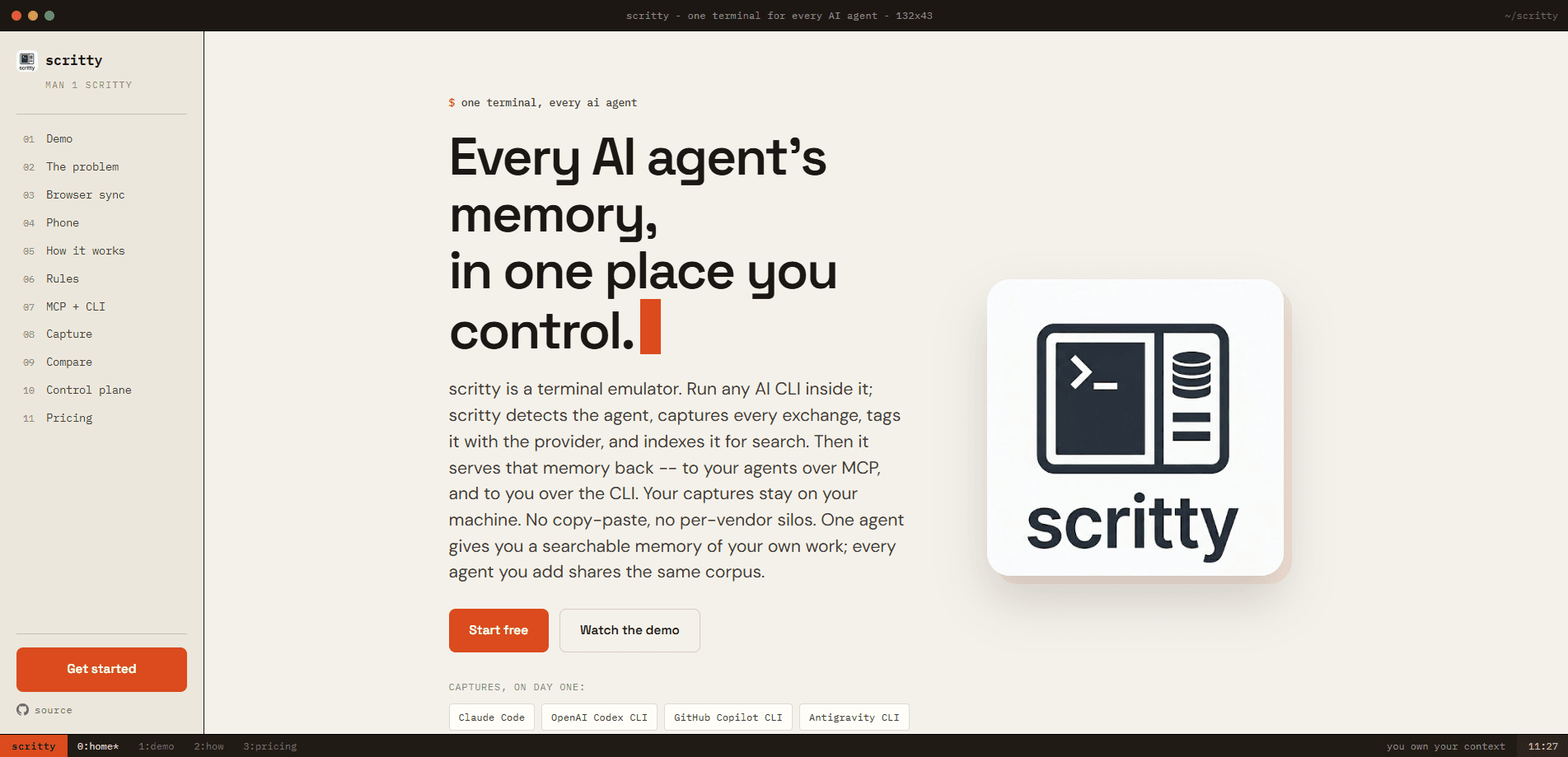
scritty is a local-first terminal emulator that turns every AI coding session into searchable memory. Run Claude Code, Codex, Copilot, Gemini, Antigravity, Grok, or Ollama inside it and scritty captures each attributable turn, tags it with the provider, and indexes it on your own machine. That shared corpus is reachable three ways: an in-terminal search panel, an MCP server your agents can query, and a scriptable CLI. Your data never leaves your hardware. It runs fully offline.
About scritty
What Is scritty
scritty is a local-first AI tool built around one idea: the terminal is the one boundary every CLI coding agent has to cross. Instead of letting Claude Code, Codex, and Copilot keep separate logs in separate formats, scritty sits at that boundary and records what each agent was asked and what it answered.
Claude designs the architecture, Codex writes the tests, Copilot handles the boilerplate. Normally none of them know what the others said. So you re-explain decisions and lose context between tools. scritty captures each conversation into one corpus, then serves it back to you and to your agents. Ask for "auth decisions" and you get matches across every session and every provider in a single query.
The limits matter here. scritty only captures agents it recognizes. An unknown CLI runs normally but isn't recorded until you add a provider entry. It also stores exactly what a pane wrote, which can include prompt echo and terminal chrome. If it can name a loss, it marks a visible capture gap rather than pretending the record is complete. This isn't a cloud memory service. There's no free tier that keeps going forever either: the free evaluation pauses new capture at 25,000 exchange-pairs.
Getting Started
- Download scritty free from scritty.dev and install it on macOS (Apple Silicon), Windows, or Linux.
- Launch scritty and run a supported AI CLI inside it, like Claude Code or Codex. There's no plugin or wrapper to install.
- On Linux, set it as your system's default terminal; on Windows, register it as the per-user Default Terminal Application so normal console launches open as scritty tabs.
- Press Ctrl+Shift+M to search every captured conversation across agents, inline, without leaving the terminal.
- Add it to an agent over MCP with the config block
{"command": "scritty", "args": ["serve"]}, or script the same store with thescritty memoryCLI.
Product Information
A quick look at scritty's pricing, supported platforms, and performance.
Best for
The users, tasks, and scenarios where this tool fits best.
Users
- Developers running several AI coding agents
- Privacy-focused solo devs
- Terminal-first teams
Tasks
- Looking up past decisions
- Handing context between agents
- Continuing a session elsewhere
Scenarios
- Picking up a two-week-old project and asking what was decided without re-reading old chats.
- Keeping standing instructions, enforcement rules, and goals applied to every agent from one `prompt.toml`.
- Monitoring a long-running agent from your phone while away from the desk.
Key features
Agent-Agnostic Capture at the Terminal
scritty records turns without vendor cooperation, plugins, or wrappers. It launches around Claude Code, OpenAI Codex CLI, GitHub Copilot CLI, Gemini CLI, Antigravity CLI, xAI Grok CLI, and Ollama. No SDK required. Because it detects the process running in the pane rather than sniffing prompt text, what you submit and what the pane writes back are stored together and tagged with the right provider.
One Corpus Across Every Agent
A Claude session about an OAuth bug and a Codex session two weeks later land in the same store, searchable in one query. Every supported agent you add shares that corpus. So the memory grows instead of fragmenting. This is the core selling point: your work stays yours and travels between tools.
Hybrid Search with Dual Embeddings
Search fuses vector and keyword results with Reciprocal Rank Fusion, using two offline ONNX models, one tuned for code and one for prose. Press Ctrl+Shift+M and you can search everything, semantic and keyword, ranked. You can also swap the vector backend (embedded engine, qdrant, pgvector, chroma, or weaviate) while keeping the corpus. Swap it anytime.
MCP Server and Scriptable CLI
Your agents query the memory, not just you. The corpus is a substrate reachable three ways, all backed by one MemoryService. Expose it over MCP with stdio on every tier, or Streamable HTTP for remote agents on a current Team+ license. The scritty memory commands handle cross-session search and session reads from any shell or pipeline.
Browser and Phone Live View
The desktop terminal embeds a token-secured web server, so you can open the exact same PTY and memory panel in any browser or on a paired phone. Type on either side and the other updates, byte-for-byte. Mobile pairing uses a scoped bearer token and a Tailscale Funnel, and the phone drives the session rather than mirroring it.
Works Inside tmux
scritty runs with your multiplexer instead of against it. It resolves which tmux client owns its terminal, so capture survives exec tmux, wrappers, and aliases. Two agents in two panes become two separate conversations, built from the bytes each pane emitted. Your prefix, copy mode, and popups stay untouched.
Yours at Rest
Captures stay on your machine, and opt-in at-rest encryption locks the whole local store (transcript, keyword index, and vector index) under a passphrase only you hold. Agents reach memory over scoped tokens, so one can be pinned to a single session and can't widen to the whole corpus. The paid license never reports anything back. Nothing phones home.
Settings You Control From the Keyboard
Before sending, scritty assembles each message with your standing instructions from prompt.toml, enforcement rules, the current goal, and the provider's own rule file. Each section toggles live from the terminal, so you can flip a rule off for one message and back on for the next. Write your instructions once and stop re-pasting them into every tool.
Pros and cons
Pros
- Captures agents at the OS boundary they all share, so cross-agent memory works without vendor APIs or SDKs.
- Fully local and offline-capable, with optional at-rest encryption and no telemetry on the Personal license.
- Three ways to reach the same data (terminal panel, MCP, CLI) means both you and your agents get the memory.
- tmux-aware capture keeps each pane's conversation clean and leaves your key bindings alone.
- No per-seat pricing on the Team tiers, which are metered by federated exchange volume instead.
Cons
- Only recognized agents are captured, so an unknown CLI needs a manual provider entry before it's recorded.
- The free evaluation pauses new capture at 25,000 exchange-pairs, which a heavy user can hit.
- Stored text can include prompt echo and terminal chrome, since scritty doesn't strip agent UI.
- Some collaboration features need a current Team+ license, and Enterprise pricing is quote-only.
Frequently asked questions
It's a terminal emulator that captures every AI CLI conversation you run inside it, tags each turn by provider, and indexes the whole thing into one searchable memory on your machine. You search it from the terminal, your agents query it over MCP, and scripts reach it through the CLI.
Related content
Explore related tools, skills, and articles for scritty.
scritty Alternatives
Codeflying
Kuafu Technology (Codeflying) · Coding · Marketing · ChatbotCodeflying is an AI app builder that turns a plain-language description into a working website, mobile app, or mini app. It works as a no-code app builder, so you type what you want and a set of AI agents handle requirements, architecture, front-end screens, back-end logic, and deployment. The goal is simple: build an app from a prompt, even with zero coding background. Marketing tools and a customer-facing chat agent come bundled too, so the result is more than a prototype stuck on a hard drive.

Runware
Runware, Inc. · Image · Video · CodingRunware is a generative AI inference platform that gives developers one API for image, video, audio, 3D, and language models. Instead of signing up with a dozen providers, you call a single endpoint, switch models with a one-line string change, and pay only for the requests you send. No servers to run. It's aimed at teams that want to ship AI features fast without building or babysitting their own GPU infrastructure.

Aider
Aider AI LLC · CodingAider is an open-source AI pair programming tool that lives in your terminal. You point it at a local git repo, describe what you want in plain English, and it edits the files, writes the diffs, and commits the changes for you. It connects to Claude, GPT, DeepSeek and Gemini through your own API keys, and it also runs local models through Ollama or any OpenAI-compatible endpoint. Developers who already work at the command line tend to adopt it fast. It stays out of the way. That's the whole appeal.