

Scroll
Scroll · Other · Chatbot
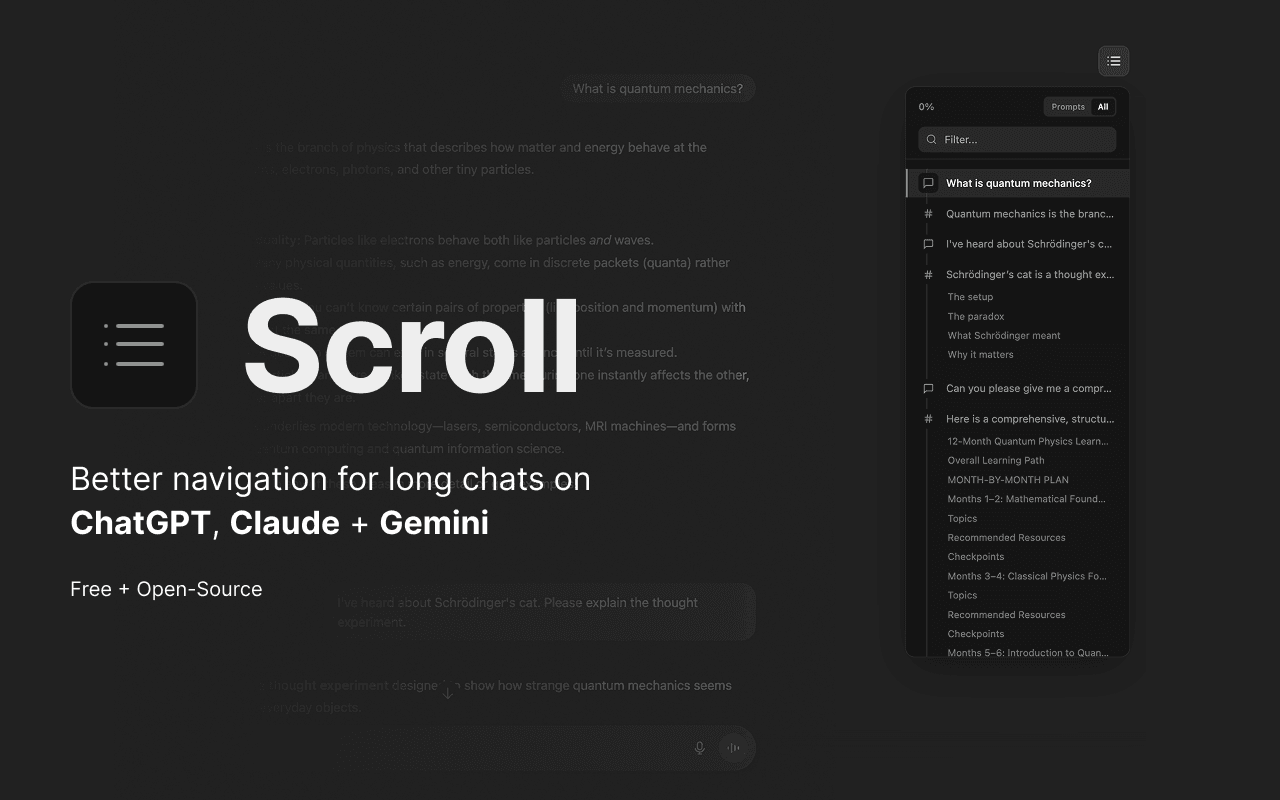
Scroll is a browser extension that turns your AI chat history into something you can actually search. It adds a floating table of contents to every conversation in ChatGPT, Claude, and Gemini, lets you jump between turns, and stores a local library you can query with a keyboard shortcut. It's free, runs in Chrome and Firefox, and keeps your data on your own device.
About Scroll
What Is Scroll
Scroll is a AI chat navigator that lives in your browser. Instead of scrolling through hundreds of messages to find one answer, you open Scroll and search across all your past conversations in ChatGPT, Claude, and Gemini at once. It's built for people who use AI daily and keep losing track of what they figured out last week.
The extension works in two layers. One is a navigation overlay: a table of contents for the chat you're currently in, tied to a keyboard shortcut (Cmd/Ctrl + ;). The other is a personal library that saves conversations worth keeping, since AI sidebars tend to quietly drop older threads. You can ask questions with the ? prefix and get answers drawn from your own saved chats, with links back to the source.
The big constraint is scope. Scroll doesn't generate answers of its own and doesn't add models. It sits on top of the three providers it supports, so if you mostly use Copilot, Perplexity, or a self-hosted model, there's not much here for you. It's a finder and an organizer, not a chatbot.
Getting Started
- Install Scroll from the Chrome Web Store or Firefox Add-ons, then pin it to your toolbar.
- Open a ChatGPT, Claude, or Gemini conversation and press Cmd/Ctrl + ; to bring up the command bar.
- Type a few letters to search your existing chats, or hit ? to ask a question across your saved library.
- Use @Claude, @ChatGPT, @Gemini, or @All to send a prompt without switching tabs, attaching any highlighted page text as context.
- Save the conversations you want to keep, then export any of them to Markdown, PDF, or JSON when you need a copy.
Product Information
A quick look at Scroll's pricing, supported platforms, and performance.
Best for
The users, tasks, and scenarios where this tool fits best.
Users
- Heavy AI chat users
- Developers and researchers
- Writers and students
Tasks
- Finding an old answer
- Jumping around a long chat
- Reusing context
- Archiving decisions
Scenarios
- Picking up a project after a break
- Comparing model outputs
- Keeping a personal knowledge base
Key features
Table of contents for every conversation
Scroll maps each turn in a chat into a floating outline. You can jump straight to any turn, copy it, or export the whole thread to Markdown, PDF, or JSON. For long threads where the good part is buried in the middle, that saves a lot of scrolling.
Cross-provider search
Type a few letters and Scroll looks across ChatGPT, Claude, and Gemini at once. That turns Claude conversation search and Gemini chat history into one box, which is handy when you remember the answer but not which app you asked in. Results show the provider, the age of the chat, and the turn count, so you can confirm Claude conversation search caught the right thread before you open it.
Ask your library
With the ? prefix you can ask a plain question and get an answer built from your own saved conversations. Scroll shows its sources and links back to the original threads, so you can check where a claim came from rather than trusting a summary.
Broadcast prompting
The @ command sends one prompt to Claude, ChatGPT, and Gemini together with @All, or to a single provider with @Claude and the like. Highlight text on any page, open Scroll, and the selection attaches as context automatically. No tab juggling.
Local-first library and privacy
Scroll keeps its library on your device rather than on a server, which matters if you paste client work or personal notes into chats. The company's pitch is that your data stays with you. Bookmarks let you hold onto conversations that AI sidebars would otherwise drop.
Keyboard-first workflow
Everything runs off Cmd/Ctrl + ;. Search, prompts, bookmarking, and exports all start from one shortcut, so the extension stays out of the way until you call it. That's the main reason it feels faster than clicking through three separate web apps.
Pros and cons
Pros
- Free with no paid tier, so there's no pricing decision to make.
- Works across ChatGPT, Claude, and Gemini from a single shortcut.
- Stores the library locally, which limits how much chat data leaves your machine.
- Export to Markdown, PDF, and JSON covers most ways people want to archive answers.
- Broadcast prompting makes side-by-side model comparisons quick.
Cons
- Only supports three providers, so Copilot, Perplexity, and local models are left out.
- No mobile app. It's a desktop browser extension and nothing else.
- Search depends on what you've already saved, so new chats aren't in the library until you open them with Scroll running.
- No public API, so you can't script it or wire it into other tools.
Frequently asked questions
It adds search and a table of contents to your ChatGPT, Claude, and Gemini chats. You can find old conversations, jump between turns, save threads to a local library, and prompt several models at once.
Related content
Explore related tools, skills, and articles for Scroll.
Scroll Alternatives
BinkBink
BinkBink · OtherBinkBink is a free online game platform and AI game maker that lets anyone turn a short text description into a playable browser game. You can jump into hundreds of community-made games. Or describe your own idea and play it in seconds, then share it with friends. Want to create your own game? You don't need to code. No engine setup, no download, no hassle.

Audiogen
Audiogen Inc. · OtherAudiogen is an AI music generator built by Audiogen Inc., a small research team that spent about 2.5 years training its own generative music model and designing a web interface around it. Instead of a plain text box, this AI music tool turns the timeline into a beginner-friendly Generative Audio Workstation, or GAW, where inpainting, extending, remixing and stem editing work more like painting on a canvas. The product is still in beta, so access runs through a waitlist or an invite. Paid plans aren't published yet.

Aiml API
AIMLAPI OÜ · OtherAiml API is a unified AI model API that puts more than 1000 models from OpenAI, Google, Anthropic, and others behind one endpoint and one bill. You write code against a single OpenAI-compatible schema, then switch between chat, image, video, and audio models by changing a model string. It suits developers and small teams who want multi-model access without juggling a dozen separate provider accounts, and it removes the usual billing headache that comes with testing several vendors. One key covers it all.