

Seamailer
Seamailer · Marketing
Seamailer is a web email marketing platform with unlimited contacts, drag-and-drop campaigns, automations, and a 99% deliverability claim, sold on email volume rather than list size.
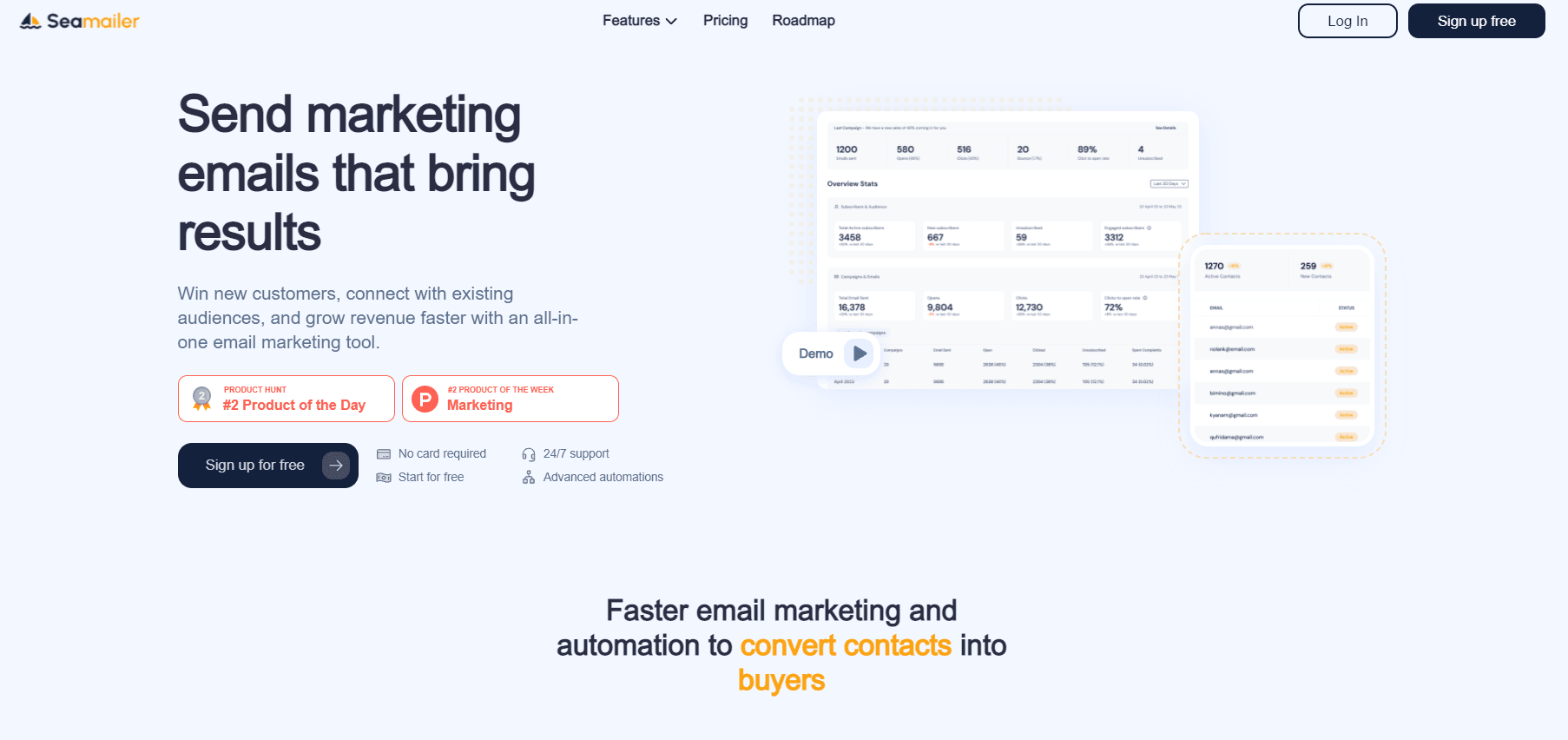
About Seamailer
What Is Seamailer
Seamailer is a browser-based email marketing tool built for creators, small teams, and SaaS businesses that want to email a large list without paying per subscriber. It works as an email automation tool as much as a sender. Its pricing idea is simple: you buy email volume, not contacts. Even the free tier lets you store unlimited contacts and fire off 12,000 emails a month, which is unusual for this category.
The core workflow is standard for the space. You import contacts, group them into segments, design a campaign from a template or the drag-and-drop editor, then send right away or schedule it for a time zone. Automations pick up the rest, so a new subscriber can get a welcome email and a follow-up without anyone pressing send.
Two things set the tone. The first is the deliverability pitch. Seamailer advertises 99% inbox placement alongside an email warm-up tool and a health checker that watch your sending reputation. The second is the API. A separate developer portal documents contacts, templates, and campaigns, so developers can trigger sends from their own apps.
The catch is maturity. Several advertised features, including the AI email builder, the warm-up tool, and fake email validation, are still marked as coming soon. Support runs through live chat rather than a huge self-serve library, and migration help is reserved for paid plans. There is no mobile app, so everything happens in the browser.
Getting Started
- Create a free account at seamailer.app and verify your sending email or domain.
- Import your contacts from a CSV file or a spreadsheet, then group them into lists and segments.
- Build a campaign in the drag-and-drop editor or start from one of the prebuilt templates.
- Send now or schedule by time zone, then watch opens, clicks, and conversions in the reporting dashboard.
Product Information
A quick look at Seamailer's pricing, supported platforms, and performance.
Best for
The users, tasks, and scenarios where this tool fits best.
Users
- Solo creators and founders
- Small marketing teams
- Developers who ship product emails
Tasks
- Sending a newsletter or product launch to a large list
- Setting up welcome and follow-up sequences
- Cleaning a messy list
Scenarios
- An SMB running monthly promos
- A SaaS onboarding new users
- A nonprofit with a tight budget
Key features
Unlimited contacts on every plan
Most email tools bill you by how many people are on your list, which punishes growth. Seamailer flips that. Contacts stay unlimited on the free tier and every paid plan, so you never pay extra just because your audience grew. Your bill tracks how many emails you send instead.
Drag-and-drop campaign builder
You build emails without touching code. The editor supports drag-and-drop layout blocks, and there are over 100 prebuilt templates covering welcome messages, holiday sales, product launches, discount sales, and abandoned carts. When you need control, a custom HTML editor unlocks on paid plans.
Automation for welcome and follow-up emails
Automations handle the messages you'd otherwise send by hand. You set the trigger, like a new signup or a completed purchase, and the system fires the email at the right moment. More than 20 prebuilt automation templates target common industry flows, and you can A/B test different structures to see what converts.
Segmentation by behavior and attributes
Sending one blast to everyone is a fast way to lose readers. Seamailer handles email segmentation by behavior, such as who opened an email or clicked a link, and by attributes like location or plan type. Dynamic lists refresh themselves, so a segment stays current without you rebuilding it.
Deliverability tooling
Seamailer leans hard on inbox placement, claiming 99% deliverability. Supporting features include an email warm-up tool, a health checker, and an automatic bounce remover that unsubscribes dead addresses so they stop dragging down your reputation. The warm-up and validation pieces are still rolling out.
Reporting and predictive analytics
The dashboard tracks open, click, and conversion rates and lets you compare campaigns side by side. Segments and funnels get their own views, and a predictive analytics layer forecasts how a campaign is likely to perform before you hit send.
API and SDK for developers
A separate developer portal documents the API, covering contacts, templates, and campaigns. You can trigger transactional and marketing sends straight from your own product, which matters if email is part of your app rather than a standalone channel.
Pros and cons
Pros
- Unlimited contacts on the free tier and every paid plan, so list growth doesn't raise the bill.
- The free plan includes 12,000 emails a month, enough to test the tool properly before paying.
- Over 100 email templates plus more than 20 automation templates shorten setup for common campaigns.
- API and SDK access is available even on the free plan, which is rare in this category.
- Nonprofits get a 50% discount and every paid plan includes migration support.
Cons
- The AI email builder, email warm-up, and fake email validation are listed as coming soon, so don't count on them yet.
- Everything runs in the browser with no mobile app, so campaign work means sitting at a desk.
- Migration help and priority support sit behind paid plans, so free users lean on self-serve docs.
- Pricing scales with email volume, which can climb quickly if your campaign list is large.
Frequently asked questions
Seamailer is email campaign software that sends marketing and transactional emails. You import contacts, build segmented lists, design campaigns, and automate sequences.
Related content
Explore related tools, skills, and articles for Seamailer.
Seamailer Alternatives

ngram 2.0
ngram · Video · Marketingngram 2.0 is an AI video generator for teams. It turns a prompt, a screen recording, or a product URL into a narrated explainer, product demo, or AI avatar video, and every scene stays editable.

shippedit.me
Krawlup · Marketing · Businessshippedit.me now redirects to Krawlup, a web platform that audits SEO, AEO and page speed every week, then hands the fixes to AI coding agents over MCP.

MePersona
MePersona, Inc. · Writing · Productivity · MarketingMePersona is an AI unified inbox for creators. It learns your voice, drafts replies to fan messages from 12 platforms, and sends only what you approve.