

Sekai: Create · Remix · Play
Sekai · Writing · Image
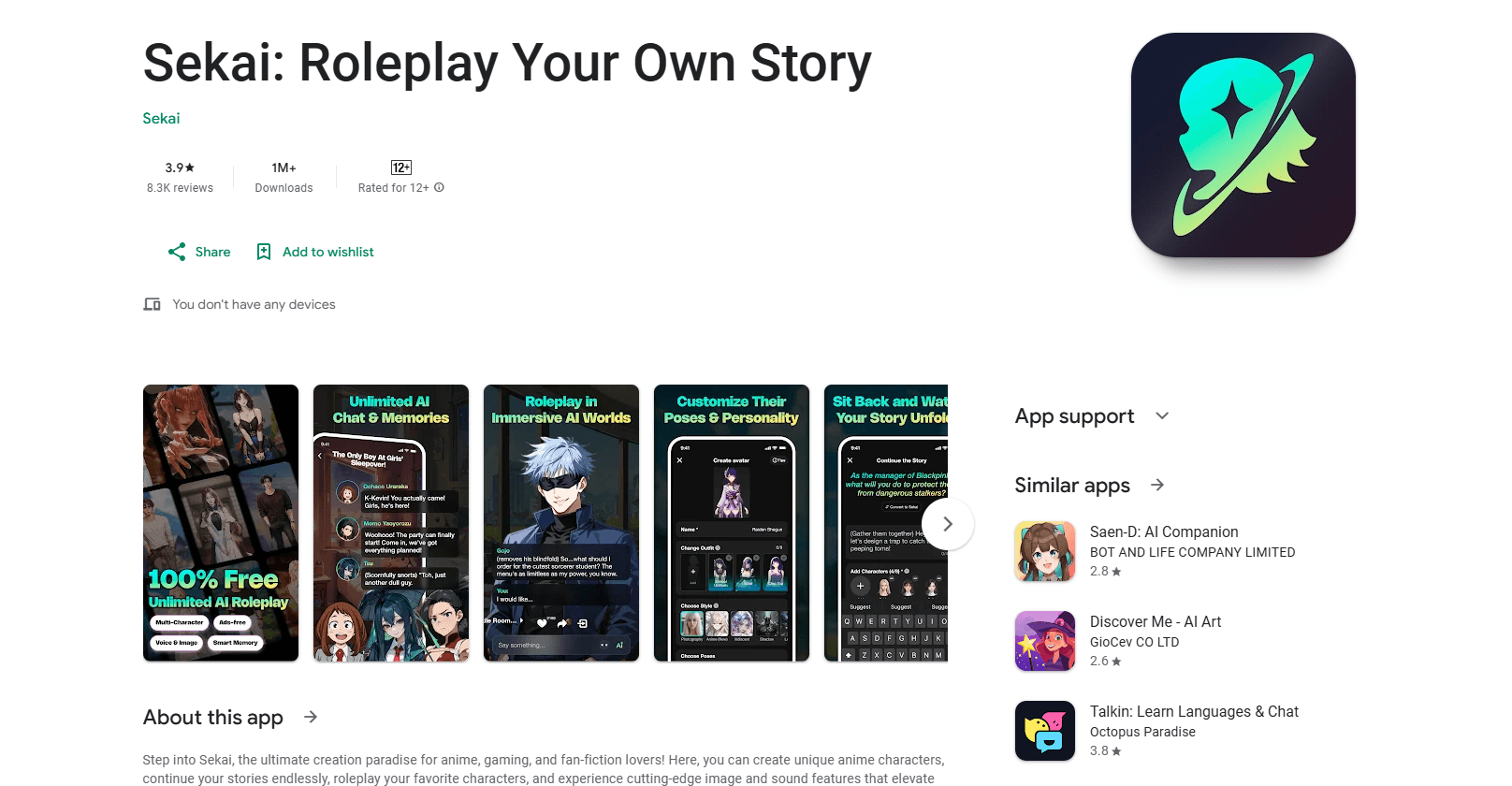
Sekai: Create · Remix · Play is an AI mini-app platform where you build, play, and remix interactive content without any coding. The app turns a plain idea into a working mini-app, an anime-style character, an AI story, or a roleplay scene, then lets you share it with a link. It targets casual creators who want to make something playable in minutes rather than learn a development stack.
About Sekai: Create · Remix · Play
What Is Sekai: Create · Remix · Play
Sekai is an AI-powered interactive content platform built around user-created mini-apps. Instead of just consuming content, you make it. You can spin up a tiny utility like a date-idea picker, build a playable card you send as a gift, run a fan poll, or launch a spin-the-wheel interaction. Each creation opens instantly in a browser or in the app, no install needed for the people you share it with.
The app also leans hard into anime-style character creation. As an anime character creator, you design a character, generate a story around it, and step into a roleplay scene where the AI keeps the character consistent across turns. Image and voice features round this out, so a character gets a face and a voice, not only typed lines. The pitch is simple. If you've got an idea for something fun, Sekai is meant to get you to a shareable result fast.
The catch is scope. Sekai works best for small, playful creations. If you need a complex web app with a database and user accounts, look elsewhere. And since much of the value comes from remixing what others made, a quiet community means fewer starting points. The platform is available on iOS and Android.
Getting Started
- Install the Sekai app on iOS or Android, or open the web version from a link someone shared with you.
- Browse the community feed of mini-apps, cards, and polls, then tap one you like to see how it plays.
- Tap Remix to copy that creation into your own workspace and change the parts you want.
- Describe your idea in plain language, or design an anime-style character and generate a story around it.
- Share the finished mini-app with a link, or keep it in your profile for others to discover.
Product Information
A quick look at Sekai: Create · Remix · Play's pricing, supported platforms, and performance.
Best for
The users, tasks, and scenarios where this tool fits best.
Users
- Casual creators
- Anime and roleplay fans
- Community builders
Tasks
- Turning a rough idea into a playable mini-app
- Designing an anime-style character and giving it a backstory
- Running a fan interaction or poll
- Remixing someone else's creation
Scenarios
- Making a small gift for a friend
- Hosting a quick community event
- Practicing roleplay or creative writing
- Prototyping an idea before building it for real
Key features
Create from a Plain-Language Prompt
You describe what you want and Sekai builds a working mini-app around it. Say you want a date-idea picker or a simple card, and you get something you can play and share straight away, even if you've never written a line of code or touched a design tool before. The point is skipping the blank-page problem that normally stops casual creators. It just works. Type the idea, hit build, and adjust from there.
Remix Any Creation You See
Every creation on the platform can be copied and changed. Tap Remix, and the original becomes your starting point. This is the fastest path to a usable result, since you edit something that already works instead of building from scratch. So what do you do with it? Start with the parts that annoy you, swap them out, and keep the structure that works.
Anime-Style Character Design
The app lets you design anime-style characters and bring them to life with image and voice features. A character you build isn't static. It carries into stories and roleplay scenes, so the design work pays off across everything you make.
AI Story Generation and Roleplay
You can generate a story around a character and step into a roleplay scene where the AI keeps the persona consistent. For anyone who writes or just enjoys interactive fiction, this is the part that holds attention beyond a single session. It also works as a warm-up for writing you're stuck on. Set a scene, pick a character, and let it run for a few turns.
Instant Play via Shared Links
Creations open instantly for anyone with the link, on mobile or desktop. Nobody has to install anything to play what you made. That matters when you're sharing with people who won't download an app just to try your idea.
Community Feed of Playable Content
The platform surfaces what other people built, from utilities to cards and polls. Browsing the feed is how most users find starting points. It also doubles as a place to publish your own work and see what lands.
Pros and cons
Pros
- No coding needed, so casual creators can ship something playable the same day.
- Remix turns existing creations into templates, which lowers the barrier for beginners.
- Anime character design and roleplay tools go deeper than most mini-app builders that stay text-only.
- Shared links open instantly on mobile or desktop, so your audience doesn't install anything.
- A free tier lets you test the platform before paying.
Cons
- Geared toward small, playful creations, so complex apps with accounts and databases are out of reach.
- The remix-first model depends on an active community; a quiet feed means fewer starting points.
- Much of the deeper anime and roleplay value sits behind the paid tiers, so heavy users will likely need a subscription.
Frequently asked questions
Sekai is an AI mini-app platform for creating, remixing, and playing interactive content. You can build a small utility, a playable card, a poll, an anime-style character, or a roleplay scene, then share it with a link that opens instantly.
Related content
Explore related tools, skills, and articles for Sekai: Create · Remix · Play.
Sekai: Create · Remix · Play Alternatives

Google EmbeddingGemma 2
Google DeepMind · Writing · Image · CodingGoogle EmbeddingGemma 2 is a 740M-parameter open model that turns text, code, images, audio, and video frames into vectors in one 768-dimension space, running on phones and laptops.

MePersona
MePersona, Inc. · Writing · Productivity · MarketingMePersona is an AI unified inbox for creators. It learns your voice, drafts replies to fan messages from 12 platforms, and sends only what you approve.

Fluence
Yay Software (Yannick Huchard) · Writing · Voice & Language · ProductivityFluence is an Android app that reads PDFs, EPUBs, Word files and web articles aloud, follows each sentence as it speaks, and answers questions about the text on the phone itself.