

Semflow
Semflow LLC · Coding · Marketing
Semflow is an AI SEO copilot for Webflow, Framer and, through its Chrome extension, any website. It audits pages, scores them, and turns the results into a short list of fixes.
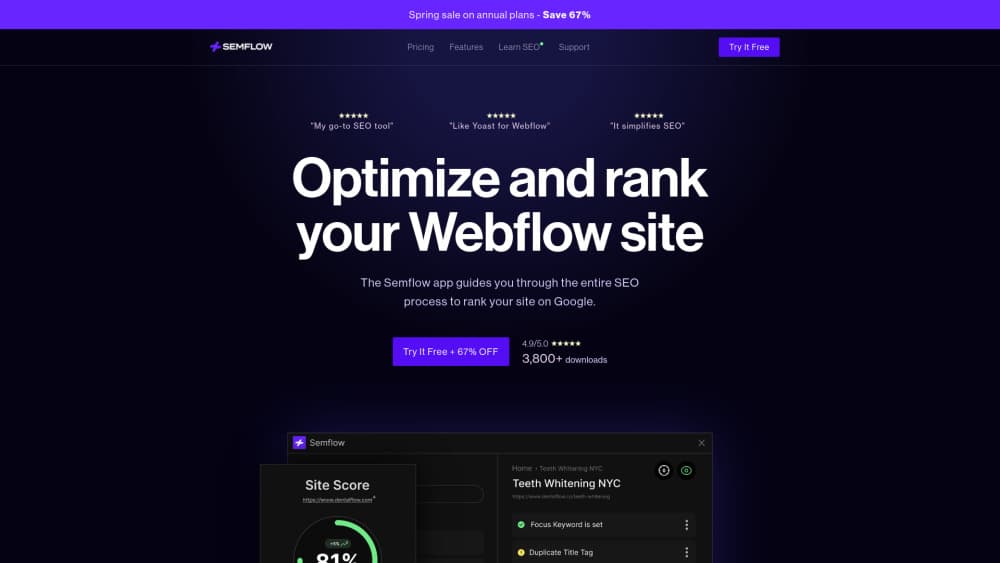
About Semflow
What Is Semflow
Semflow is an AI SEO tool that runs inside the site builder instead of in a separate dashboard. You open a page in Webflow or Framer, and a panel shows how that page scores, which errors matter, and what to change first. The company behind it is Semflow LLC, a spinout of the Webflow agency Pait Digital, so the workflow reflects how agencies actually hand off SEO work.
The product exists because full SEO suites cost more than most small sites earn from search. Semflow keeps the parts that move rankings for a brochure site or a small store: on-page checks, metadata, keyword targets, page speed, structured data, and rank tracking. The rest, like backlink prospecting and enterprise reporting, sits outside the product.
Two limits are worth knowing before you sign up. There's no free tier, only a 7-day trial, so you can't keep a site on it indefinitely at zero cost. And the deepest integration is still Webflow and Framer. On WordPress, Shopify, or Squarespace you get the Chrome extension, which audits and edits metadata but doesn't see the site the way a native app does.
Getting Started
- Create an account at semflow.com and pick a plan. The 7-day trial starts on the paid plan you choose, and you can switch tiers later.
- Connect a site. In Webflow or Framer you install the app from the marketplace. For other platforms you add the Semflow Chrome extension and open any page on your site.
- Run the first audit. Semflow crawls the site, scores each page, and separates critical errors from warnings.
- Set a target keyword per page. That unlocks the content checks and the AI suggestions for your title tag and meta description.
- Work the task list, then turn on the automatic site monitor so new issues surface without another manual scan.
Product Information
A quick look at Semflow's pricing, supported platforms, and performance.
Best for
The users, tasks, and scenarios where this tool fits best.
Users
- Webflow designers
- Framer users
- Freelancers and small agencies
- Founders running their own site
Tasks
- Running an on-page SEO audit across a whole site
- Writing title tags and meta descriptions
- Finding keywords a small site can win
- Watching AI search visibility
Scenarios
- Checking a site before launch
- Handing a client site back after a redesign
- Monthly maintenance on a small store
Key features
Page Audits With a Single Score
Semflow crawls every page and returns one SEO score plus a breakdown by category: content, technical health, performance, and structured data. Each issue comes with the specific element that failed, so you're not hunting through a list of generic warnings. The score is the part clients understand fastest, and it moves as you fix things.
AI Assistant for Titles and Meta Descriptions
The assistant reads the page, factors in your target keyword, and proposes a title tag and meta description you can accept or edit. It also flags pages where the metadata is missing, duplicated, or too long. For a 40-page site, that turns an afternoon of copywriting into a review pass.
AI Visibility Dashboard
This view tracks how often your brand appears in AI answers, including ChatGPT and Google AI Overviews, and suggests which pages to strengthen. Semflow calls the practice GEO, or generative engine optimization. Treat the numbers as a directional signal rather than a precise share of voice, since AI answers vary by user and session.
Keyword Research and Rank Tracking
Keyword Research Pro returns search volume and difficulty so you can pick terms with real traffic and a realistic chance of ranking. The rank tracker then follows those keywords over time and plots position changes on a chart. Both sit on the Pro plan, not Starter.
Schema and Robots.txt Helpers
The Smart Schema Builder generates valid markup for common page types, including articles, products, FAQs, and local businesses, without hand-writing JSON-LD. A separate robots.txt assistant decides which pages search crawlers and LLM crawlers can reach, which is the setting most sites get wrong when they add AI bots to a blocklist.
Chrome Extension for Other Platforms
The extension brings audits, keyword data, and metadata editing to any site you can open in a browser, including Shopify, WordPress, Squarespace, and hand-coded builds. It's the answer for agencies whose clients don't all use the same builder. The in-editor convenience of the native apps doesn't carry over.
Monitoring, Reports and Client Handoff
An automatic site monitor rechecks your site on a schedule and emails you when something breaks. Detailed reporting exports a PDF with scores, fixed issues, and keyword movement, which is the artifact agencies need at the end of a retainer month. Unlimited audits on every plan keep that cadence cheap.
Pros and cons
Pros
- Costs far less than a full SEO suite, with Semflow claiming around 60% savings against comparable tools.
- Runs inside Webflow and Framer, so fixes happen where the page lives and nothing gets lost in a handoff.
- The task list is ordered by impact, which keeps beginners from starting with cosmetic issues.
- Unlimited sites and audits on the Starter plan make it usable for agencies with many small clients.
- The Chrome extension covers sites that aren't on Webflow or Framer, so one tool can serve a mixed portfolio.
Cons
- No free plan. The 7-day trial is the only way to test it, and a slow site may not show ranking movement in that window.
- Native integration stops at Webflow and Framer. On other platforms you get browser-based checks, which can't see templates or CMS structure.
- Content writing, backlink outreach, and competitor gap analysis sit outside the product, so a content-led strategy still needs other tools.
- AI visibility tracking is directional. Use it to spot trends, not to report exact share of voice to a client.
Frequently asked questions
Semflow works as an SEO checker for a whole site: it audits pages for problems and tells you what to fix first. It covers on-page checks, metadata, page speed, structured data, and keyword targeting, and it works inside Webflow and Framer or through a Chrome extension on other platforms.
Related content
Explore related tools, skills, and articles for Semflow.
Semflow Alternatives

Base Code
Base44 (Wix) · Coding · ProductivityBase Code is a shared cloud development environment from Base44. Teammates describe changes to an existing GitHub codebase in chat, preview them live and send them back as pull requests.

Google EmbeddingGemma 2
Google DeepMind · Writing · Image · CodingGoogle EmbeddingGemma 2 is a 740M-parameter open model that turns text, code, images, audio, and video frames into vectors in one 768-dimension space, running on phones and laptops.

GitGlow
GitGlow · Coding · ProductivityGitGlow is a local-first desktop Git client that lets independent developers review their own code and their AI agents' changes in one place before shipping.