

Sendbird
Sendbird, Inc. · Marketing · Chatbot
Sendbird is a chat API and in-app messaging platform that lets developers add real-time chat, voice and video calls, AI chatbots and customer support to their own apps.
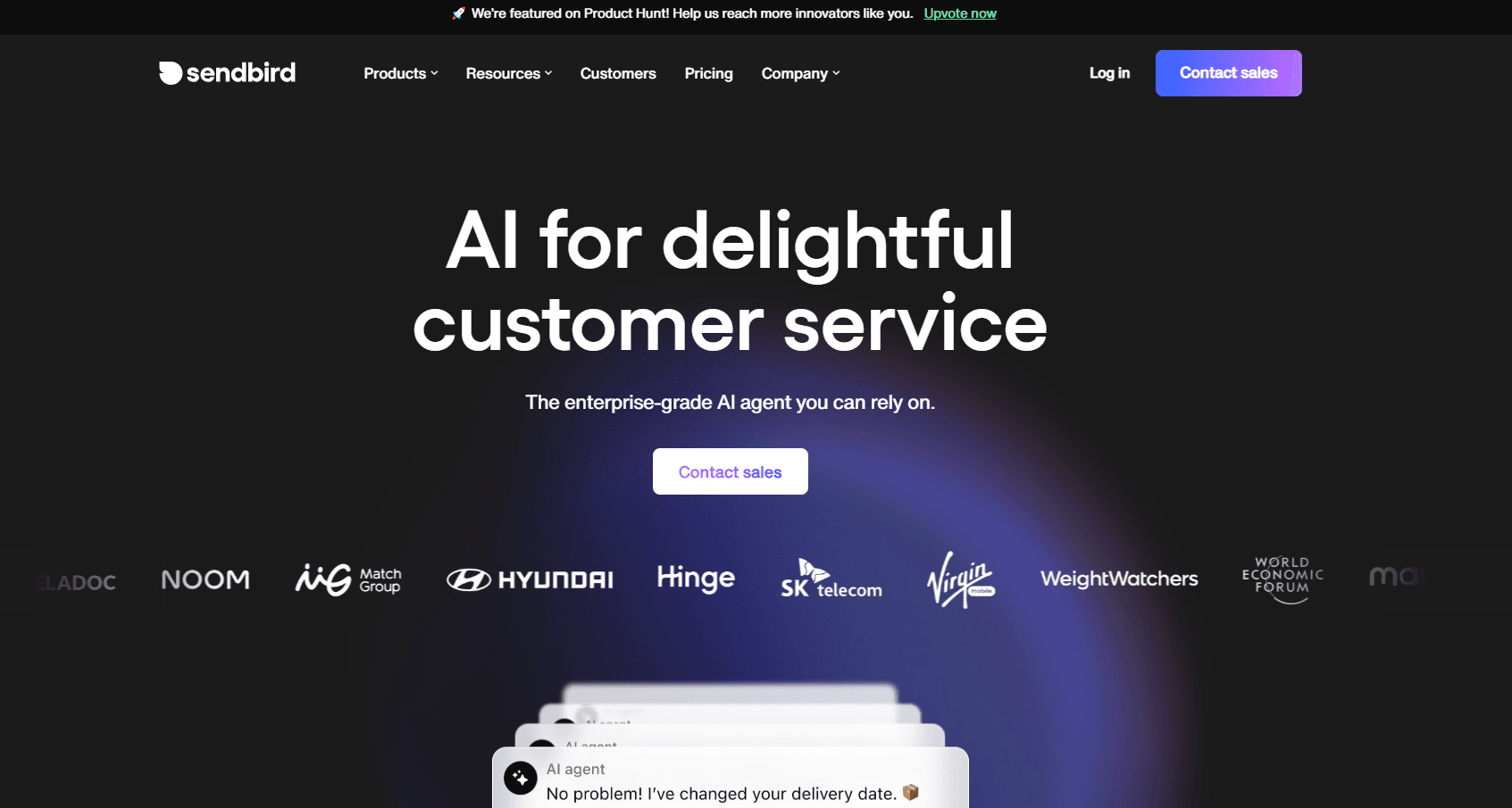
About Sendbird
What Is Sendbird
Sendbird gives product teams the messaging layer they would otherwise spend months building. Instead of wiring up sockets, delivery receipts and moderation from scratch, you drop in a messaging SDK and get private chats, group channels, media sharing and push notifications that hold up under load. The in-app messaging platform runs on Sendbird's own servers, so a small engineering team ships a chat feature without owning the infrastructure behind it.
The pitch leans on scale and reliability. Sendbird says it powers billions of conversations a month across thousands of apps, with regional hosting, end-to-end encryption and audit logs aimed at regulated industries. On top of chat sit voice and video calls, an AI chatbot API that answers customers from your own data, and a customer support software layer that routes a chatbot conversation to a human agent when it needs one.
The trade-off is cost and control. Sendbird is a paid API, with entry plans that start in the hundreds of dollars a month and pricing that climbs with monthly active users. Teams that want to run everything on their own boxes will find it a poor fit, because the whole point is that Sendbird hosts it.
Getting Started
- Create an account at sendbird.com and sign up for a free trial, then start an application in the dashboard.
- Copy your application ID and API token, then install the SDK for your platform, such as iOS, Android, JavaScript or Flutter.
- Connect the Sendbird server to your own user system so created users map to the people already in your app.
- Build a channel and drop in the UIKit components to render a working chat screen in minutes.
- Add features like moderation, translation or an AI chatbot from the dashboard, then test with real traffic before you upgrade off the trial.
Product Information
A quick look at Sendbird's pricing, supported platforms, and performance.
Best for
The users, tasks, and scenarios where this tool fits best.
Users
- App developers who need chat fast
- Marketplaces and on-demand apps
- Support and CX teams
Tasks
- Embedding real-time messaging
- Adding voice and video calls
- Automating first-line support
Scenarios
- Shipping a social or community feature
- Running live events and commerce
- Serving users across regions
Key features
Chat API and SDKs
Sendbird ships SDKs for iOS, Android, JavaScript, Flutter and a server-side platform API, so the same app works across mobile, web and backend jobs. The API handles delivery and read receipts, typing indicators, presence and push notifications out of the box. Engineers get the operational load, such as scaling and edge cases, off their plate.
UIKit components
UIKit gives you prebuilt UI components for chat, available as Sketch and Figma files plus an open source version. You drop the components into your app and get a working chat screen in minutes, then restyle it to match your own brand. It is the fastest path for teams that do not want to design a messenger from zero.
Voice and video calls
The Calls product adds private one-to-one and group calls, with group voice up to 1,000 users and video up to 10. Cloud recording, screen sharing, call history and multi-device support come with it. User IDs are shared with Chat, so the same account handles messages and calls.
AI chatbots and agents
Sendbird's AI chatbot API connects to models such as GPT-4o and pulls answers from your own content through retrieval augmented generation. It ingests sources like a website, help center or Shopify store, and both developers and non-developers can set one up from the dashboard. The AI agent hands a conversation to a human when it cannot resolve it.
Moderation and safety
A moderation dashboard, auto image moderation, profanity and domain filters keep public chat safe. Admins mute users, filter messages and manage spam from one place. For communities and marketplaces, this turns a risky open channel into something a small team can actually run.
Security and compliance
Sendbird runs end-to-end encryption and TLS in transit, role-based access controls and full audit logs. Regional hosting and data retention settings help teams meet data residency rules. Sendbird says it powers its infrastructure with FIDO2 multi-factor authentication and automated detection, aimed at security-conscious industries.
Pros and cons
Pros
- Prebuilt UIKit and SDKs across iOS, Android, JavaScript and Flutter cut chat build time from months to days.
- Chat, calls and AI chatbots share one user ID and one platform, so you are not stitching separate vendors together.
- Moderation, encryption, audit logs and regional hosting cover the safety and compliance needs of regulated products.
- A free trial lets a team test the full feature set before paying for a plan.
Cons
- Entry pricing starts around $349 a month, so Sendbird is not a cheap option for a small app with modest traffic.
- Costs scale with monthly active users, which makes budgeting harder as an app grows.
- It is a hosted service, so teams that must run messaging on their own servers cannot self-host it.
- Many features sit on the Pro and Enterprise plans, leaving the lower tier without translation or advanced moderation.
Frequently asked questions
Sendbird is used to add messaging to apps and websites. Developers use its chat API, SDKs and UI kits to build in-app chat, voice and video calls, AI chatbots and customer support without building the messaging backend themselves.
Related content
Explore related tools, skills, and articles for Sendbird.
Sendbird Alternatives

ngram 2.0
ngram · Video · Marketingngram 2.0 is an AI video generator for teams. It turns a prompt, a screen recording, or a product URL into a narrated explainer, product demo, or AI avatar video, and every scene stays editable.

shippedit.me
Krawlup · Marketing · Businessshippedit.me now redirects to Krawlup, a web platform that audits SEO, AEO and page speed every week, then hands the fixes to AI coding agents over MCP.

MePersona
MePersona, Inc. · Writing · Productivity · MarketingMePersona is an AI unified inbox for creators. It learns your voice, drafts replies to fan messages from 12 platforms, and sends only what you approve.