

Sensei AI
Sensei AI · Writing · Business
Sensei AI is a browser-based interview copilot that listens to live interview questions and drafts structured answers in about a second, using your resume and stories.
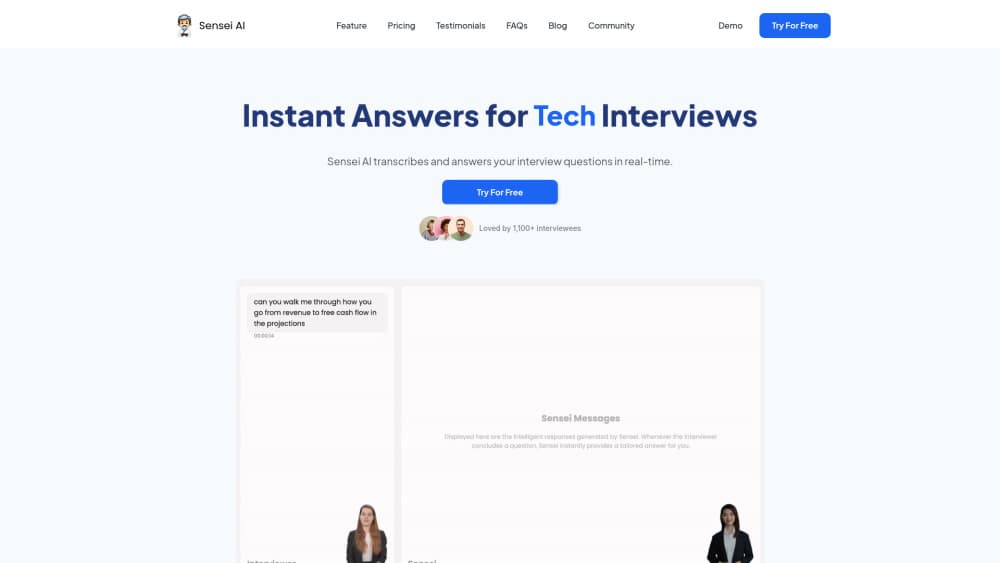
About Sensei AI
What Is Sensei AI
Sensei AI is a real-time interview assistant that sits in a browser tab next to your video call. It listens to the interviewer, turns each question into text, and writes an answer you can read out loud while the call keeps going. The pitch is simple: you never freeze on a question you didn't prep for.
The tool works off your own material. You upload a resume, add a few personal stories, and paste the job description, and it builds answers around that context instead of generic advice. You can also set the tone and the level of formality, which matters when you're switching between a startup screen and a bank panel interview.
Limits show up fast. It runs in a desktop browser, so there's no phone app for in-person interviews. The full feature set sits behind a paid plan, and the annual rate only applies if you pay the whole year up front. Answers also inherit whatever you feed it: a thin resume produces thin answers.
Getting Started
- Create an account at app.senseicopilot.com and pick the free plan to test the water.
- Upload your resume, add personal stories, and paste the job description for the role.
- Run a practice question in the playground, then adjust tone, length and formality until the output sounds like you.
- Open the copilot in a browser tab before your call, share the meeting, and read the drafted answers as questions come in.
Product Information
A quick look at Sensei AI's pricing, supported platforms, and performance.
Best for
The users, tasks, and scenarios where this tool fits best.
Users
- Career switchers
- Non-native English speakers
- New graduates facing first structured interviews
Tasks
- Behavioral questions
- Coding screens
- Resume and story prep
- Case and finance interviews
Scenarios
- Live video interviews on Zoom, Microsoft Teams or Google Meet
- The night before a final round
- Interviews in a second language
Key features
Real-Time Question Capture
Sensei AI transcribes the interviewer's speech as it happens, then drafts an answer in under a second according to the vendor. You read a structured response while the conversation continues, which removes the pause that usually gives away a stalled candidate.
Resume and Story Personalization
Everything it writes is anchored to the resume, personal stories and job description you upload. Two candidates asking the same question get different answers, and the details in yours are the ones an interviewer can actually follow up on.
Answer Style Controls
Tone, length and formality are adjustable, so the same story can come out casual for a startup founder or tight and formal for a consulting panel. It's the setting most people skip and then wonder why the output sounds unlike them.
Coding Copilot
A coding interview copilot ships with Pro. Technical interviews get a separate mode that reads the problem and suggests an approach. It covers common coding platforms, and it's built for thinking out loud rather than pasting a finished solution.
30+ Language Support
The copilot listens and answers in more than 30 languages. For candidates interviewing outside their first language, that's the difference between understanding a question and being able to answer it at speed.
Practice Playground, Resume Builder and Story Editor
A sandbox lets you test prompts before a real call, while the resume builder and story editor prepare the source material. Used together, they cover the prep work that most candidates do in a panic the night before.
Pros and cons
Pros
- Answers arrive in about a second, fast enough to keep a live conversation moving.
- Output is grounded in your resume and stories, not generic templates.
- Works in the browser next to Zoom, Teams and Google Meet with no plugin to install.
- 30+ languages plus a coding mode cover both language barriers and technical rounds.
- A free 15-minute session lets you judge the answer quality before paying.
Cons
- Pro costs $89 a month, or $24 a month only if you commit to a full year at $288.
- Browser only, so in-person and phone screens get no support.
- The free tier caps each copilot session at 15 minutes, which is short for a real interview.
- Reading generated answers can sound rehearsed, and many employers now treat undisclosed AI help as a violation of interview terms.
Frequently asked questions
It assists during live job interviews. Sensei AI transcribes the interviewer's questions and drafts structured answers from your resume, stories and the job description, so you can respond without long pauses.
Related content
Explore related tools, skills, and articles for Sensei AI.
Sensei AI Alternatives

Google EmbeddingGemma 2
Google DeepMind · Writing · Image · CodingGoogle EmbeddingGemma 2 is a 740M-parameter open model that turns text, code, images, audio, and video frames into vectors in one 768-dimension space, running on phones and laptops.

MePersona
MePersona, Inc. · Writing · Productivity · MarketingMePersona is an AI unified inbox for creators. It learns your voice, drafts replies to fan messages from 12 platforms, and sends only what you approve.

Fluence
Yay Software (Yannick Huchard) · Writing · Voice & Language · ProductivityFluence is an Android app that reads PDFs, EPUBs, Word files and web articles aloud, follows each sentence as it speaks, and answers questions about the text on the phone itself.