

SEOpital
SEOpital · Marketing · AI Detection
SEOpital is an AI SEO writing tool that reads the Google top 10 for a keyword, then drafts a new article or rewrites an existing page to match what ranks. Paid plans start at $49/mo.
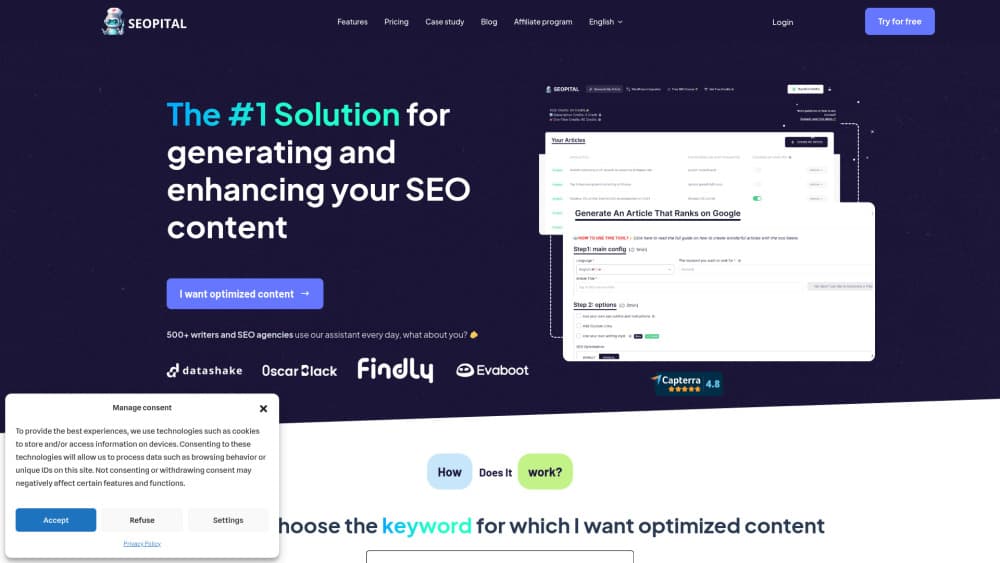
About SEOpital
What Is SEOpital
SEOpital is SEO copywriting software for producing blog content that's built around search results rather than around a prompt. You give it a keyword, and it pulls the current top 10 pages for that term, compares them across more than 50 variables, and turns the differences into a writing brief. Word count, heading structure, FAQ blocks, image counts, and the exact terms competitors use all feed into the draft.
That order of work is the whole argument for the tool. Most SEO content generators start typing the moment you press a button, which is why the output reads fine and ranks nowhere. SEOPital looks first, then writes. The result lands closer to something a competent SEO editor would hand a freelancer.
It's also narrower than a full SEO suite. There's no site crawler, no backlink index, and no technical audit. SEOPital covers the content side of SEO: keyword selection, briefing, drafting, content optimization on pages that already exist, and the position tracking that tells you whether any of it worked. If you already run Ahrefs or Semrush for the rest, the overlap is small.
The other limit worth knowing up front is the credit model. Every plan meters usage, so a heavy publishing month can run through an allowance faster than a flat subscription suggests. Budget for that before you commit a team to it.
Getting Started
- Create an account at app.seopital.co. The trial doesn't ask for a card, and you can cancel at any point after it starts.
- Enter the keyword you want to rank for, or import a list. The keyword research tool suggests related terms, and the clustering tool groups them by search intent so you're not writing five articles that fight each other.
- Check the SERP breakdown before you write. SEOPital lists the pages in the top 10 and the success factors it found in them, which doubles as a sanity check on whether the keyword is worth your time.
- Pick a mode. Use Generate when there's nothing on the page yet. Use the rewrite path when a URL already exists and you want the missing pieces added without losing your voice.
- Review the draft, then export it or push it to WordPress. Position tracking starts once the page is live and Search Console is connected.
Product Information
A quick look at SEOpital's pricing, supported platforms, and performance.
Best for
The users, tasks, and scenarios where this tool fits best.
Users
- In-house content marketers at SaaS companies
- SEO freelancers and small agencies
- Owners of content-heavy sites who write their own posts
Tasks
- Writing a first article for a keyword you've never ranked for
- Refreshing a page that slipped off page one
- Mapping a topic before you write
- Spotting pages that compete with each other
Scenarios
- Publishing twenty or more posts a month with two people
- Entering a market in another language
- Auditing an old blog before a redesign
Key features
SERP Analysis Across 50+ Variables
Before a word gets written, SEOPital pulls the top 10 results for your keyword and compares them on length, heading patterns, keyword usage, FAQ presence, image counts, and dozens of smaller signals. The output is a list of success factors, the traits the ranking pages share. That list becomes the outline. It's the difference between copying a competitor's article and understanding why it ranks.
Generate and Rewrite Modes
Generate builds an article from scratch when the keyword has no page yet. The rewrite side works the other way: you supply a URL or paste existing text, set a tone, and the tool adds the missing success factors in place. You keep your structure and your examples, and it fills the gaps. For sites with a few hundred old posts, the second mode is where most of the value sits, because rewriting from zero throws away whatever authority the page already earned.
Semantic Coverage and Internal Linking
The draft aims at topical coverage rather than keyword repetition. Related terms and questions that show up across the top results get worked into the body, and the tool suggests internal links to pages you already have. That matters more than density tricks: Google's helpful content guidance rewards pages that answer the surrounding questions, and readers stay longer when a paragraph points them somewhere useful next.
Keyword Research and Clustering
Two separate tools sit beside the writer. Keyword research generates and imports keyword lists, and keyword clustering groups them by search intent so each cluster maps to one page. Running both before drafting avoids the common failure where three posts chase the same query. You end up with a content plan instead of a list of titles.
Rank Checker and Cannibalization Alerts
Connect Google Search Console and the built-in rank checker tracks positions for as many keywords as you add. It highlights pages that lost traffic recently and flags pages ranking for the same keywords, which is the cannibalization problem most blogs discover by accident. Having both in one view changes the weekly routine: you fix the pages that already have impressions instead of starting new ones.
Duplicate Content Checker, LLM Tracker, and WordPress Publishing
The duplicate content checker is free and runs without a plan, which makes it a reasonable first test of the tool. The LLM tracker, sold as a separate product, checks whether ChatGPT, Perplexity, and other assistants mention your brand and cite your site. On the publishing side, a WordPress integration pushes a finished post live in one click, so the workflow runs from keyword to published URL without an export step.
Pros and cons
Pros
- The SERP-first workflow produces drafts that follow what actually ranks, which is more useful than a blank-page AI writer.
- The rewrite mode preserves existing copy, so refreshing an old post doesn't cost you the parts that already work.
- Keyword clustering and rank tracking come in the same account, which is enough to run a small content program without a second subscription.
- The WordPress integration and five writing languages cover most routine publishing needs.
- There's a no-card trial and a free duplicate content checker, so you can judge the output before paying.
Cons
- Pricing starts at $49/mo and every tier is credit-metered. A team publishing daily will likely need the $149 or $249 plan, or credit packs on top.
- Drafts still need a human edit. The prose is clean but generic in places, and technical or niche subjects need a specialist pass.
- There's no site audit, backlink data, or technical crawler, so it isn't a replacement for a full SEO platform.
- Longer articles can drift from the brief near the end, and the internal link suggestions are limited to pages the tool can see.
Frequently asked questions
SEOpital writes and rewrites blog content for search. You give it a keyword, it studies the top 10 results, and it produces a draft built around the traits those pages share. It also handles the keyword planning and position tracking around that work.
Related content
Explore related tools, skills, and articles for SEOpital.
SEOpital Alternatives

ngram 2.0
ngram · Video · Marketingngram 2.0 is an AI video generator for teams. It turns a prompt, a screen recording, or a product URL into a narrated explainer, product demo, or AI avatar video, and every scene stays editable.

shippedit.me
Krawlup · Marketing · Businessshippedit.me now redirects to Krawlup, a web platform that audits SEO, AEO and page speed every week, then hands the fixes to AI coding agents over MCP.

MePersona
MePersona, Inc. · Writing · Productivity · MarketingMePersona is an AI unified inbox for creators. It learns your voice, drafts replies to fan messages from 12 platforms, and sends only what you approve.