
SEOtube
SEOtube · Marketing
SEOtube is a browser-based YouTube SEO tool that studies your existing videos and generates titles, descriptions, tags and hashtags in the same voice, with keyword data attached.
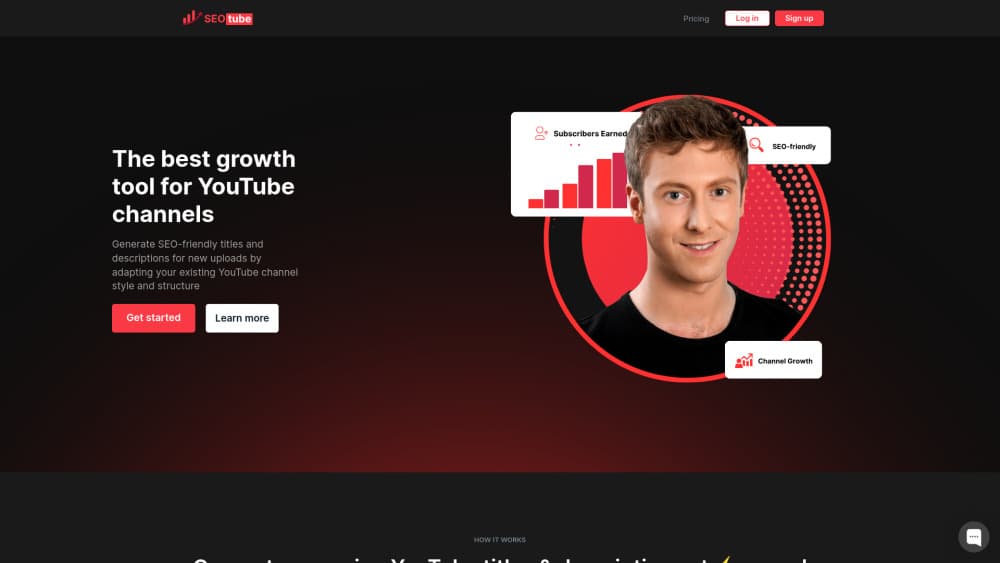
About SEOtube
What Is SEOtube
SEOtube, styled as SEO-Tube on its own site, handles the metadata side of a YouTube upload. You connect a channel, pick the videos that represent your style, and the tool drafts titles, descriptions, tags, hashtags and thumbnail ideas for the video you're about to publish. The pitch is narrow and clear: your old uploads already show what works with your audience, so the generator copies that pattern instead of producing generic keyword soup.
Think of it as a YouTube metadata generator with a memory of your channel, not a full YouTube growth suite. There's no competitor tracking dashboard, no thumbnail A/B testing, no retention analytics. Everything sits in one lane, which is the text under your video plus the tag and hashtag lists that feed YouTube search.
One practical caveat before you sign up. The homepage redirects straight to a sign-in screen, and there's no public pricing page. You can't see plan limits, export rules or cancellation terms until you create an account. Metadata tools change prices often, so confirm those details inside the app before you upload client work.
Getting Started
- Open seotube.app and sign in with the Google account tied to your channel.
- Connect the YouTube channel you want the tool to learn from.
- Choose a handful of videos that represent your best-performing style.
- Select the video you plan to publish and generate titles, descriptions, tags and hashtags.
- Read the keyword suggestions, edit anything that sounds off, then paste the fields into YouTube Studio.
Product Information
A quick look at SEOtube's pricing, supported platforms, and performance.
Best for
The users, tasks, and scenarios where this tool fits best.
Users
- Solo creators who upload weekly and dread writing descriptions
- Channel managers juggling several brands
- Podcast and interview hosts
- Creators publishing in a second language
Tasks
- Writing a title that carries a search phrase without reading like a keyword dump.
- Building a description that opens with a hook and then lists chapters.
- Filling tag and hashtag lists in a few minutes rather than twenty.
- Rewriting metadata for an old video that never found an audience.
Scenarios
- Batch upload days when five videos need metadata before noon.
- Reviving a back catalogue before a new series launches.
- Handing upload work to an editor or virtual assistant who doesn't know your niche.
Key features
Channel Style Matching
The tool reads your existing videos and builds a style reference from them. Tone, sentence length, how you open a description, the way you phrase calls to action all come from your own library. That's the difference between this and a generic YouTube title generator, which has no idea whether you run a dry tutorial channel or a loud reaction channel.
Titles Built Around a Search Phrase
Each title comes with the keyword it targets, so you can see why the generator chose a phrase. You still have to judge fit. A title that ranks for the wrong query brings views that leave in ten seconds, and no metadata tool can measure that for you.
Descriptions With Chapter Timestamps
Description drafts include a summary paragraph and chapter markers pulled from the video. This is the feature that saves the most time on long uploads. Check the timestamps against the actual cut before publishing, since auto-generated chapters drift when a video gets re-edited.
Tag and Hashtag Generation
The YouTube tag generator fills the tag box from your niche and video topic, and the YouTube description generator handles the paragraph above the fold, and the hashtag side keeps the list inside YouTube's limit of fifteen hashtags per video. Tags carry less ranking weight than they did years ago, but they still help YouTube sort a new upload into the right topic cluster.
Language-Aware Metadata
Metadata is written in the language you choose, not translated word for word from English. That matters for creators who run two channels, one local and one in English, because phrasing that works in one market often reads as filler in another.
Thumbnail Ideas
The tool suggests thumbnail concepts alongside the text fields. Treat these as rough direction rather than finished artwork: you get a composition idea, not a designed file, so you still need Canva, Photoshop or an editor to build it.
Pros and cons
Pros
- Learns from your own channel, so output sounds like your channel instead of a template.
- Produces titles, descriptions, tags, hashtags and thumbnail notes in one pass.
- Chapter timestamps remove the most tedious step of a long upload.
- Language-aware output suits creators running channels in two markets.
- The workflow stays inside the browser, with nothing to install.
Cons
- No public pricing page. You have to create an account before you can compare plans or check limits.
- Channel access is mandatory, which means granting a third-party app permission to read your YouTube data.
- Metadata only. It won't touch retention, thumbnails as files or end screens, so growth still depends on the video itself.
- No documented API, so teams that want to push metadata into a CMS have to copy and paste.
Frequently asked questions
It generates YouTube metadata from your existing channel style. You get draft titles, descriptions, chapter timestamps, tags, hashtags and thumbnail concepts for a new upload, plus keyword suggestions tied to each title.
Related content
Explore related tools, skills, and articles for SEOtube.
SEOtube Alternatives

ngram 2.0
ngram · Video · Marketingngram 2.0 is an AI video generator for teams. It turns a prompt, a screen recording, or a product URL into a narrated explainer, product demo, or AI avatar video, and every scene stays editable.

shippedit.me
Krawlup · Marketing · Businessshippedit.me now redirects to Krawlup, a web platform that audits SEO, AEO and page speed every week, then hands the fixes to AI coding agents over MCP.

MePersona
MePersona, Inc. · Writing · Productivity · MarketingMePersona is an AI unified inbox for creators. It learns your voice, drafts replies to fan messages from 12 platforms, and sends only what you approve.