

Sequel
Sequel · Coding
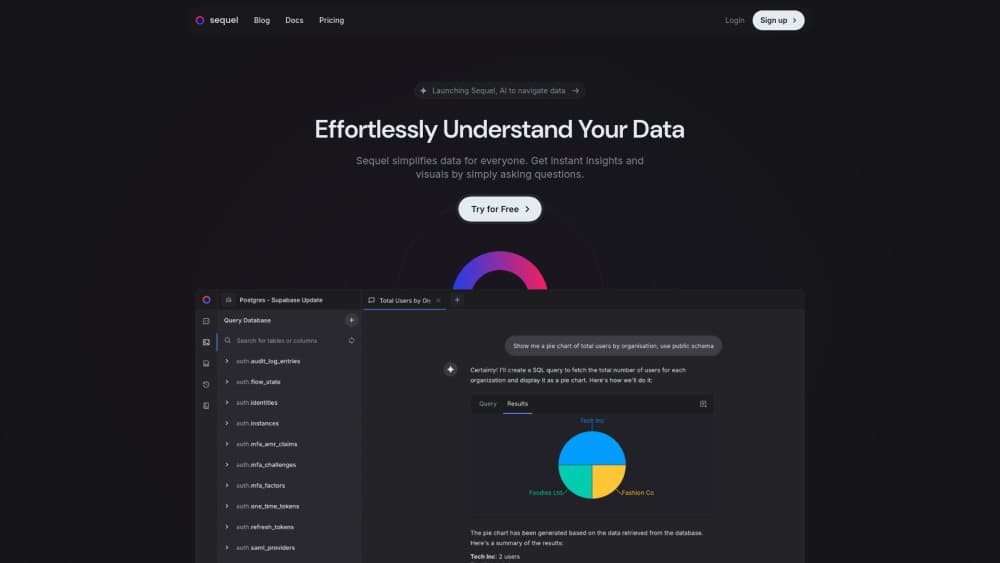
Sequel is an AI data analyst that plugs into your stack and answers business questions in plain English from any AI agent.
About Sequel
What Is Sequel
Sequel is an AI data analyst built for people who need answers from company data but don't write SQL. It connects to the systems your team already runs on, like Google Analytics, Stripe, HubSpot, Mixpanel, and your warehouse, then learns how your team defines each metric. You ask a question in plain English and it finds the right data, runs the analysis, and hands back a chart or a number.
It's a simple idea. Most data sits behind a query language or an analyst's backlog, so the people closest to a problem end up waiting or guessing. As a SQL alternative, Sequel lets anyone ask your data directly. Every teammate, from marketing to finance, can pull real numbers without filing a request.
The catch is that Sequel works best when your data actually lives in connected tools. If your numbers sit in spreadsheets nobody has cleaned up, or in a custom system with no integration, there's less for it to work with. It also lives inside an MCP client. So you need an AI agent like Claude Code, Cursor, or ChatGPT to use it. No agent, no Sequel.
Getting Started
- Install the Sequel MCP into your AI agent with a single command, which wires it into clients like Claude Code, Cursor, and VS Code.
- Connect your apps by authorizing sources such as analytics, billing, CRM, ad platforms, and your warehouse. Sequel keeps every schema in one place.
- Ask your first question in plain English, for example which campaign drove the most conversions last month.
- Review the answer and the chart, then correct the metric definitions your team cares about so later answers line up.
- Share access with teammates on the Team plan so everyone pulls from the same connected sources.
Product Information
A quick look at Sequel's pricing, supported platforms, and performance.
Best for
The users, tasks, and scenarios where this tool fits best.
Users
- Founders and operators who need the one number that matters without waiting on an analyst.
- Marketing and growth teams checking campaign performance and attribution on demand.
- Finance leads tracking burn, runway, and margins from connected billing and warehouse data.
Tasks
- Pulling last month's revenue or this week's signups without writing a query.
- Calculating customer acquisition cost by channel across ad platforms.
- Building a quick chart that explains why a metric moved, ready to drop into a deck.
Scenarios
- A Monday morning check on pipeline health before a team standup.
- Answering a sudden question in a meeting instead of promising to follow up later.
- Onboarding a new hire who needs to explore company data without learning SQL first.
Key features
Natural Language Queries
You type a question the way you'd say it out loud, and Sequel turns it into the right queries and a finished answer. This natural language analysis handles joins, math, and reshaping on its own. No stitching spreadsheets together just to get one number.
Company Metric Memory
Sequel learns how your team defines each metric and keeps that memory across sessions. Every agent you connect pulls from the same definitions. Why does that matter? Two teammates asking about CAC then get the same answer instead of two different ones.
MCP Integration
Sequel installs into Claude Code, Cursor, VS Code, or any MCP client with one command. This MCP integration turns your existing agent into a data assistant that sees a governed view of your data. You keep the tool you already use and just make it smarter about your business.
Planning Before Running
Version 2 plans an approach before it touches your data. It decides which tables matter and how the steps fit together. Fewer dead ends. It helps when a question is vague, too.
Python Workbench
Results land in a Python workbench where they're cleaned and reshaped, then turned into readable charts. That covers the messy middle of real analysis. A single query never handled that part.
Wide Source Coverage
Sequel connects analytics, billing, CRM, ad platforms, and warehouses into one set of data sources. Integrations cover Google Analytics, Search Console, Google Ads, Meta Ads, HubSpot, Stripe, Mixpanel, Amplitude, PostHog, Google Sheets, and Intercom. It links the systems where your real numbers live, not the documents that usually get them wrong, and it does so without a migration or a new dashboard to learn.
Pros and cons
Pros
- Answers business questions in plain English, so non-technical teammates don't wait on a data team.
- Shared metric definitions keep answers consistent across every connected agent and user.
- One-command MCP install lets you keep working in Claude Code, Cursor, or ChatGPT.
- Free plan covers 3 data sources and 50 queries a month, enough to test the workflow.
- Connects real systems of record with no migration and no new dashboards to learn.
Cons
- Only useful if your data lives in supported tools, so custom or messy spreadsheets reduce what it can do.
- You need an MCP client set up to use it at all, which adds a step before the first query.
- The cheapest paid tier is single-user, so shared workspaces mean moving up to the $99/mo Team plan.
Frequently asked questions
Sequel is an AI data analyst. It connects to your company's data sources, learns your metric definitions, and answers questions in plain English through an AI agent, returning numbers, analysis, and charts.
Related content
Explore related tools, skills, and articles for Sequel.
Sequel Alternatives

Base Code
Base44 (Wix) · Coding · ProductivityBase Code is a shared cloud development environment from Base44. Teammates describe changes to an existing GitHub codebase in chat, preview them live and send them back as pull requests.

Google EmbeddingGemma 2
Google DeepMind · Writing · Image · CodingGoogle EmbeddingGemma 2 is a 740M-parameter open model that turns text, code, images, audio, and video frames into vectors in one 768-dimension space, running on phones and laptops.

GitGlow
GitGlow · Coding · ProductivityGitGlow is a local-first desktop Git client that lets independent developers review their own code and their AI agents' changes in one place before shipping.