

Shadow
Converse AI Inc. · Voice & Language · Productivity
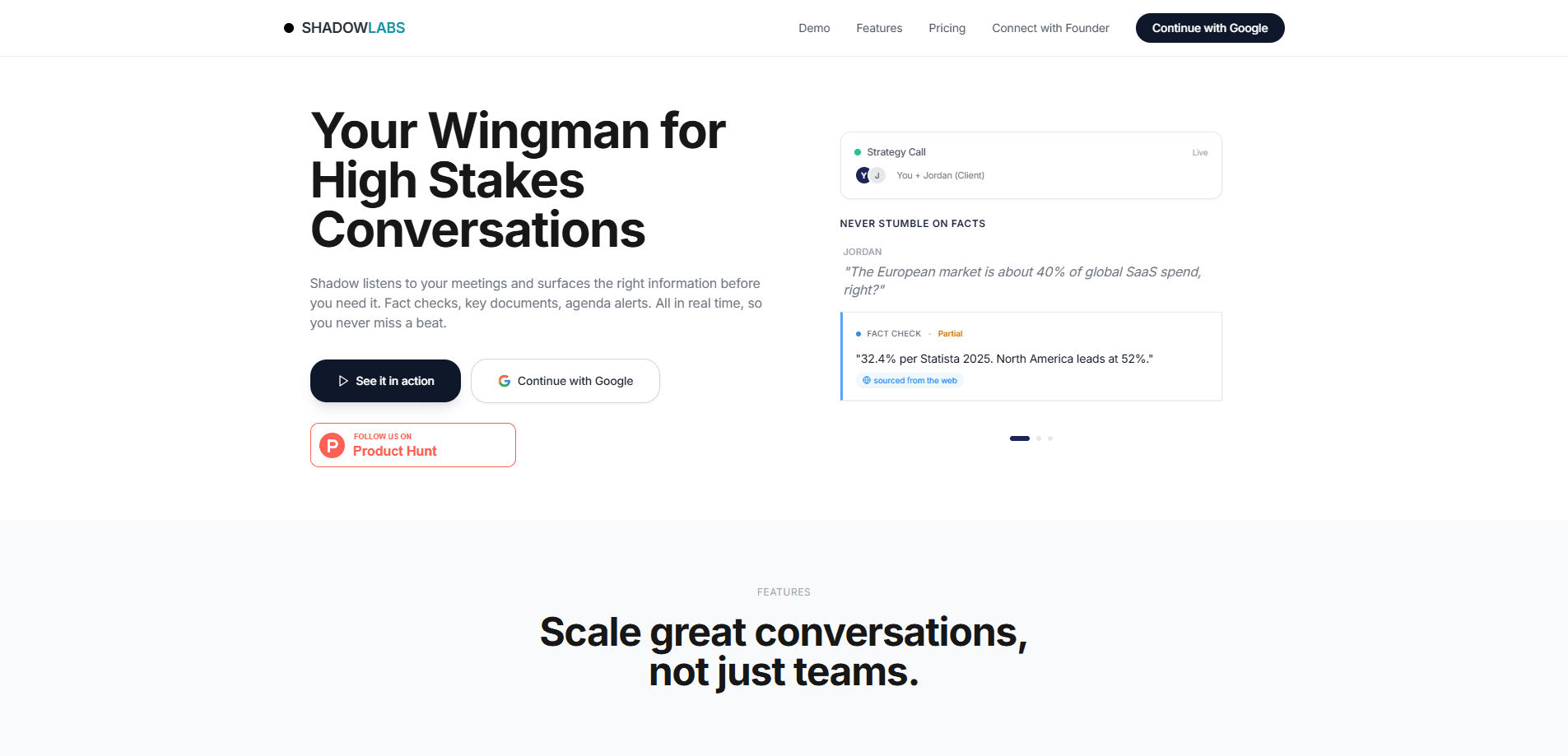
Shadow is an AI coworker built for sales teams, made by Converse AI Inc. It runs natively on your Mac and listens on live calls, serving up answers, client context, and fact-checks the moment a hard question lands. After the call, it captures what was said and drafts your follow-through. Unlike meeting bots that report on a conversation after it ends, Shadow works during the call to help the rep in the moment. That's the whole idea.
About Shadow
What Is Shadow
Shadow is an AI sales assistant that sits alongside you on real calls. It listens in the background, remembers the account details you'd rather not dig up mid-sentence, and puts the right answer on screen while the client is still talking. When the call wraps, it turns the conversation into a follow-up draft and tracks the action items.
The appeal is simple: sellers lose deals in the small gaps. You forget the client raised their Series B, you fumble the pricing question, and you spend 40 minutes afterward reconstructing the call. As a live call assistant, Shadow targets those gaps. It's a Mac app first, so it hears audio from Zoom, Google Meet, or Teams without joining as an awkward bot that everyone sees on the roster.
The biggest limit is scope. Shadow is a sales call AI first, not a general AI note taker for every meeting, and it isn't trying to be your CRM or your project tracker. Windows is still in development, so the product only runs on macOS today. That's a real constraint. The manager and CXO tools are on the roadmap rather than live, which means the features that appeal most to sales leadership aren't fully here yet.
Getting Started
- Book a demo through the Shadow site and walk through it on your own workflow.
- Set up the app on your Mac and connect the tools it should read from, such as Gmail, Google Calendar, Notion, or Slack.
- Pick the account you're calling into so Shadow can load the relevant context.
- Start your call on whatever platform you use and let Shadow listen.
- Review the auto-captured notes and follow-up draft after you hang up.
Product Information
A quick look at Shadow's pricing, supported platforms, and performance.
Best for
The users, tasks, and scenarios where this tool fits best.
Users
- Sales reps
- Sales teams of 5 to 50
- Revenue leaders weighing coaching tools
Tasks
- Handling live objections
- Remembering account context
- Drafting follow-ups
Scenarios
- Cold calls where background research usually eats your prep time
- Back-to-back call days
- Multilingual accounts
Key features
Live Call Assist
Shadow runs natively on your Mac and listens on your calls, then serves answers while the conversation is still moving. If a client asks a hard question, it pulls the relevant fact or framing and puts it on screen. Not after the call. During it. It watches the transcript in real time rather than summarizing once the call is over.
Client Context on Demand
The app remembers account details and surfaces them at the right moment, like a funding round or a past promise. You connect Gmail, Google Calendar, Notion, Slack, Salesforce, Jira, and Linear, and Shadow reads from those sources to ground what it tells you. No more pausing to check a CRM tab while someone waits on the line. How much context does it actually hold? It leans on whatever you connect, so the more sources you wire up, the sharper the picture gets.
Automatic Follow-Up Drafts
After each call, Shadow captures the conversation and drafts your follow-through, then tracks action items to done. That removes the chunk of the day most reps spend reconstructing notes. The drafts arrive in the language the call happened in. No scrambling. No lost threads.
Real-Time Fact-Checking
Shadow checks the claims flying around the call against your connected sources. In its own demo, it flags a stale pricing figure and reminds the rep to hold the line on platform pricing. Small catch. Big stakes. The point is to stop a slip before it costs you the deal.
Team Memory
The Team plan adds a shared graph of plays, objections, and answers across every rep. When one seller finds a line that works, it becomes reusable for the rest. That's the compounding part. Shadow describes this as personal AI in front, team knowledge behind.
Broad Language Support
Transcription, live assist, and follow-up drafting work across 60+ languages, live. The tool follows the language of the call rather than forcing everyone into English. That matters if you sell into markets you don't speak fluently.
Works Across Conferencing Platforms
Because Shadow runs natively on the Mac rather than joining as a bot, it works with Zoom, Google Meet, Teams, or anything with audio. Clients don't see a bot request pop up on the roster. That keeps the call feeling like a call. Nothing changes on their end.
Pros and cons
Pros
- Helps during the call, not just reports after it, which is where sales conversations are actually won or lost.
- Runs natively on the Mac, so it works with any conferencing platform without joining as a visible bot.
- Live assist and follow-up drafts cover 60+ languages.
- Free tier gives you the full product for the first 5 hours of calls with no credit card.
- Connects to common sales and productivity tools like Salesforce, Slack, and Gmail.
Cons
- macOS only for now, so Windows users have to wait for builds in development.
- Built for sales calls, so it won't replace a general AI note-taker for non-sales meetings.
- Pricing on the Team plan isn't published, which makes budgeting hard before you talk to sales.
- Manager and CXO tools are listed as roadmap, so the leadership features aren't live yet.
Frequently asked questions
Shadow is an AI coworker for sales teams. It listens on live calls to feed reps real-time answers and context, then drafts follow-ups and tracks action items after the call. It's meant to help sellers perform in the moment, not just log what happened.
Related content
Explore related tools, skills, and articles for Shadow.
Shadow Alternatives

Foley
Hanamori Labs, LLC · Voice & Language · Productivity · AI AssistantFoley is a voice to-do list that turns a spoken sentence into a filed task, complete with project, date and time, then helps you plan the day around what is already there.

HireKey
HireKey · Voice & Language · Productivity · LeaningHireKey is an AI job search copilot built by a former tech recruiter. It checks role fit, tailors resumes, runs interview practice and tracks every application.

Fluence
Yay Software (Yannick Huchard) · Writing · Voice & Language · ProductivityFluence is an Android app that reads PDFs, EPUBs, Word files and web articles aloud, follows each sentence as it speaks, and answers questions about the text on the phone itself.