
Shell Sage
Dheeraj (dheerajcl), open-source project on GitHub · Coding
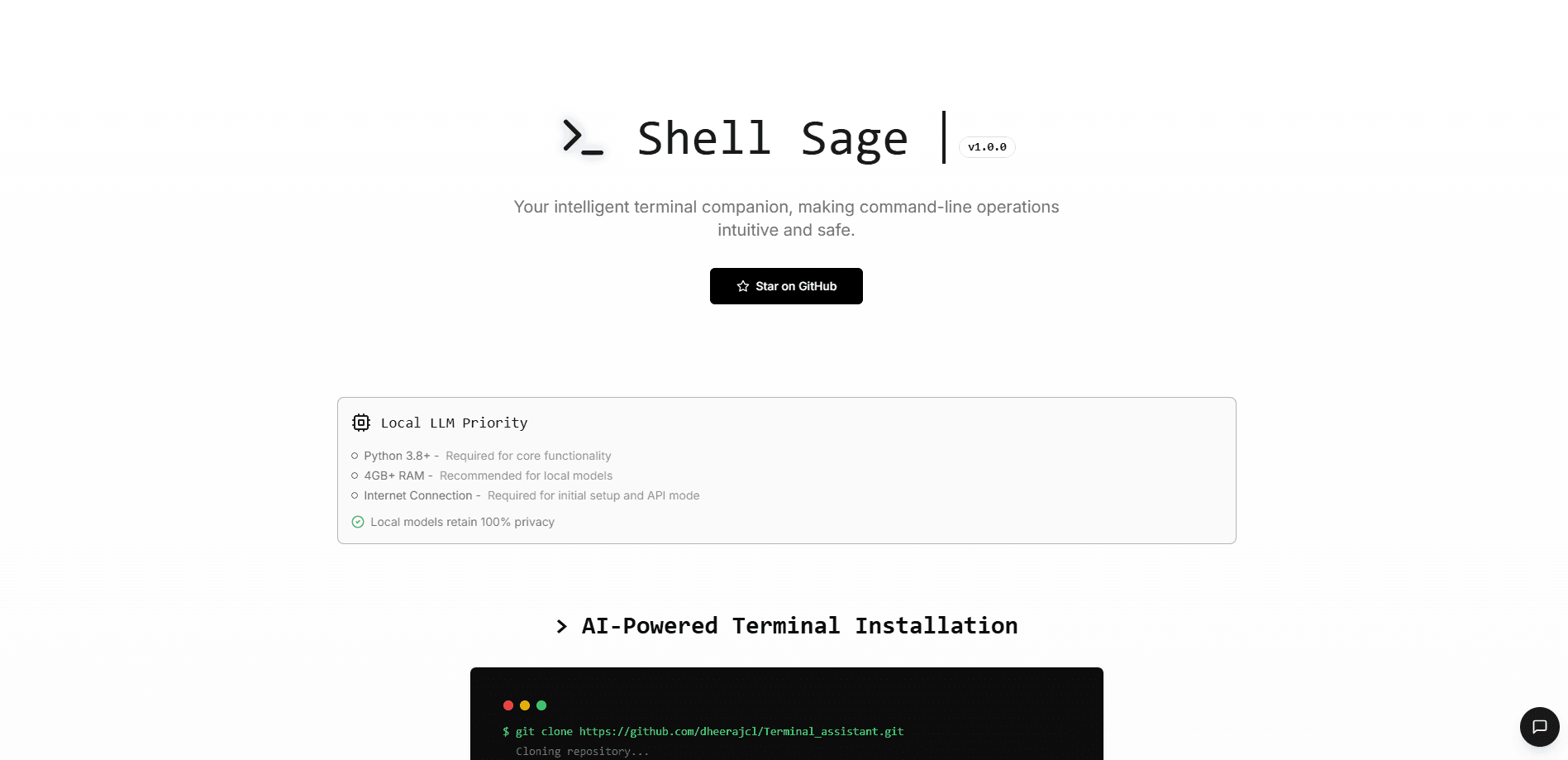
Shell Sage is an open-source AI terminal assistant that translates plain English into shell commands, diagnoses errors and checks risky commands before they run.
About Shell Sage
What Is Shell Sage
Shell Sage is a command-line tool that sits inside your terminal and helps you work with Linux and Unix commands. You describe what you want in everyday language, and it writes the command for you. When a command fails, it reads the error and suggests a fix. The project is open source and lives on GitHub, where the developer publishes it under the Apache 2.0 license.
The tool is built for people who use the terminal often but don't want to memorize every flag and pipe. A sysadmin can ask for a disk cleanup and get a find command back. A developer who just hit a cryptic error can ask Shell Sage what went wrong and get a plain-language explanation. Nothing runs until you confirm it, so a command that looks dangerous gets flagged before it touches your files.
Two things are worth knowing up front. Shell Sage runs on Python and works best on Linux and macOS, with Windows support still limited. It also depends on a language model to work. You either point it at a local model through Ollama, which keeps your data on your machine, or at a cloud provider like Groq, OpenAI or Anthropic, which is faster but sends your queries over the internet.
Getting Started
- Clone the project from GitHub and run the install script, which pulls in the Python dependencies
- Install Ollama and pull a local model if you want to run everything on your own machine, or add an API key for a cloud provider instead
- Run
shellsage setupto pick local or API mode and choose your model through the wizard - Type a request in plain English with
shellsage ask, review the generated command and confirm it before it executes
Product Information
A quick look at Shell Sage's pricing, supported platforms, and performance.
Best for
The users, tasks, and scenarios where this tool fits best.
Users
- Linux and macOS power users
- System administrators and DevOps staff
- Developers debugging shell errors
- Privacy-focused users
Tasks
- Turning plain English into commands
- Error diagnosis
- Safe command review
- Complex workflows
- Model and provider switching
Scenarios
- You forgot a flag again
- A build script fails at 2am
- A command looks dangerous
- You work on sensitive data
- You move between machines
Key features
Natural Language to Shell Command
The core feature works as a shell command generator: it turns a sentence into a working command. Type shellsage ask "find large files over 1GB" and it returns something like find / -type f -size +1G -exec ls -lh {} \;. You don't have to remember the exact syntax for find, grep or awk combinations, which is what makes this CLI AI assistant useful for anyone who uses the terminal but doesn't live in it.
Context-Aware Error Diagnosis
When a command fails, Shell Sage reads the error and explains it, then suggests a fix. It catches common problems such as wrong paths or bad flags and points to the likely cause rather than making you guess. The project ships this as one of its two headline capabilities, alongside command generation.
Safe Execution Workflows
Shell Sage checks commands before they run and flags ones that could cause damage. A request to delete an absolute path, for example, gets a warning and a safer alternative like rm -rf ./important-folder. Commands only execute after you confirm them, so you stay in control of anything destructive.
Local and Cloud Model Support
The tool runs on either a local or a cloud model, and you pick which one during setup. Local mode uses Ollama to keep everything on your machine, which suits private or sensitive work. Cloud mode connects to Groq, OpenAI, Anthropic, Fireworks, OpenRouter or DeepSeek for faster answers, and the company notes that speed and quality vary by provider.
Interactive Setup Wizard
A shellsage setup command walks you through the first run. It asks whether you want local or API mode, then lets you choose a model. The default local options include llama3:8b-instruct-q4_1, mistral:7b-instruct-v0.3 and phi3:mini-128k-instruct, and API users pick a provider and paste a key.
Runtime Mode and Model Switching
Once you're set up, you can switch modes or models without reinstalling. shellsage config --mode api moves you to a cloud provider and shellsage config --mode local --model points the tool at a different local model. The same command also handles the interactive switch if you prefer to pick from a list.
Multi-Provider and Custom Model Support
Shell Sage supports six cloud providers out of the box, and it doesn't lock you to the models the wizard shows. You can set any model your provider offers by editing the API_MODEL value in the .env file, which keeps this open-source CLI tool current as new models ship.
Pros and cons
Pros
- Open source under the Apache 2.0 license, so you can read the code, fork it and run it without a subscription
- Local mode through Ollama keeps commands and data on your own machine, which suits private work
- Confirms commands before running them and flags destructive ones, adding a safety check to the CLI
- Switches between local and six cloud providers, so you can trade privacy for speed as needed
- Free to use, with the only real cost being your own cloud API bill if you pick API mode
Cons
- Still in alpha, with limited Windows support and known issues on zsh and fish, so compatibility isn't guaranteed across setups
- Error detection can throw occasional false positives, which means you may see a fix suggested for a command that was fine
- API mode needs a provider key and sends your queries over the internet, so it isn't fully private
- Local models need 4GB or more of RAM, and the largest models push that to 16GB or higher
- The public project is small, with about 76 GitHub stars at the time of writing, so community support is limited
Frequently asked questions
Shell Sage is an open-source AI terminal assistant that runs in your command line. It turns plain English into shell commands, explains errors and suggests fixes, and checks risky commands before they run. It works with a local model through Ollama or a cloud provider like Groq, OpenAI or Anthropic.
Related content
Explore related tools, skills, and articles for Shell Sage.
Shell Sage Alternatives

Base Code
Base44 (Wix) · Coding · ProductivityBase Code is a shared cloud development environment from Base44. Teammates describe changes to an existing GitHub codebase in chat, preview them live and send them back as pull requests.

Google EmbeddingGemma 2
Google DeepMind · Writing · Image · CodingGoogle EmbeddingGemma 2 is a 740M-parameter open model that turns text, code, images, audio, and video frames into vectors in one 768-dimension space, running on phones and laptops.

GitGlow
GitGlow · Coding · ProductivityGitGlow is a local-first desktop Git client that lets independent developers review their own code and their AI agents' changes in one place before shipping.