

Shortd
Shortd · Writing · Video
Shortd is an AI app that turns PDFs and images into short video reels, so students, trainers and creators can explain ideas faster.
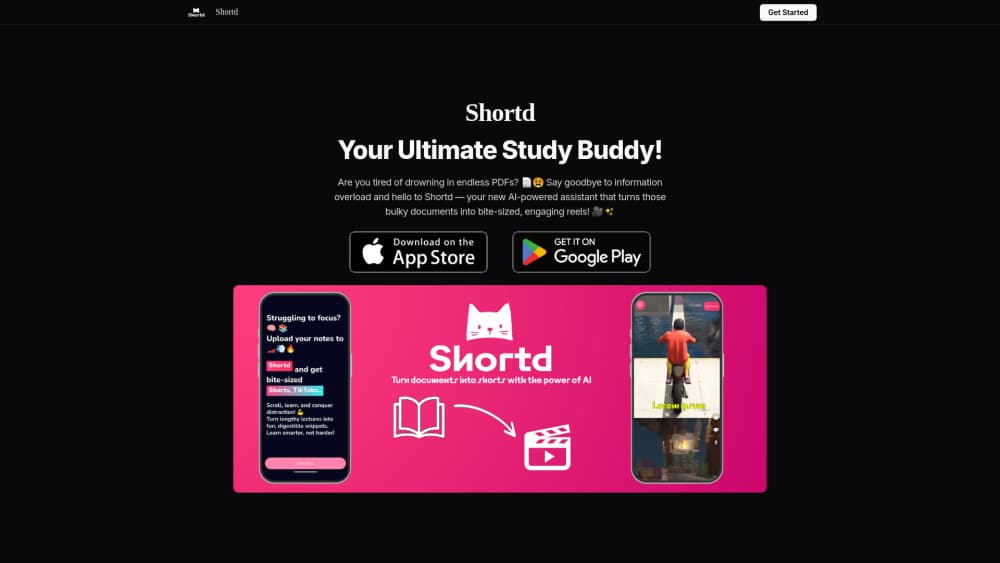
About Shortd
What Is Shortd
Shortd is an AI video app that reads your PDFs and images and rebuilds them as short, watchable video reels. Instead of a wall of dense text, you get a compact clip that walks through the key points, which is easier to post, share, or review before an exam or a meeting.
The idea is simple. Most documents are built to be filed, not watched. Nobody scrolls a 40-page PDF on a phone. Shortd targets that gap. It's aimed at students, teachers, trainers, and marketers who need to turn existing material into something people actually finish. One file in. One reel out.
The catch is that it works from the files you feed it, so the quality of the reel depends on how clear the source is. A messy scan with tight columns won't turn into a clean video, no matter how good the AI is. Just the opposite, usually. Treat Shortd as a fast first draft of your content, then check the result before you publish it. That last step isn't optional.
Getting Started
- Sign up for a Shortd account on the web, or install the app on your phone.
- Upload the PDF or image you want to turn into a reel.
- Pick a style and let Shortd generate the draft video from your file.
- Review the reel, edit the text or order if something reads wrong, and adjust the pacing.
- Export the final clip and post it, or save it for later.
Product Information
A quick look at Shortd's pricing, supported platforms, and performance.
Best for
The users, tasks, and scenarios where this tool fits best.
Users
- Students
- Teachers and tutors
- Content creators and marketers
Tasks
- Turning a PDF into a video
- Explaining a topic in under a minute
- Repurposing existing content
Scenarios
- A student with a stack of revision PDFs wants a few quick reels the night before a test.
- A teacher wants to preview tomorrow's lesson as a short clip for a group chat.
- A marketer has a product one-pager and needs a video version for a campaign, fast.
Key features
PDF to Video Conversion
Shortd takes a PDF and turns it into a video reel, pulling the main points and arranging them into a sequence you can watch. It reads a document the way a viewer would, not the way a printer would. That's the whole point. The PDF stays the source of truth, and the reel becomes the version people actually finish.
Image to Video Reels
You can also feed it images and get back a reel built from them, which is handy when your material is a set of screenshots, slides, or scanned pages rather than a single document. It stitches the visuals into a short, ordered clip instead of leaving you with a folder of loose images. Sitting on a pile of photos? That alone saves time.
AI Summarization
The app condenses long material into a short script, so a 30-page document doesn't become a 30-minute video. It picks out what matters and drops the rest. The tradeoff is judgment. You should skim the reel for anything it flattened too far. It's a summarizer, and summarizers cut.
Multiple Video Styles
Shortd offers different styles so the same file can come out looking formal for a classroom or punchy for social media. You're not locked into one template. That range matters. A clip for a lecture and a clip for a feed shouldn't look the same, even if they cover the same idea.
Editing Before Export
You get to adjust the draft before you commit to it. Fix the wording, reorder the scenes, or trim a section that reads wrong. This editing step is the difference between a rough AI output and something you'd actually put your name on. Worth the extra minute. Every time.
Pros and cons
Pros
- Turns PDFs and images into short video reels without any editing or design skill.
- AI summarization cuts long documents down to the parts worth showing.
- Multiple styles cover both classroom and social media use.
- Draft editing before export means you can fix the AI's gaps instead of shipping them.
Cons
- Output quality depends heavily on the source file, so messy scans and dense layouts produce weaker reels.
- Summarization can drop detail you wanted, so you have to review every clip before sharing.
- No public API, which rules it out if you wanted to automate reel creation inside your own workflow.
Frequently asked questions
Shortd is an AI app that turns PDFs and images into short video reels. You upload a file, it builds a draft clip around the main points, and you edit and export it.
Related content
Explore related tools, skills, and articles for Shortd.
Shortd Alternatives

Google EmbeddingGemma 2
Google DeepMind · Writing · Image · CodingGoogle EmbeddingGemma 2 is a 740M-parameter open model that turns text, code, images, audio, and video frames into vectors in one 768-dimension space, running on phones and laptops.

MePersona
MePersona, Inc. · Writing · Productivity · MarketingMePersona is an AI unified inbox for creators. It learns your voice, drafts replies to fan messages from 12 platforms, and sends only what you approve.

Fluence
Yay Software (Yannick Huchard) · Writing · Voice & Language · ProductivityFluence is an Android app that reads PDFs, EPUBs, Word files and web articles aloud, follows each sentence as it speaks, and answers questions about the text on the phone itself.