

Shotomatic
Shotomatic · Other
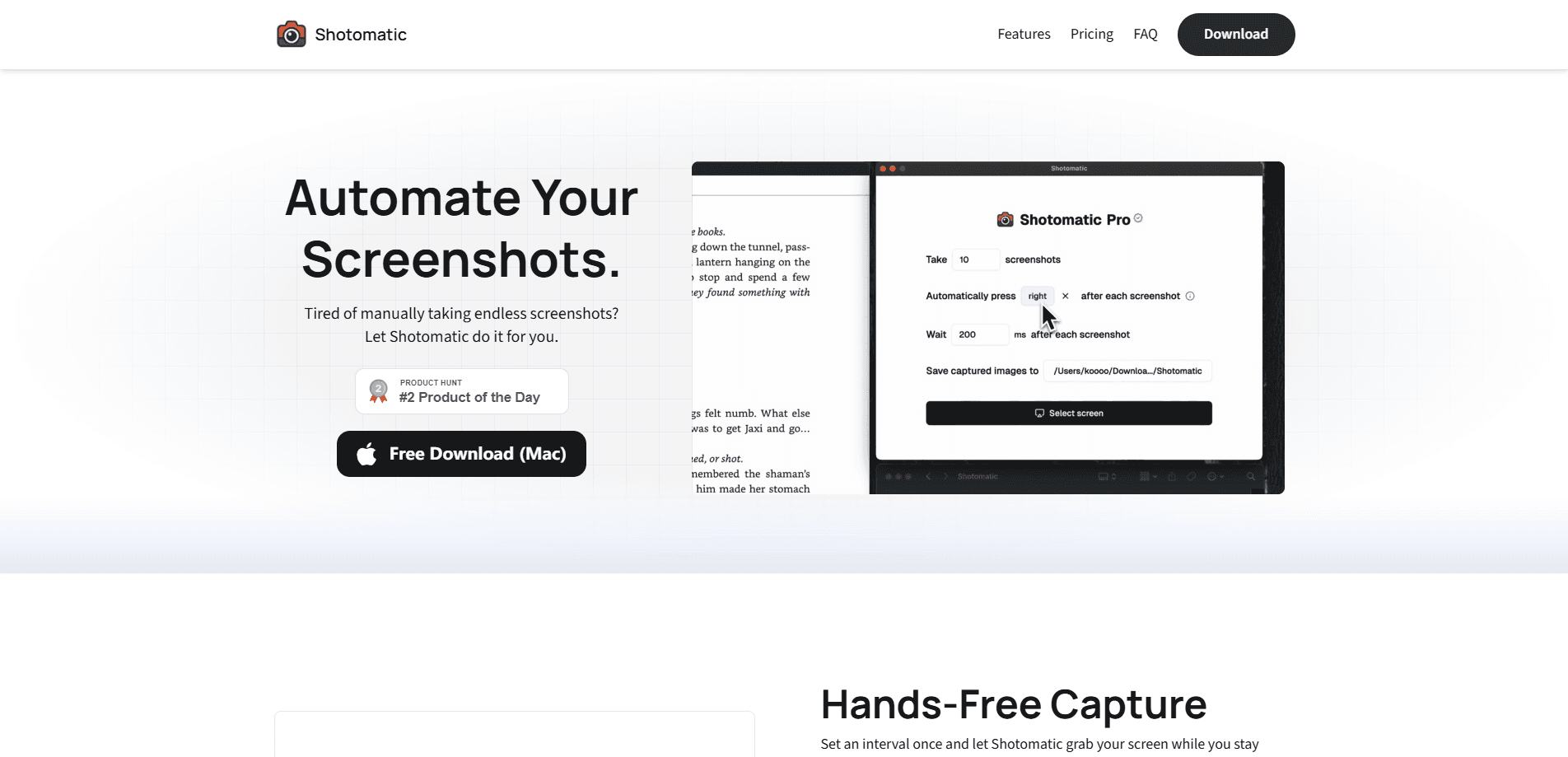
Shotomatic is a Mac app that automates screenshots. It captures your screen on a timer, turns clicks into step-by-step guides, and exports the results as JPG, PNG, PDF, ZIP, or MP4.
About Shotomatic
What Is Shotomatic
Shotomatic is a Mac screenshot tool built around one job: taking screenshots for you instead of you pressing keys all day. You set an interval or a click, and it handles the rest. Everything runs locally, so captures stay on your Mac unless you decide to share them.
It targets people drowning in repetitive captures. Documenting a workflow, archiving pages, or grabbing frames for a timelapse normally means dozens of manual shots. Shotomatic replaces that with a single setup of automatic screenshots.
The main limits are clear up front. It's Mac only. Windows and Linux support is on the roadmap but not out yet. Pro features need a one-time license or a subscription, and the free download covers basic captures.
Getting Started
- Download the app from shotomatic.com and open it on your Mac.
- Pick what to capture: the entire screen, a specific window, or a custom area.
- Set the capture rules such as interval, countdown, stop condition, and an optional keypress between shots.
- Let the session run, then open Capture History to review the frames.
- Export the ones you want as images, ZIP, PDF, or MP4.
Product Information
A quick look at Shotomatic's pricing, supported platforms, and performance.
Best for
The users, tasks, and scenarios where this tool fits best.
Users
- Writers and researchers who archive long articles or e-books
- Support and QA teams documenting a process
- Product people and freelancers making client updates
Tasks
- Building step-by-step guides
- Batch capturing a list of web pages
- Turning a screenshot session into a shareable video
Scenarios
- Documenting work while you keep moving
- Archiving permitted books, webcomics, or manga pages
- Capturing a long, slow process for a progress log
Key features
Timed Screenshot Capture
Set any interval and Shotomatic grabs your screen until it hits the stop condition you chose, whether that's a count, a duration, or an end time. Recurring schedules can be saved as presets for the next session. You stay in your app while the captures stack up in order. It's the core of hands-free capture, and it removes the need to hit a shortcut every few seconds.
Action Capture for Step-by-Step Guides
Instead of capturing on a timer, Action Capture watches your clicks. Each accepted click becomes an ordered page with the action marked so readers know exactly where to tap. You click through a task once and end up with an editable guide rather than a pile of raw shots.
Website Screenshot Automation
You can paste a list of URLs in bulk and let Shotomatic capture each page. Per-URL options let you preview a page and adjust viewport, timing, cookies, format, and quality before the batch runs. Finished screenshots sit next to the URL list, then export as ZIP, images, PDF, or MP4.
Keypress Automation
A single keystroke can fire between shots, which is how Shotomatic steps through menus, pages, or tests on its own. Archiving a webcomic or a document just needs the next-page key recorded once. It's the feature that turns a static capture loop into an actual workflow.
MP4 Timelapse Export
Long sessions can be exported as MP4, so a timelapse from screenshots shrinks hours of work into a short, smooth video. That's useful for tutorials, client updates, or simply showing how a screen changed over time. The same sessions still export to JPG, PNG, PDF, or ZIP when you need stills.
Local Capture and Privacy
Captures stay on your Mac. Shotomatic works entirely offline and doesn't upload your screenshots anywhere unless you move or share the exported files yourself. For anyone capturing sensitive or internal screens, that's a real reason to pick it over cloud tools.
Pros and cons
Pros
- Timed and click-driven capture cover both time-based archives and real step-by-step guides.
- Four export formats plus MP4, so screenshot to PDF and video both come out of the box, fitting most sharing and archiving needs.
- Everything runs offline and stays on your Mac, so private screens stay private.
- One-time licenses start at $39 with no recurring billing, and a free download lets you test the basics first.
- Per-URL options for website batches make bulk page capture practical instead of a gamble.
Cons
- Mac only. Windows and Linux users can't use it yet, and Windows support is still on the roadmap.
- No public API, so teams that want to trigger captures from their own pipeline are out of luck.
- Free download covers basic captures; unlimited sessions, keypress automation, and full export options sit behind Pro.
Frequently asked questions
It automates screenshots on a Mac. You use it to archive pages or books, build step-by-step guides from your clicks, and turn long sessions into timelapse videos. It's aimed at anyone doing the same capture over and over by hand.
Related content
Explore related tools, skills, and articles for Shotomatic.
Shotomatic Alternatives
BinkBink
BinkBink · OtherBinkBink is a free online game platform and AI game maker that lets anyone turn a short text description into a playable browser game. You can jump into hundreds of community-made games. Or describe your own idea and play it in seconds, then share it with friends. Want to create your own game? You don't need to code. No engine setup, no download, no hassle.

Audiogen
Audiogen Inc. · OtherAudiogen is an AI music generator built by Audiogen Inc., a small research team that spent about 2.5 years training its own generative music model and designing a web interface around it. Instead of a plain text box, this AI music tool turns the timeline into a beginner-friendly Generative Audio Workstation, or GAW, where inpainting, extending, remixing and stem editing work more like painting on a canvas. The product is still in beta, so access runs through a waitlist or an invite. Paid plans aren't published yet.

Aiml API
AIMLAPI OÜ · OtherAiml API is a unified AI model API that puts more than 1000 models from OpenAI, Google, Anthropic, and others behind one endpoint and one bill. You write code against a single OpenAI-compatible schema, then switch between chat, image, video, and audio models by changing a model string. It suits developers and small teams who want multi-model access without juggling a dozen separate provider accounts, and it removes the usual billing headache that comes with testing several vendors. One key covers it all.