

Shulex Copilot ChatGPT E-commerce Tool & Sidebar
Shulex · Marketing · Business
Shulex Copilot is a Chrome sidebar for Amazon and Shopify sellers that pulls a product's reviews, runs an AI review analysis, and turns the findings into listing text and consumer insight reports.
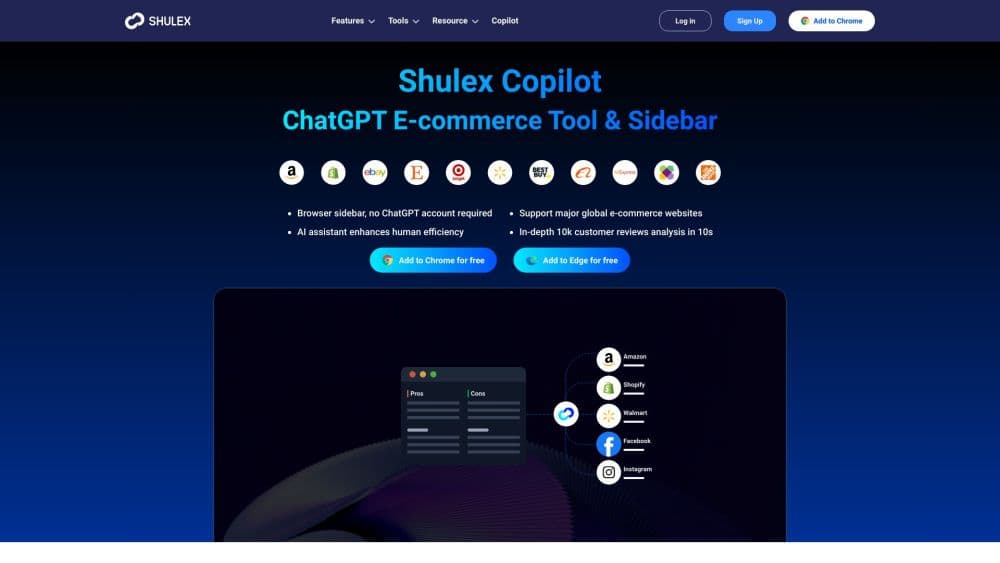
About Shulex Copilot ChatGPT E-commerce Tool & Sidebar
What Is Shulex Copilot
Shulex Copilot is a free browser extension from Shulex, the team behind the VOC.AI review analytics platform. It's the tool Amazon sellers often find while looking for a GPT4 for Amazon setup that doesn't require their own key. It installs as a sidebar in Chrome and stays open on top of an Amazon or Shopify page. From there you can chat with a model, pull every review on a listing in one click, and get a summary of what buyers praise and what they complain about.
The problem it addresses is research time. Reading a thousand reviews by hand is slow, and copying them into a chatbot breaks your flow. The extension removes both steps: the analysis button sits above the product title, and the output appears in the sidebar next to the page you're studying.
Two boundaries matter. The extension covers Amazon marketplaces and Shopify storefronts; other platforms aren't the target, even if the chat side works on any site. And the review analysis runs on Shulex's own pipeline, so you get its model and its report format rather than a free-form chat with your own keys. That's why no OpenAI account is needed.
Getting Started
- Open the Chrome Web Store page and click Add to Chrome. The extension needs permission to read page content and authentication data on the sites you visit.
- Create an account or sign in. The chat and starter analyses are usable without a paid plan.
- Visit an Amazon listing or a Shopify product page. A Copilot tab and an analysis button show up above the title.
- Click the analysis button. Shulex collects the reviews and generates a report covering sentiment, buyer motives, use cases, and unmet needs.
- Export or act on the result. Download the reviews as an xlsx file, or paste the suggested title and bullet points into your listing draft.
Product Information
A quick look at Shulex Copilot ChatGPT E-commerce Tool & Sidebar's pricing, supported platforms, and performance.
Best for
The users, tasks, and scenarios where this tool fits best.
Users
- Amazon private label sellers
- Shopify store owners
- Small ecommerce teams without a research analyst
Tasks
- Auditing reviews before a listing rewrite
- Sizing up a competitor
- Writing a title and bullet points from customer language
- Exporting raw review data
Scenarios
- Screening a product idea in an afternoon
- Preparing a weekly listing update
- Checking a new market's reception
Key features
One-Click Review Analysis
The analysis button sits above the product title on any Amazon listing, and Shopify pages get the same treatment. One click collects the reviews and returns a structured breakdown of positive and negative feedback, with the recurring complaints pulled out separately from one-off remarks. You can see the summary before you read a single review yourself.
AI Assistant Sidebar
The sidebar works as a general chat panel on major ecommerce sites. You can ask questions about the page you're on, find similar products, translate copy, or ask for a product breakdown. Because it runs on Shulex's own model access, you don't need an OpenAI account or API key to use it.
Listing Optimization Suggestions
The tool proposes titles, descriptions, and bullet points built from the review vocabulary it just analyzed. That makes the output specific to how customers actually talk about the product, which is the part generic models usually miss. You still review the drafts, since the suggestions arrive as raw material rather than final copy.
Consumer Insight Reports
Beyond the review summary, the analysis produces a report on buyer motives, usage scenarios, and unmet needs. For a startup sizing up a category, that's the difference between knowing a product gets 4.2 stars and knowing why the other 1.8 stars went missing.
Review Export to Spreadsheet
Every collected review can be downloaded as an xlsx file. If you'd rather run your own analysis in a spreadsheet or hand the data to a colleague, this keeps the raw text in one place without scraping it yourself.
Shopify Review Download
Shopify storefronts often hide reviews inside third-party widgets, which makes bulk collection awkward. The extension reads them from the page directly, so a store owner can pull the full review set with one click.
Market and Keyword Discovery
The toolkit includes market tracking and a demand keyword finder. Both feed the listing side: you spot an industry trend, then check which terms buyers actually search for before you commit ad budget to them.
Pros and cons
Pros
- No OpenAI account or API key needed, which removes a setup step that trips up non-technical sellers.
- The analysis button sits on the listing page itself, so research happens where you're already working.
- Review export in xlsx gives you the raw data, not just an AI summary, which matters when you want to verify a claim.
- Works across all Amazon marketplaces, so sellers running several regions keep one workflow.
- Free to install, with paid depth only when you need more analyses.
Cons
- The Chrome Web Store listing sits around 4.4 stars from roughly a hundred ratings, so the polish isn't flawless.
- Review analysis quality depends on how many reviews a listing has; thin listings produce vague reports.
- The core value is on Amazon and Shopify. Sellers on Temu, Walmart, or regional marketplaces get less from it.
- Deeper usage moves you to the VOC.AI platform plans, which start at $99 per month and cost more than most sellers expect from an extension.
Frequently asked questions
Shulex Copilot is one of the Amazon seller tools that lives in the browser instead of a separate dashboard. It summarizes Amazon and Shopify reviews, writes listing suggestions from that feedback, and produces consumer insight reports. It also works as a general AI chat panel on other commerce sites.
Related content
Explore related tools, skills, and articles for Shulex Copilot ChatGPT E-commerce Tool & Sidebar.
Shulex Copilot ChatGPT E-commerce Tool & Sidebar Alternatives

ngram 2.0
ngram · Video · Marketingngram 2.0 is an AI video generator for teams. It turns a prompt, a screen recording, or a product URL into a narrated explainer, product demo, or AI avatar video, and every scene stays editable.

shippedit.me
Krawlup · Marketing · Businessshippedit.me now redirects to Krawlup, a web platform that audits SEO, AEO and page speed every week, then hands the fixes to AI coding agents over MCP.

MePersona
MePersona, Inc. · Writing · Productivity · MarketingMePersona is an AI unified inbox for creators. It learns your voice, drafts replies to fan messages from 12 platforms, and sends only what you approve.