

Sidekick
Magnitude AI Inc. · Coding · Productivity
Sidekick is a chat-based AI automation platform that turns plain-language descriptions into finished workflows. It suits sales, marketing, and ops teams that want automation without a complex builder.
About Sidekick
What Is Sidekick
Sidekick is an AI workflow automation tool from Magnitude AI Inc. that lets you describe a task in everyday language and watch the workflow assemble itself on a visual canvas. Its natural language automation approach is meant to be a simpler path than builders like Zapier or Make.com, which often bury non-technical users in dropdowns and flowcharts.
The appeal sits with busy operators. Sales, marketing, and ops teams usually know exactly what they want automated, yet they stall on setup or wait for a developer to build it. Sidekick flips that, since the chat handles the wiring while you review the result on screen.
The catch is availability. Sidekick later rebranded as Sagekit, and the product is no longer online. Anyone weighing it today should treat it as a case study in chat-first automation rather than a live tool.
Getting Started
- Open the Sidekick web app or the desktop app for macOS or Windows and create an account.
- Type what you want to automate in the chat panel, such as pulling emails that match a rule into a spreadsheet.
- Review the workflow Sidekick generates on the canvas beside the chat, then adjust it by typing further instructions.
- Connect the apps involved, like Gmail, Slack, or HubSpot, and confirm the permissions each connector needs.
- Run the workflow on demand, or schedule it to run on a set cadence.
Product Information
A quick look at Sidekick's pricing, supported platforms, and performance.
Best for
The users, tasks, and scenarios where this tool fits best.
Users
- Sales teams
- Marketing and ops staff
- Startup founders
Tasks
- Syncing Gmail with Sheets
- Daily sales briefings
- Weekly pipeline reviews
- Web scraping with AI
Scenarios
- Replacing a tangled Zapier setup
- Handing automation to non-technical teammates
- Early-stage tooling trials
Key features
Chat-to-Workflow Builder
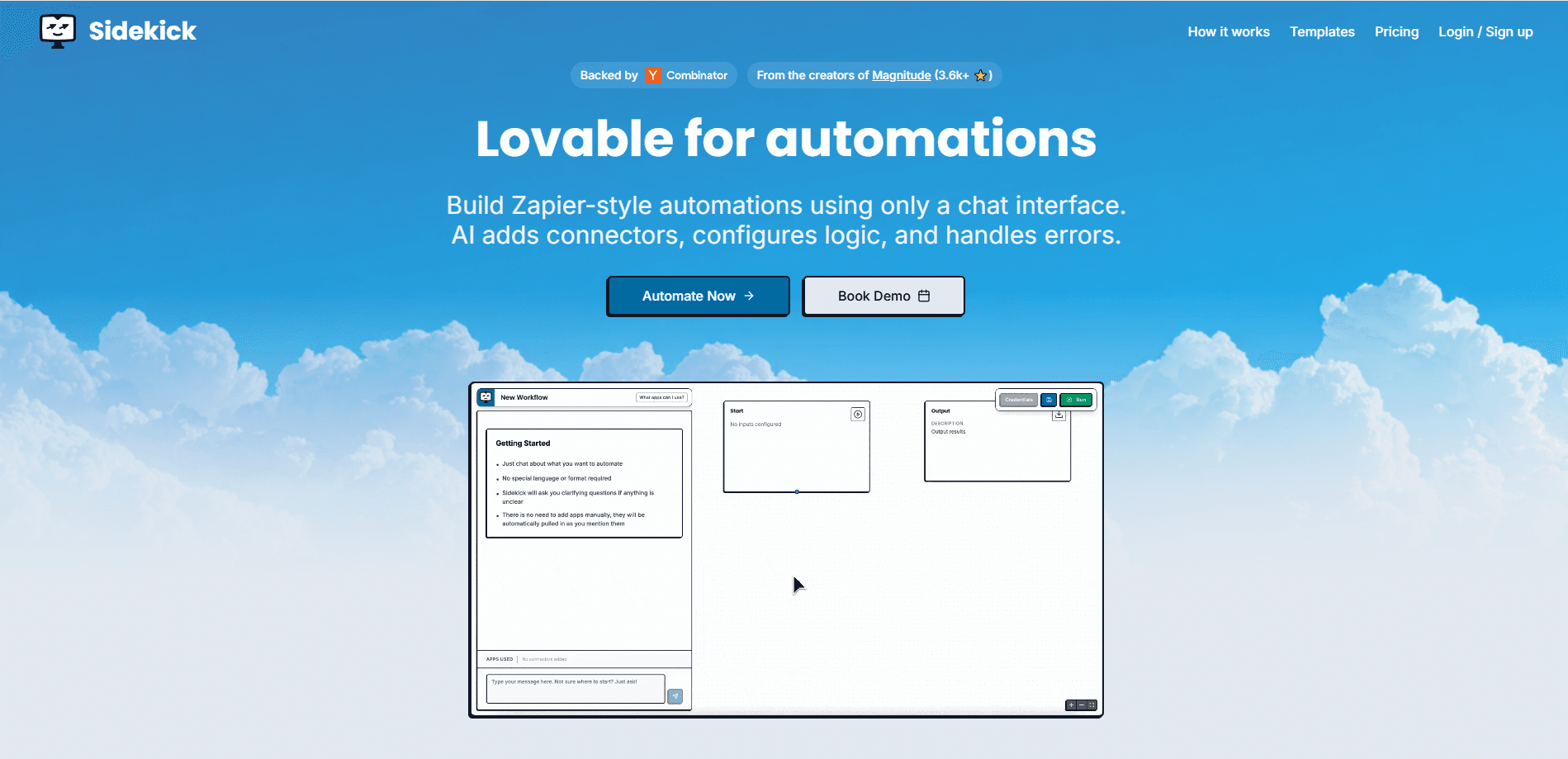
You describe the goal in plain language, and Sidekick generates the workflow on a canvas beside the chat. Every later change happens through typing, so you never touch a dropdown tree.
Visual Workflow Canvas
The right side of the screen shows the automation as it takes shape, which makes it easy to spot a wrong step before running anything. It's a live preview, not a static diagram.
First-Party Integrations
Sidekick shipped with native connectors for Google Workspace (Gmail, Calendar, Drive, Docs, Sheets), HubSpot, Notion, and Linear, plus AI calls and web scraping. The roadmap listed Attio, Pipedrive, Salesforce, Mixpanel, and Amplitude as coming.
AI Steps and Web Scraping
Workflows can call an AI model to research a company or summarize a page, then pass the result to the next step. That turns a scrape-and-summarize job into a single automation.
Scheduled and On-Demand Runs
You can trigger a workflow manually or put it on a schedule, like a daily briefing that lands in Slack each morning. Pricing follows runs, so a busy workflow costs more than a light one.
Error Handling
Sidekick configures logic and error handling automatically as it builds, which cuts the manual branch setup that trips up newcomers. It aims to keep a workflow running when one step fails.
Pros and cons
Pros
- Builds workflows from plain-language prompts, so you don't need to learn a visual programming tool.
- Shows a live visual canvas next to the chat, which makes mistakes easier to catch early.
- Creates unlimited workflows on the free tier, capped at 200 runs per month.
- Native connectors cover common stacks like Google Workspace, HubSpot, Notion, and Linear.
Cons
- The product has shut down, so new users can't sign up or run workflows today.
- Integrations were limited to a handful of first-party apps, with several on the roadmap rather than live.
- Pricing charges per run, which makes heavy, frequent automations cost more than flat-rate rivals.
- The per-run model is harder to budget for teams that don't know their monthly volume yet.
Frequently asked questions
Sidekick is an AI workflow automation tool that builds automations from chat prompts. You describe a task, and it generates the workflow for you to run or schedule.
Related content
Explore related tools, skills, and articles for Sidekick.
Sidekick Alternatives

Base Code
Base44 (Wix) · Coding · ProductivityBase Code is a shared cloud development environment from Base44. Teammates describe changes to an existing GitHub codebase in chat, preview them live and send them back as pull requests.

Google EmbeddingGemma 2
Google DeepMind · Writing · Image · CodingGoogle EmbeddingGemma 2 is a 740M-parameter open model that turns text, code, images, audio, and video frames into vectors in one 768-dimension space, running on phones and laptops.

GitGlow
GitGlow · Coding · ProductivityGitGlow is a local-first desktop Git client that lets independent developers review their own code and their AI agents' changes in one place before shipping.