

SidekickBar
SidekickBar · Other
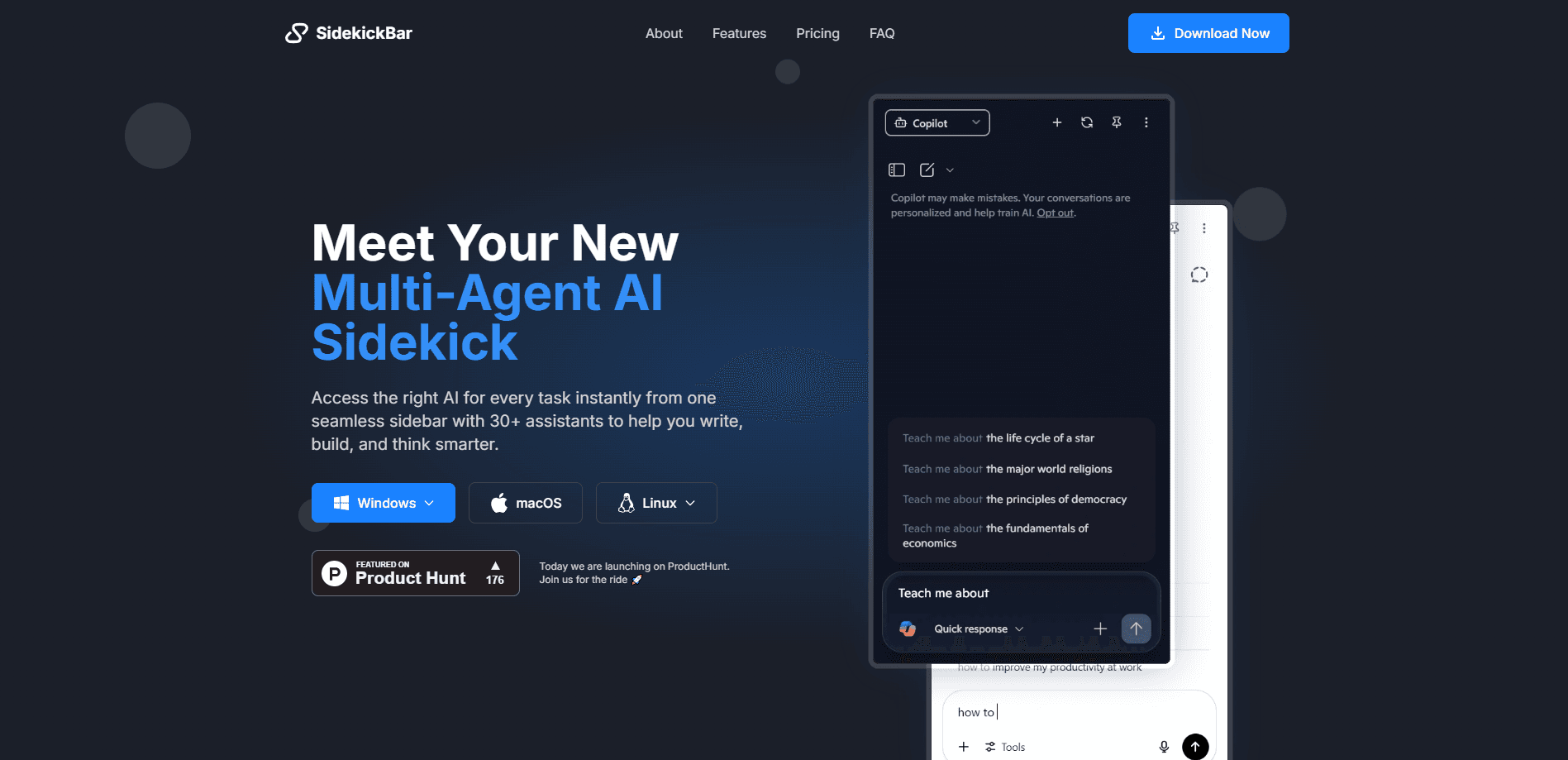
SidekickBar is a desktop sidebar app that runs 30+ AI assistants from OpenAI, Anthropic, Google, and local models in parallel, so you keep one workflow instead of juggling tabs.
About SidekickBar
What Is SidekickBar
SidekickBar is a desktop app for Windows, macOS, and Linux that docks a multi-agent AI sidebar to your screen. Instead of opening ChatGPT in one tab, Claude in another, and Gemini somewhere else, you call them all from the same panel. You can run several assistants side by side and compare what each one says without copying text back and forth.
The app ships with more than 30 pre-configured assistants and supports over 30 AI providers. If you already pay for a ChatGPT Plus or Claude Pro account, SidekickBar connects to it, so you're not buying a second subscription to the same model. You can also plug in your own cloud or local assistants, which keeps some work on your own machine.
The catch is that it isn't a fully offline assistant. Most of the power comes from accounts you already hold with OpenAI, Anthropic, or Google, and the three local providers need your own hardware to run. The free tier caps you at 2 assistants, and features like Custom Actions sit behind the paid plans. Custom hotkeys, voice control, and file drag-and-drop round out the everyday workflow.
Getting Started
- Download the installer for Windows, macOS, or Linux from the official site and run it.
- Open SidekickBar and sign in with your existing AI accounts, or add a provider API key if you prefer.
- Add assistants from the 30+ preset list, or add a custom provider for a local or cloud model.
- Set a global hotkey so the sidebar appears over any app when you need it.
- Pin the sidebar, drop in a file, and start prompting. Toggle between assistants to compare answers.
Product Information
A quick look at SidekickBar's pricing, supported platforms, and performance.
Best for
The users, tasks, and scenarios where this tool fits best.
Users
- People who already pay for ChatGPT, Claude, or Gemini
- Multitaskers comparing model answers
- Privacy-minded users
Tasks
- Rewriting and editing text
- Research with multiple sources
- Quick lookups without switching windows
Scenarios
- Working inside another app all day
- Mixing cloud and local models
- Sharing a license across a small team
Key features
30+ Pre-Configured Assistants
The app ships with over 30 assistants built on providers like OpenAI, Anthropic, and Google. You use your existing free or premium accounts, so you're not locked into a new subscription. If a preset doesn't fit, you can add your own assistant instead of waiting for one to appear.
Multi-Provider Support
SidekickBar supports more than 30 AI providers, including three that run locally. That means you can compare a cloud model against a local one in the same panel. Custom provider setup means a new model can be added without the developers shipping an update.
Parallel Task Execution
Several assistants can run at the same time, and you read the outputs side by side. For decisions where one model can be wrong, comparing two or three answers in one view beats opening separate tabs. It's the feature that most justifies keeping the app open all day.
Custom Actions
Custom Actions bundle common jobs like writing, rewriting, answering, translating, and grammar checking into one click. There are 10+ output formats, and the actions run across 10 assistants. It saves the step of retyping the same instruction every time you start a chat.
Voice Assistant
Voice commands let you drive the workflow without typing, which helps when you're hands-deep in another task. Voice input pairs well with the sidebar staying pinned, since you don't need to reach for the keyboard. It's a convenience feature rather than a full dictation tool.
File Drag and Drop
Drop a file onto the app to upload it to the active assistant. This fits the pattern of keeping work in one window instead of bouncing files between your desktop and a browser. It's aimed at documents you want summarized, rewritten, or explained on the spot.
Custom Hotkeys
Global shortcuts bring the sidebar up over any application. You set your own key combination, so the app doesn't fight with shortcuts you already use. This is what turns SidekickBar from a separate app into something that sits on top of your real workflow.
In-App Browser
An in-app browser lets you look things up without leaving the sidebar. If an answer needs a quick check, you can open the page in the same panel rather than switching to your main browser. It rounds out the app's aim of keeping everything in one place.
Pros and cons
Pros
- Works with the AI accounts you already pay for, so monthly cost stays low.
- Runs 30+ assistants and 30+ providers in one sidebar instead of many tabs.
- Three local providers keep some prompts off the cloud entirely.
- Custom Actions and custom hotkeys cut down on repeated typing.
- Lifetime license at $25 covers two devices, which is cheap for a one-time buy.
Cons
- The free tier limits you to 2 assistants and 15 providers, which is tight for real comparison work.
- Most value depends on third-party accounts, so quality tracks whatever OpenAI, Anthropic, or Google allow.
- Local providers need a capable machine and some setup, so it's not plug-and-play.
- There's no published public API, which rules out automated or scripted use.
Frequently asked questions
SidekickBar is a desktop AI sidebar for Windows, macOS, and Linux. It runs 30+ AI assistants from OpenAI, Anthropic, Google, and other providers in one panel, so you can prompt and compare them without switching tabs.
Related content
Explore related tools, skills, and articles for SidekickBar.
SidekickBar Alternatives
BinkBink
BinkBink · OtherBinkBink is a free online game platform and AI game maker that lets anyone turn a short text description into a playable browser game. You can jump into hundreds of community-made games. Or describe your own idea and play it in seconds, then share it with friends. Want to create your own game? You don't need to code. No engine setup, no download, no hassle.

Audiogen
Audiogen Inc. · OtherAudiogen is an AI music generator built by Audiogen Inc., a small research team that spent about 2.5 years training its own generative music model and designing a web interface around it. Instead of a plain text box, this AI music tool turns the timeline into a beginner-friendly Generative Audio Workstation, or GAW, where inpainting, extending, remixing and stem editing work more like painting on a canvas. The product is still in beta, so access runs through a waitlist or an invite. Paid plans aren't published yet.

Aiml API
AIMLAPI OÜ · OtherAiml API is a unified AI model API that puts more than 1000 models from OpenAI, Google, Anthropic, and others behind one endpoint and one bill. You write code against a single OpenAI-compatible schema, then switch between chat, image, video, and audio models by changing a model string. It suits developers and small teams who want multi-model access without juggling a dozen separate provider accounts, and it removes the usual billing headache that comes with testing several vendors. One key covers it all.