

SignAI
Sign AI (Mudita Studios) · Writing
SignAI is a Deaf-led AI sign language interpreter that turns ASL and spoken English into real-time two-way conversation on the web and inside apps that use its API.
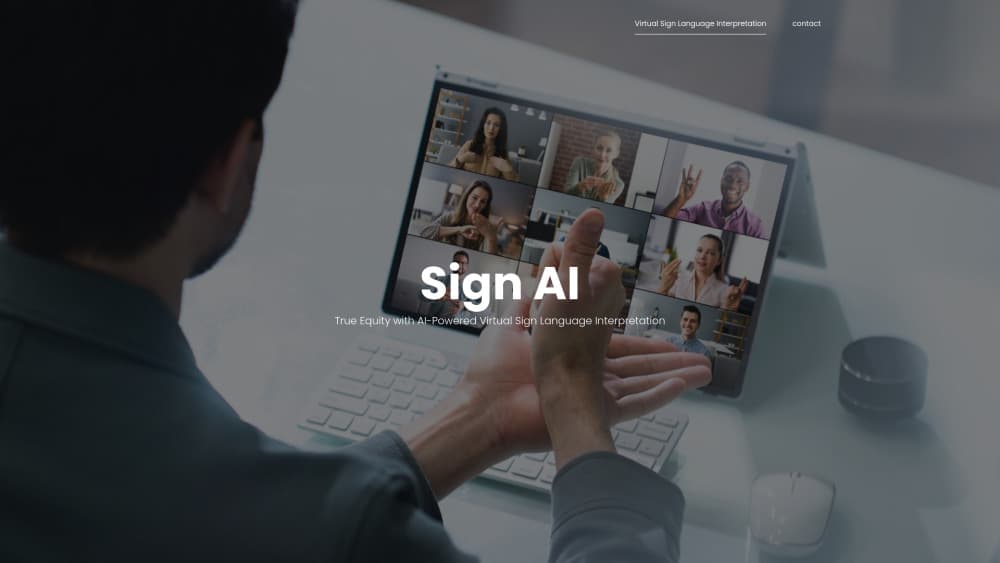
About SignAI
What Is SignAI
SignAI is a virtual sign language interpreter built for American Sign Language. It converts spoken English into signed output on screen, reads the signs a Deaf person makes toward the camera, and turns them back into English. The result is a conversation that runs in both directions without anyone booking a human interpreter in advance.
The team behind it is based in Seattle and led by Deaf professionals. That background shapes the product: the signing is treated as a full language with its own grammar and regional variation, not as a visual copy of English. Sign AI runs pilots with schools, clinics, banks, and public agencies that need communication access but can't staff an interpreter desk around the clock.
What it doesn't do matters just as much. SignAI is not a replacement for a qualified human interpreter, and the company says so on its own site. It covers ASL, not every sign language. And because the product is still working through pilots, most people can't sign up and use it today; access comes through an organization. Expect accuracy to vary with lighting, camera angle, signing speed, and how much specialized vocabulary a conversation uses.
Getting Started
- Request a demo from sign-ai.com. You describe your organization, the industry you work in, and the kind of conversations you need to cover.
- Agree on a deployment. Most teams start with the browser experience, then move to embedding the interpreter in their own product through the API once the pilot proves useful.
- Prepare the space. A camera with a clear view of the signer, a decent microphone, and a stable connection do most of the work. The company runs a short test session before go-live.
- Run the first conversations with a pilot group. Deaf staff or customers sign, hearing participants speak, and the interpreter handles both directions on screen.
- Review results with the Sign AI team. Feedback on missed signs or awkward phrasing goes back into the language model and the glossing process.
Product Information
A quick look at SignAI's pricing, supported platforms, and performance.
Best for
The users, tasks, and scenarios where this tool fits best.
Users
- Deaf ASL signers
- Hearing colleagues and managers
- Front desk and service staff
- Accessibility and compliance leads
Tasks
- Walking a Deaf customer through account opening or check-in
- Running a team stand-up with a Deaf teammate
- Handling patient intake in a clinic
- Adding captions and signing to a recorded or live webinar
Scenarios
- An interpreter cancels an hour before an appointment
- A Deaf job candidate interviews with a hiring panel
- A public agency runs a walk-in service counter
Key features
Interpretation in Both Directions
SignAI handles ASL to English and English to ASL in the same session. A hearing person speaks and the screen signs the message; the Deaf person signs and the system produces English text or speech. That two-way interpretation removes the note passing and lip-reading guesswork that fills most unplanned conversations.
On-Demand Access Without Booking
The pitch is availability. Human interpreters are expensive, scarce, and booked days ahead, which leaves gaps at odd hours and in rural areas. SignAI runs when the page loads, so a conversation can start in the moment it's needed instead of waiting for a scheduled slot.
Web and API Deployment
The interpreter runs in a browser, and organizations can embed it in their own software through an API. That covers a clinic checking patients in, a university lecture hall, a bank branch, or a support desk that already has its own interface. Teams don't have to move to a new tool to add sign language access.
A Model Built With Deaf Contributors
The language model is trained with Deaf input rather than borrowed from a spoken-language system. Sign AI reports more than 50 Deaf contributors working on language, culture, quality assurance, and production, alongside four Deaf people in leadership roles. That matters for Deaf accessibility because ASL grammar, facial expression, and regional signs don't map cleanly onto English word order.
Glossing and Quality Review
Behind the model sits a glossing process, where signed content is annotated and checked by linguists and native signers. Errors get traced to a specific layer, whether that's recognition, grammar, or output. For buyers, the practical effect is a product that can be corrected in one place instead of retrained from scratch after every bad session.
Pilot Support for Organizations
Sign AI works with partner organizations rather than selling a self-serve subscription. Pilots come with help on deployment, test sessions, and feedback collection. Schools, healthcare providers, government offices, and event organizers get a chance to see how sign language AI holds up in their own setting before they commit to a wider rollout.
Pros and cons
Pros
- Real-time sign language interpretation in both directions, which covers the hearing-to-Deaf half that captioning tools leave out.
- Deaf-led design and a large pool of Deaf contributors, so the signing output accounts for grammar and culture instead of treating ASL as coded English.
- Availability on demand, which fills the gaps left by interpreter shortages and last-minute cancellations.
- API access lets organizations add sign language support inside tools they already run, with no separate app for Deaf users to learn.
Cons
- No public self-serve plan. Individuals and small teams can't simply sign up, so access depends on an organizational pilot.
- ASL only. Deaf users of British Sign Language, Langue des Signes Française, or other national sign languages are not served by this product.
- Accuracy depends on conditions. Fast signing, poor lighting, overlapping speakers, or heavy jargon can all degrade recognition, and there's no published error rate to plan around.
- Pricing isn't listed. Budgeting means a sales conversation, which slows down procurement for smaller institutions.
Frequently asked questions
SignAI interprets between American Sign Language and spoken English in real time. It signs what a hearing person says and turns a Deaf person's signs into English text or speech, so the two can hold a conversation through a camera and screen.
Related content
Explore related tools, skills, and articles for SignAI.
SignAI Alternatives

Google EmbeddingGemma 2
Google DeepMind · Writing · Image · CodingGoogle EmbeddingGemma 2 is a 740M-parameter open model that turns text, code, images, audio, and video frames into vectors in one 768-dimension space, running on phones and laptops.

MePersona
MePersona, Inc. · Writing · Productivity · MarketingMePersona is an AI unified inbox for creators. It learns your voice, drafts replies to fan messages from 12 platforms, and sends only what you approve.

Fluence
Yay Software (Yannick Huchard) · Writing · Voice & Language · ProductivityFluence is an Android app that reads PDFs, EPUBs, Word files and web articles aloud, follows each sentence as it speaks, and answers questions about the text on the phone itself.